KeywordStat Review: Keyword Research, Clustering & SEO Data Compared
Oct 03, 2026
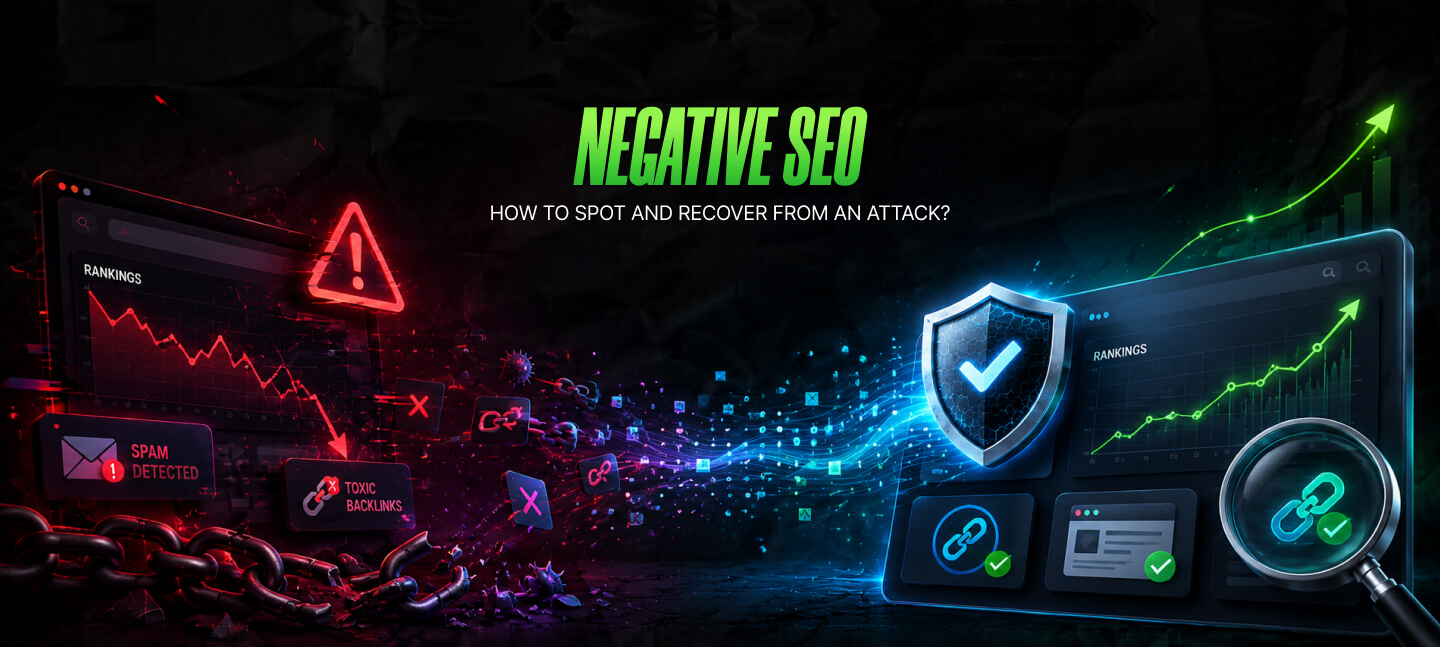

Imagine opening Google Search Console on a Monday morning and seeing your organic traffic drop by 40%.
Your first thought is probably, “Google must have rolled out another algorithm update.” Then you check your rankings. Several important keywords have slipped. And not just that – on further digging, you find out that a few pages are not even indexed anymore.
And suddenly you remember someone discussing negative SEO on a forum. In that case, is it possible that a competitor is behind the drop in traffic on your site?
Here’s the problem.
To be honest, most cases where traffic has dropped significantly are not related to negative SEO. In reality, it is very common for a site to face technical problems, indexing issues, and even algorithm updates.
However, the idea that some competitor is trying to harm your organic traffic and ranking is so compelling that it is the practical explanation most people look for.
While clearing this doubt was my intention, it is also essential to note that negative SEO is not some digital myth.
It exists. It has been documented for years. But it also isn’t the invisible force many marketers blame every time traffic declines.
The real challenge isn’t proving that negative SEO exists. It’s learning how to separate a genuine attack from an ordinary SEO problem.
In my guide today, I will breakdown negative SEO, highlighting the red flags that you should pay attention to and the actionable steps you can take if your site is under attack.
Stay tuned.
Negative SEO is the practice of harming someone’s website in a way that impacts the overall performance of the site on search results.
The point is to spend time pulling down someone’s site instead of working on your own site – sounds pretty unethical to me.
As a result, someone doing this will not work on improving their rankings with strong content or even spend time on technical improvements. Instead, they will try to create problems that will make a site lose Google’s trust.
The methods vary.
Some attacks focus on a website’s backlink profile. Others target the site’s security, content, or technical setup. In more serious cases, attackers may hack a website, inject spam pages, or copy content across hundreds of domains.
The important point is intent.
So, if someone deliberately plans to damage your website by harming the site’s visibility on SERPs, then that is intentional. And it’s very different from a drop in traffic due to a technical issue or Google update.
Yes, definitely. But not in the way people usually think about it – I’ll break it down for you.
See, a decade ago, a website owner would throw a fit if hundreds of spammy backlinks randomly appeared on their site. This is because at that time search engines – including Google – were heavily dependent on backlink signals.
Needless to say, spammy link schemes would have had a significant impact in such scenarios.
But search has changed. In 2026, Google’s system can easily identify low-quality links.
Today, Google is smart enough not to penalize a website randomly for receiving spammy backlinks – instead, Google will ignore these links.
That’s one reason experienced SEOs rarely blame negative SEO without evidence. So, if your traffic falls overnight, there are usually more likely explanations.
For example:
These issues happen every day, and they explain far more ranking losses than deliberate attacks.
That’s why the smartest approach is to investigate the obvious causes first.
If everything checks out and the evidence points elsewhere, then it’s time to explore the possibility of negative SEO.
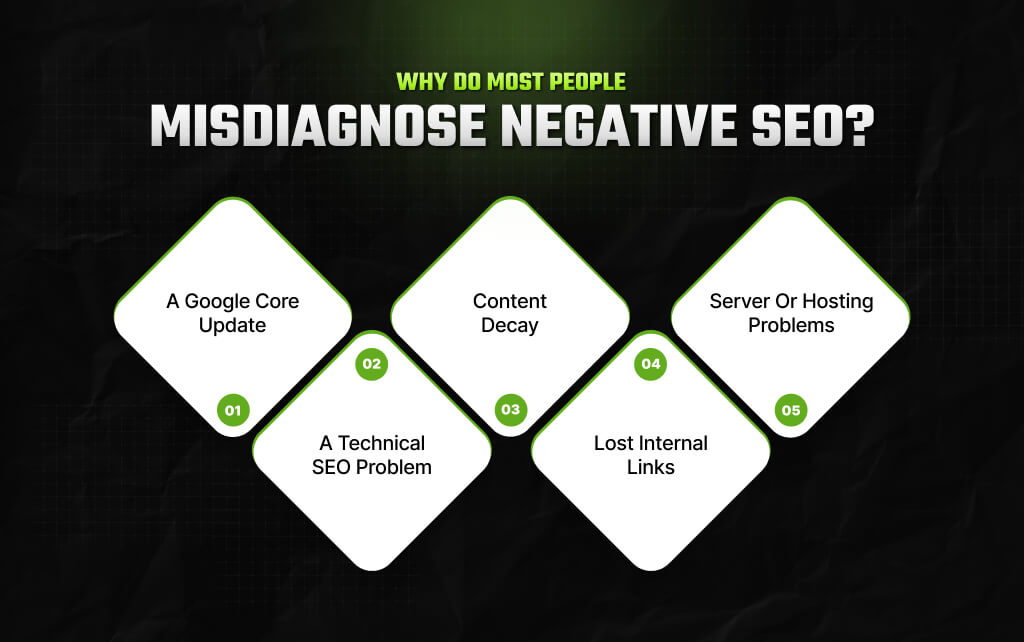
In my eight years in the Content/SEO landscape, I’ve seen that most SEO professionals have the tendency to point at an external cause for any unexplained drop in traffic or rankings.
While I think it’s perfectly understandable that blaming a competitor feels like an easy way out, it’s not always how things work.
In most cases, I’ve seen there was something wrong with the site – maybe the content was too thin, the health of the site was bad, or it was hit by an update.
That is why experienced SEO professionals ask a different question in such cases where negative SEO could be a reason for the drop in a site’s traffic: “What changed on my website before I ask what someone else might have done?”
That simple shift in thinking can save hours of unnecessary investigation. Let’s look at a few situations that are commonly mistaken for negative SEO.
You lose rankings across dozens of pages on the same day.
That feels alarming, but if websites across your industry experienced similar changes, the cause is probably an algorithm update rather than an attack.
So, look beyond your own analytics before jumping to conclusions.
A developer updates your website. The next day, traffic begins to fall. Later, you find out that some of your site’s important pages got blocked accidentally by a noindex tag or a robots directive.
I know it can seem like negative SEO was used on your site. But in reality, the issue started inside your own website.
Sometimes nothing is wrong. Your competitors simply produce better content. Search intent changes. New research appears, and fresh real-world examples replace outdated advice.
It’s very normal. So, if your article that was on top of the SERPs for over a year suddenly drops in ranking, it doesn’t mean someone did this to you intentionally.
It is possible that the content no longer answers the search query as it did a year ago – someone else did it better and now is sitting on top. That’s not sabotage.
It’s how search evolves.
To be honest, I’ve rarely seen internal links get the attention they actually deserve – very underrated, frankly, even in 2026.
When you remove the navigation links, change a site’s architecture, or delete supporting pages, it can weaken the authority of a page. And that too over a period of time.
Sadly, when the rankings begin to decline, it might look mysterious, and you might even consider negative SEO. But honestly, it is a technical problem that is not getting any acknowledgment.
Imagine your website experiences repeated outages over several weeks.
Googlebot struggles to crawl important pages. Some URLs temporarily disappear from the index. Traffic declines.
Again, this resembles negative SEO from a distance. However, the real culprit is poor website availability.
| Before You Assume The Worst, Ask These 5 Questions: When rankings fall, resist the urge to blame competitors. Instead, work through these questions first. 1. Did only one page lose rankings, or did the entire website decline? 2. Did traffic fall, or did rankings fall? 3. Did Google release an algorithm update? 4. Has anything changed on your own website? 5. Is there actual evidence of an attack? |
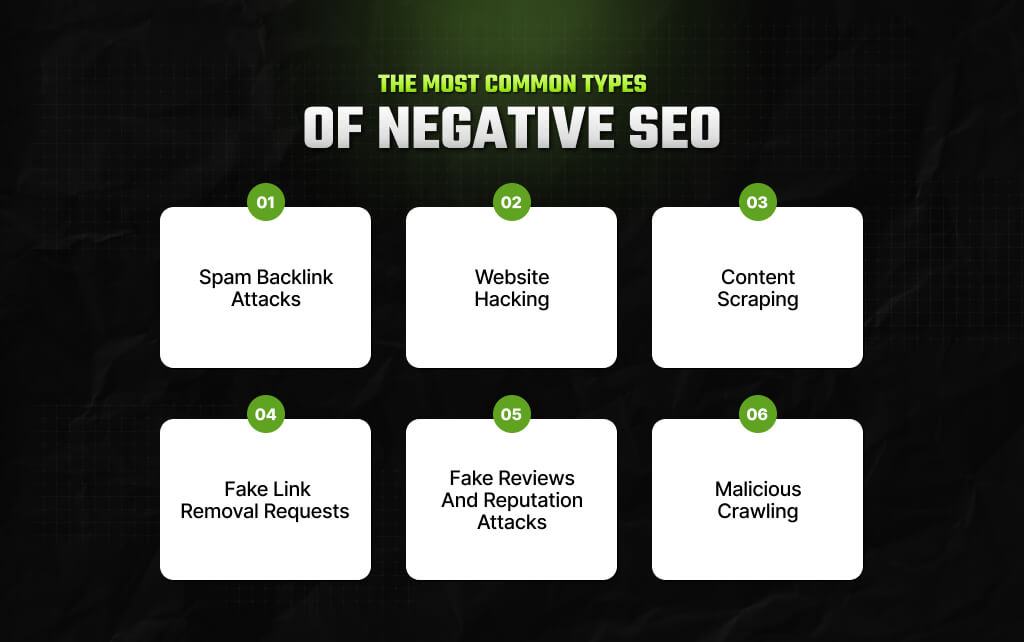
Not every negative SEO attack looks the same.
Some target your backlink profile. Others might target the content on your site. Then there are people who can go after the site’s privacy and security.
Moreover, people can be super subtle about this – and you can even fail to spot it for weeks at length.
However, it doesn’t matter how good an attack someone makes – most attacks actually leave behind clues. The only challenge you will face is to spot which clues are relevant and which ones you should ignore.
Probably with my help, you can spot the kind of attacks you can witness.
This is perhaps the most common example of negative SEO.
So, in this case, someone creates hundreds of spammy, low-quality backlinks with all of them pointing to your site. Now, these links are not just from spammy domains, but also could be from adult, gambling, or foreign-language sites.
The goal is super simple really: to make your backlink profile look manipulative so search engines lose trust in your site.
As I was discussing a little while ago, a decade ago, this tactic was an alarming threat. But now, the reality is different thanks to Google’s updated systems that can easily identify artificial link patterns.
Instead of looking at these backlinks as ranking signals, Google’s systems tend to ignore them.
While there’s no need to panic, there’s no reason to ignore a random increase in spammy backlinks on your site.
Instead, ask a few questions.
A backlink attack without any measurable impact often requires monitoring rather than immediate action.
This is one of the most serious forms of negative SEO because it affects more than your search rankings.
If someone gains access to your website, they may:
Sometimes the changes are obvious. But at other times, they can be as good as invisible. Unlike spam backlinks, hacking demands immediate action. Every hour counts.
So, let’s imagine you have spent weeks researching a topic and finally creating a detailed piece of content.
You go ahead and publish the content only to find out that in one week, multiple sites end up copying your content – and that too word for word. That’s plagiarism – and also content scraping.
Of course, most pieces of duplicate and scraped content will not impact your ranking since Google is generally good at identifying the original source.
The problem begins when scraped versions spread across hundreds of websites, creating confusion about which page deserves to rank.
While large websites experience scraping regularly, smaller sites should still monitor for widespread copying, especially if important pages suddenly stop performing as expected.
This is one of those uncommon tactics that you will not hear about much. But that doesn’t mean people won’t use it to harm your site if they want to.
So, how does it work?
An attacker contacts websites that link to you and pretends to represent your business. They ask the site owner to remove the backlink.
Now, if enough site owners end up complying, then your backlink profile will weaken gradually.
Personally, I think even if this attack isn’t that common, it does highlight an important point: negative SEO is not only restricted to creating spammy links. Instead, it can involve removing good links as well.
Search rankings don’t exist in isolation. Your reputation matters too.
So, if someone runs an entire campaign revolving around fake reviews, then it can actually weaken trust in your business. And not just that, fake reviews can discourage potential clients from even checking out your site – it indirectly impacts your entire online visibility.
For a business that uses local SEO heavily, a reputation attack is as damaging as a technical problem on your site.
And that is precisely why it is super important to monitor your reviews, instead of spending all your time tracking your metrics.
Some attackers repeatedly send automated bots to a website.
While you might think that the goal is to steal information from your site, the reality is different – these bots are on your site to overload the server.
If your hosting struggles to handle the traffic, legitimate visitors and search engine crawlers may experience slower response times or temporary downtime. And gradually, after a point in time, repeated interruptions can end up impacting your site’s crawling and indexing.
In my experience, I’ve seen most people spend time looking for a single, dramatic event. But real attacks are often less obvious.
So, stop thinking about whether or not someone attacked your website. Instead, start paying attention and find out whether several unusual things happened to your site at the same time.
For example:
One of these signs alone doesn’t prove anything. Several appearing together deserve investigation.
Think of negative SEO like solving a puzzle – one piece rarely tells the whole story.
This is where many website owners go wrong. They assume every ranking drop is caused by someone else. Usually, it isn’t.
So, you can use this comparison before drawing conclusions.
| If you notice… | It’s more likely a Google update | It could be negative SEO |
|---|---|---|
| Many websites in your industry lost rankings | Yes | |
| Rankings changed immediately after a confirmed core update | Yes | |
| Only your website shows unusual activity. | Yes | |
| Thousands of suspicious backlinks appear at the same time | Yes | |
| Search Console reports hacked pages or security issues | Yes | |
| You accidentally changed technical settings before rankings dropped | Yes | |
| Spam pages appear under your domain in search results. | Yes |
Please note that I did not create this table to help you spot the problem. But the point is to stop you from jumping to the wrong conclusion too soon – just give it time.
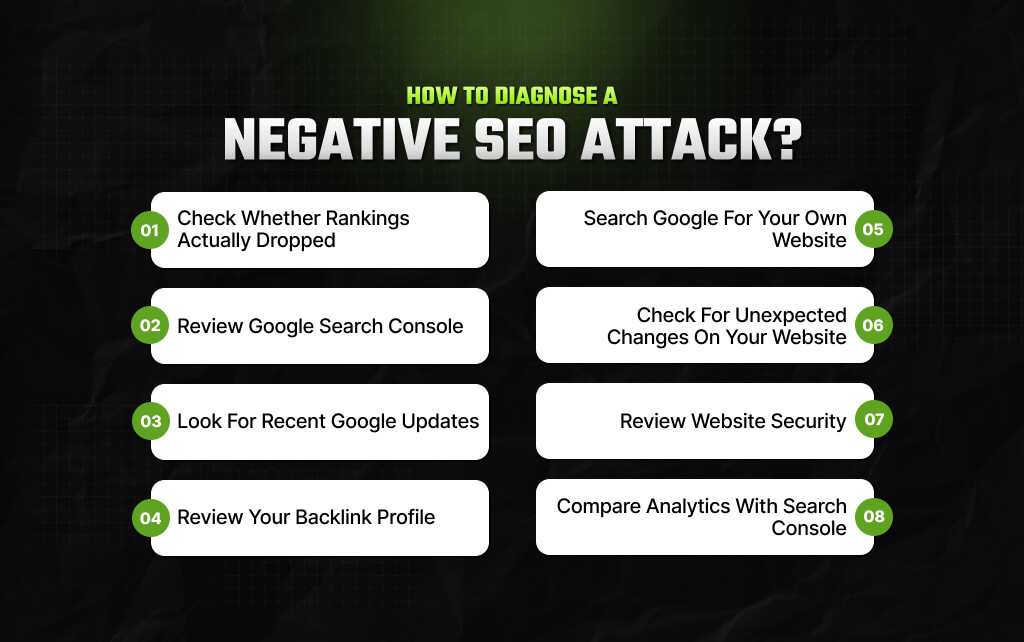
The framework below takes about 30 minutes for most websites and helps you rule out common causes before focusing on negative SEO.
Start with the basics.
Open your preferred rank tracking tool and compare today’s rankings with the previous few weeks.
Ask yourself:
These answers tell you where to investigate next.
Search Console often tells you more than people realize. Before looking anywhere else, check for:
A manual action or security warning deserves immediate attention. Also, if Search Console looks healthy, that’s useful information too – it tells you the problem may lie elsewhere.
This step takes only a few minutes, but many people skip it.
Compare the date of your traffic decline with recent Google Search updates. If your rankings changed at the same time Google confirmed an update, that’s a stronger clue than a handful of spam backlinks.
Also, you need to understand and accept that correlation isn’t proof always. But timing often provides valuable context.
So, you have to take some time and review your entire backlink profile. And while doing so, you can’t just prioritize the total number of links.
Instead, look for unusual patterns. For example:
One or two spammy domains aren’t unusual.
Every established website attracts them eventually. You’re looking for activity that clearly stands out from your normal backlink growth.
Open Google and search: site:yourdomain.com
Now, take a few minutes to scan the results. Do you notice pages you don’t recognize? You need to look for:
If pages like these appear, investigate immediately. They often point to a compromised website rather than a ranking issue alone.
So, it is also possible that the biggest clue is sitting in front of you – maybe it’s on your own server.
Review any changes made during the past month. And ask questions like:
Many SEO “emergencies” begin with an innocent technical update. Don’t overlook your own change history.
If something feels wrong, treat security as a priority. So, check whether:
Also, a compromised website requires a different response than a backlink attack. Finding the right problem matters more than applying the wrong solution quickly.
Finally, compare your data.
While Search Console tells you how your website performs in Google Search, Analytics tells you what visitors actually do after they arrive.
These reports should tell a consistent story.
For example:
Looking at only one tool often creates unnecessary confusion. The complete picture comes from comparing both.
You don’t need dozens of SEO tools to investigate a potential attack.
A handful of reliable platforms usually provide enough information to understand what’s happening.
So, here’s what each one helps you uncover.
| Tool | Best Used For |
|---|---|
| Google Search Console | Manual actions, indexing issues, security alerts, impressions, and crawl data |
| Google Analytics | Organic traffic trends and user behavior |
| Ahrefs | Backlink analysis, referring domains, and lost links |
| Semrush | Backlink monitoring, keyword visibility, and site health |
| Screaming Frog | Technical SEO audits and crawl issues |
| Bing Webmaster Tools | Additional indexing and crawl insights |
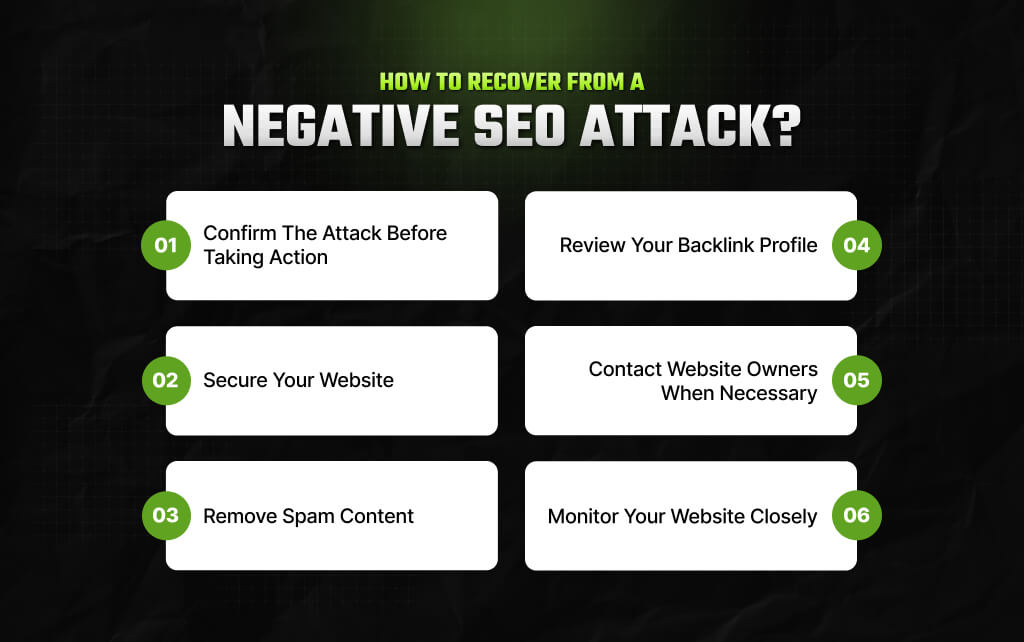
Discovering that your website has been targeted can be frustrating.
The good news is that most attacks don’t require a complete rebuild of your SEO strategy. What they do require is a calm, methodical response.
Don’t start deleting pages or disavowing thousands of backlinks because someone on a forum suggested it.
Instead, focus on fixing the problem that’s actually affecting your website.
Here’s where to start.
1. Confirm the attack before taking action. Ask yourself one final question: Do I have evidence of a negative SEO attack, or do I only have a rankings drop?
2. Secure your website. So, if your investigation uncovered hacked pages, unauthorized redirects, or malicious code, treat security as your first priority.
3. Remove spam content. Once you’ve cleaned your website, request reindexing for affected pages through Google Search Console where appropriate.
4. Review your backlink profile. Don’t assume every unfamiliar domain is harmful. Instead, look for clear patterns. Remember, context matters more than numbers.
5. Contact website owners when necessary. If a small number of websites are responsible for the problem, reaching out politely may solve it faster than waiting.
6. Monitor your website closely. The goal isn’t to watch your rankings every hour. It’s to confirm that your website is moving in the right direction over the following weeks.
The strongest defense against negative SEO isn’t a special tool or expensive software. It’s a well-maintained website.
Secure websites recover faster. Similarly, websites with clean technical SEO are easier to diagnose.
Businesses that monitor their websites regularly spot problems before they become serious.
Negative SEO may grab headlines, but neglected websites create far more SEO problems than malicious competitors ever will.
That’s why your first investment should always be in maintaining a healthy website—not chasing unlikely threats.
Barsha is a seasoned digital marketing writer with a focus on SEO, content marketing, and conversion-driven copy. With 8+ years of experience in crafting high-performing content for startups, agencies, and established brands, Barsha brings strategic insight and storytelling together to drive online growth. When not writing, Barsha spends time obsessing over conspiracy theories, the latest Google algorithm changes, and content trends.
View all Posts

KeywordStat Review: Keyword Research, Cluster...
Oct 03, 2026
How Corda Turns Authority Data Into Campaigns
Oct 01, 2026
How To Audit Your Search Visibility In 2026: ...
Sep 30, 2026
What Is Google Lighthouse? A Practical Guide ...
Sep 30, 2026
When Can You Save A Public Instagram Story?
Sep 30, 2026