Is Serpstat Worth It? A Deep Dive Into Pricing, Data Accuracy, And Features
Oct 09, 2026
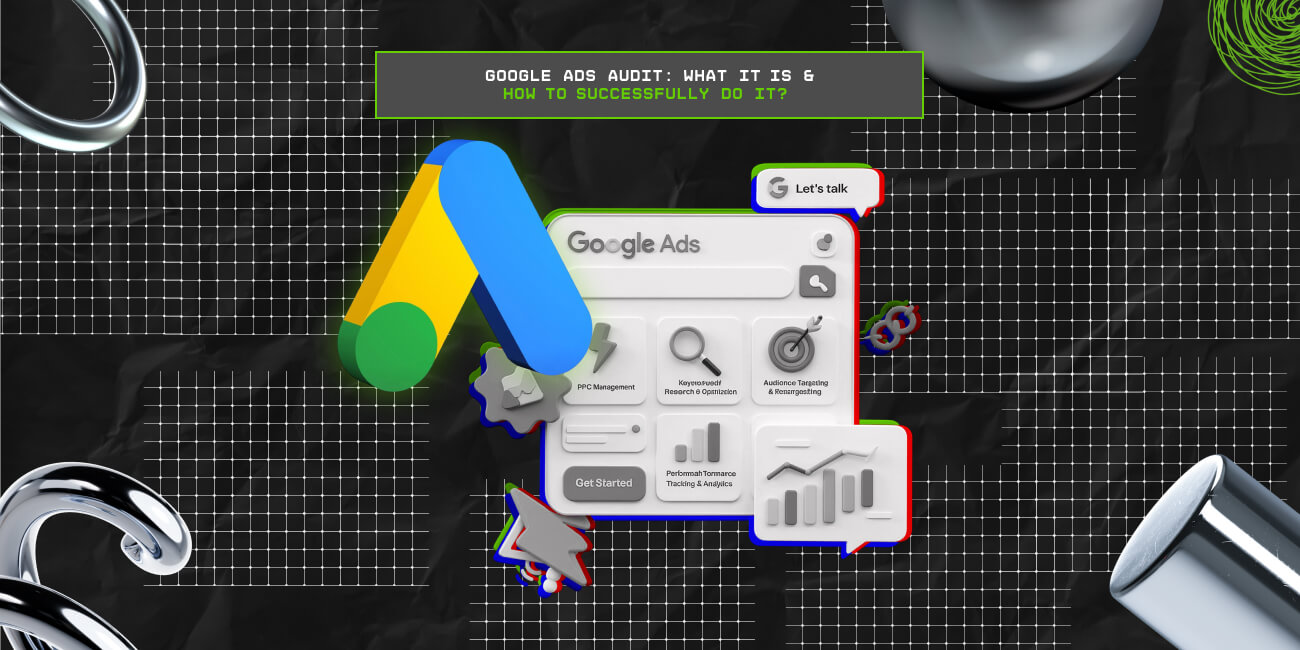

We all know that Google Ads management is not as easy as many people think. Besides, a Google Ads audit is an absolute must when you intend to take over a new account from a client or step into a new role within your job environment.
It is always essential to understand where things stand before you begin making any positive changes going forward.
A Google Ads audit checklist is compared to a doctor’s checklist to evaluate the performance of marketing campaigns.
It is an excellent practice to keep checking the performance of your ads from time to time to ensure that you are getting the best out of your campaigns.
Let’s look at the Google ads audit checklist in ten easy steps.
To explain in simple terms, a Google Ads audit is the comprehensive process of reviewing how the ads on Google are performing. That is, it offers a structured review of the PPC, performance data, and key metrics analysis.
So, it is easier for marketers and users to identify the inefficiencies, waste areas, and areas that require optimization for better ROI.
Some of the key elements of Google Ads Audit include—
Now, knowing the Google Ads audit is not enough. That is, you need to properly conduct one to get the best results with the website. So, here are the steps to do it right—

Every marketing campaign targets a specific group within the market audience. In order to target a specific audience, you need to understand the best practices of using Keywords with a clear picture in mind about what you want in business.
Focus on the user’s intent and face the roles of the customer. Do not focus on what your business wants, but consider what pains your customers.
Even though you might have proper keywords, ensure that they are relevant to your audience. Carry out proper research to uncover healthy information about some of the best keywords within your industry.
Keywords are the backbone of Google Ads campaigns, so it’s essential to ensure you’re targeting the right ones. A keyword audit helps uncover opportunities for optimization:
What does your ad mean when it lacks a call to action? This is an essential element that you should not miss out on in your campaigns. You need to think about a proper way that you can use to engage users and encourage them to convert at the end.
Always remember that the ad is likely to lead to some sort of landing page. The page should have a clear call to action. Always remember that the ad targets the most appropriate person to click it and explore further.

Before getting your hands into your Google Ads account, you need to begin by reviewing your goals in business goals. Get a clear understanding of your goals and the business in general. Note that there are different conversion goals that you need to understand and the performance outcomes that you are looking for.
Define your business goals clearly and make them simple to attain. Ensure that you are working towards attaining specific goals and channel all your concerns in the same direction.
You might have a good account with everything needed and still fail to attain your goals in business. It ensures that you have a perfect hierarchy since it also impacts the amount of time it takes to manage the Google Ads account. You can check out different ways of structuring your Google Ads account to enhance its effectiveness.
You can structure your account using your logical business objectives, service line, subject matter, persona targets, and many others. Note that there is no right way you structure your account; you only need to plan it in a manner that gives you more control over it.
With an efficient structure, the targeting improves, and so does performance tracking, while making optimizations easier.
Here is what you must evaluate in your account structure review:
This is one of the areas where many people tend to get confused when doing the Google AdWords checklist. When you hear of ad words, always remember that they refer to a group of ads and not keywords. Once you confuse the two concepts above, you have missed out on a major point that will likely impact the final results.
When doing a Google Ads audit, do not overthink about keywords since there are also other essential elements that you need to consider and evaluate keenly to be on the safe side. Concentrate on your landing pages, quality scores, and the ability for your customers to convert.

In most Google Ad accounts, ads are left to run independently without being checked. The most important thing you can do at this point is to set ad rotation and ensure that every ad group has a couple of ad versions.
Ensure that you test all the versions of the ads to identify which one performs better than the other. Despite the fact that the Google algorithm monitors ad operations, it is dangerous to leave things on autopilot.
You can utilize different variations in every ad group depending on the number of ads that you have. Also, in the ad headline, incorporate a call to action to propel the effectiveness of the ads.
Yes, it is pretty easy to review your campaign’s settings quickly and move on to the next thing. People forget that they need to get back to the settings and make a few adjustments to get the best out of their efforts. However, before making any possible changes, you need to review a series of things before you conclude.
Check on the geographic targeting of the ads and their accuracy. Ensure that you have advanced location targeting features to cover all your target localities fully. Check whether you have the most appropriate dayparting in place to get the best out of your ad campaigns.
Google Ads offers many settings that directly affect how people perceive your ads. Look at all the settings below for each campaign:
A landing page is considered an external part of Google Ads. However, it has a significant impact on your ad campaigns’ success and affects all other metrics within your campaigns. There are many landing page builders available online that can help you craft the perfect landing page for your campaigns in no time.
You always need to remember to analyze the performance of this crucial element, even if it does not show up on your radar. When evaluating the quality score of your performance, the landing page impacts the final figure you get.
The landing page should have consistent wording with a clear call to action to enable customers to navigate easily. Create a positive user experience to enhance the conversion rate.
The landing page is an important ingredient in turning clicks into customers. The best of ads can all go wrong if the landing pages are not up to par and, thus, be detrimental to campaign performance.

Check if your conversion tracking has been set up correctly. Ensure that you have connected your account to Google Analytics to get out every aspect outlined clearly.
Evaluate if there is any type of leakage within your conversion funnel. Note that this needs to be checked from different points of view, such as the landing and conversion pages.
As you continue analyzing your Google Ads account, you need to have a proper way of documenting all the key elements to highlight areas affecting your general performance.
Also, your findings are likely to be shared by other people, either internally or externally. This means that you need to get a proper way of formatting your report to help you create a proper action plan that will help you solve the problem at hand.
One of the core aspects of conducting the Google Ads Audit is integrating Google Analytics (GA4). That is, simply integrating it into the system can help monitor and manage the key metrics for reviewing the Google Ads performance.
So, here are the steps to integrate the GA4 efficiently into the system—
Once you are done doing a Google AdWords audit, you stand a better chance of identifying possible errors within your campaigns and getting out of the way. The above-mentioned are some of the significant elements that you can consider while doing your audit.
Chandrima is a seasoned digital marketing professional who works with multiple brands and agencies to create compelling web content for boosting digital presence. With 3 years of experience in SEO, content marketing, and ROI-driven content, she brings effective strategies to life. Outside blogging, you can find her scrolling Instagram, obsessing over Google's algorithm changes, and keeping up with current content trends.
View all Posts

Is Serpstat Worth It? A Deep Dive Into Pricin...
Oct 09, 2026
How To Use Screaming Frog: The Definitive Tec...
Oct 09, 2026
Master The Rich Result Test: Fix Your Broken ...
Oct 08, 2026
Does vnROM Bypass Still Work? A Realistic 202...
Oct 08, 2026
Event Pages That Rank And Convert: A Practica...
Oct 06, 2026