How Corda Turns Authority Data Into Campaigns
Oct 01, 2026

In my comprehensive Hostinger vs Namecheap comparison, I am going to keep both of these hosting providers side by side to examine, analyze, and highlight which one is suitable for you in 2026.
To make matters simple, I’m going to test several things – this includes pricing, speed, customer support, uptime, real features, and performance.
On the basis of the results at my disposal, I will be able to discuss which one is perfect for anyone planning to start a new brand website right now.
Stay tuned.
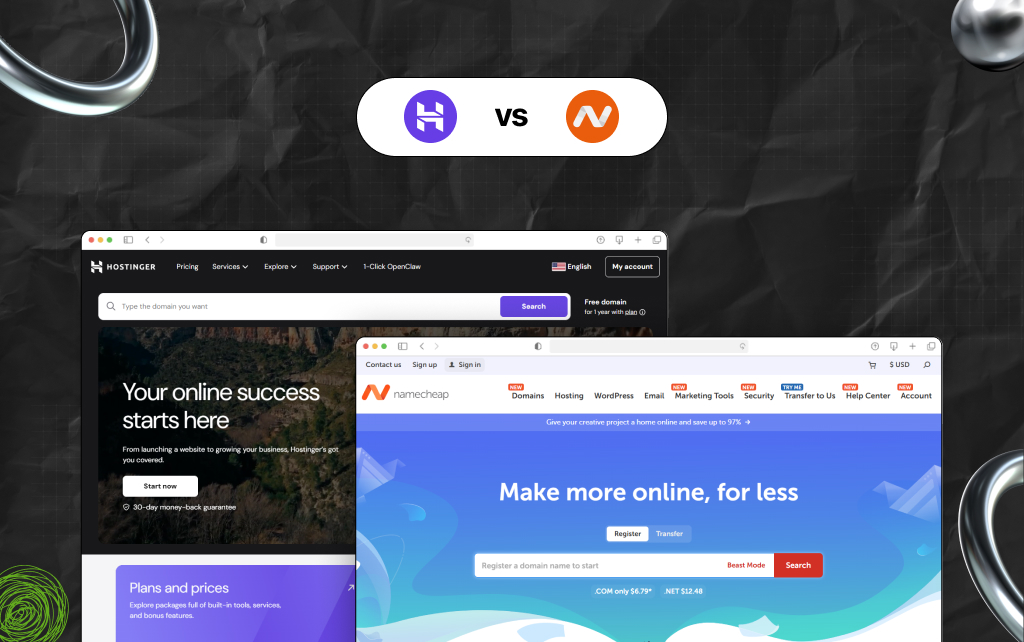
I have worked on more than 40+ websites in the past eight years as a content manager and digital marketing strategist with a strong grasp of SEO.
As a result, I have built, managed, and collaborated with several online businesses and websites over the years.
From blogs and ecommerce websites to multi-page funnels and social media, I have worked on a diverse range of sites and funnels.
TBH, I had a really bad time working with different hosting providers. Moreover, changing providers or making any kind of switch was hell! But thanks to my colleagues, I survived.
Since I have personal experience with both Namecheap and Hostinger – and not just for experimental reasons but for real online businesses – this review is the by-product of real experience, and not information I’ve collected from the internet.
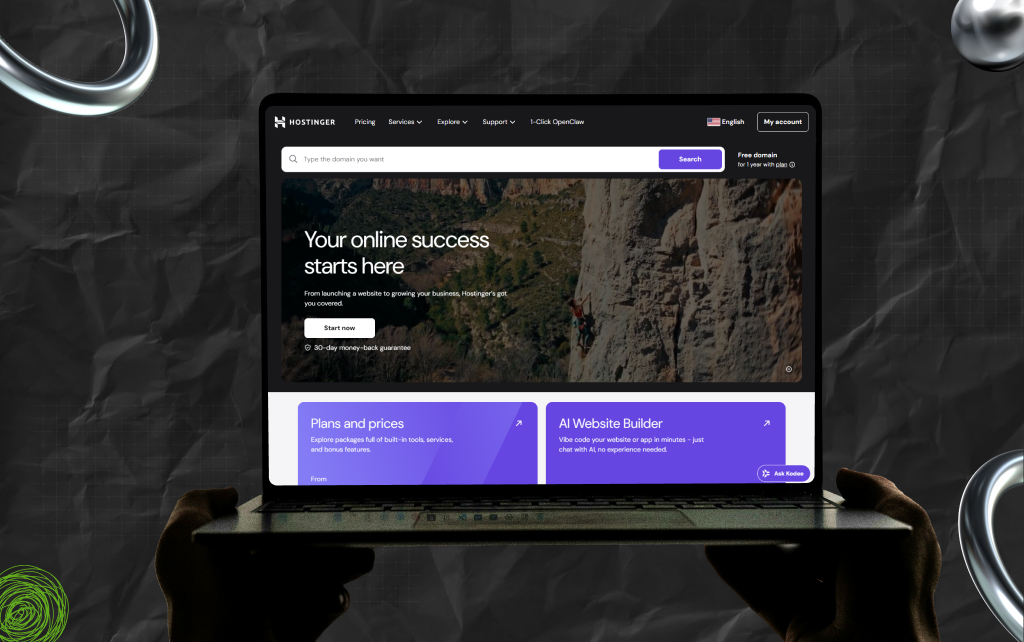
As a popular name in the web hosting landscape since 2004, Hostinger is known for its high-performance solutions and cost-effective pricing.
Interestingly, this hosting provider service holds 4.1% (approx.) of the entire global hosting market. Moreover, Hostinger powers around 1.43% of the top 1 million sites in the world.
Also, Hostinger offers quick WordPress performance accompanied by a robust customer support, beginner-friendly dashboard, different tools, and more.
Personally, I find both the Hostinger Horizons AI App Builder and AI Website Builder.
| Pros | Cons |
|---|---|
| Affordable hosting plans. | Doesn’t support phones. |
| Robust performance and speed, thanks to features like built-in caching, NVMe storage, and LiteSpeed server. | Renewal pricing is high. Also, it tends to get expensive over time. |
| SSL certificate and free domain included. | Restricted options for free domains. |
| Intuitive and user-friendly Hpanel. | |
| Free AI Website Builder. | |
| Free services, including website migration. |
Hostinger is popular for:
Also, the hosting provider’s free AI Website Builder tool is a feature that stands out. With the help of this feature, you can create professional websites in minutes.
You just need to describe your brand properly to the tool. I think this feature itself makes Hostinger super attractive to any beginner.
Read Also: How to Use Ahrefs For Free? (Without Paying for a Subscription)
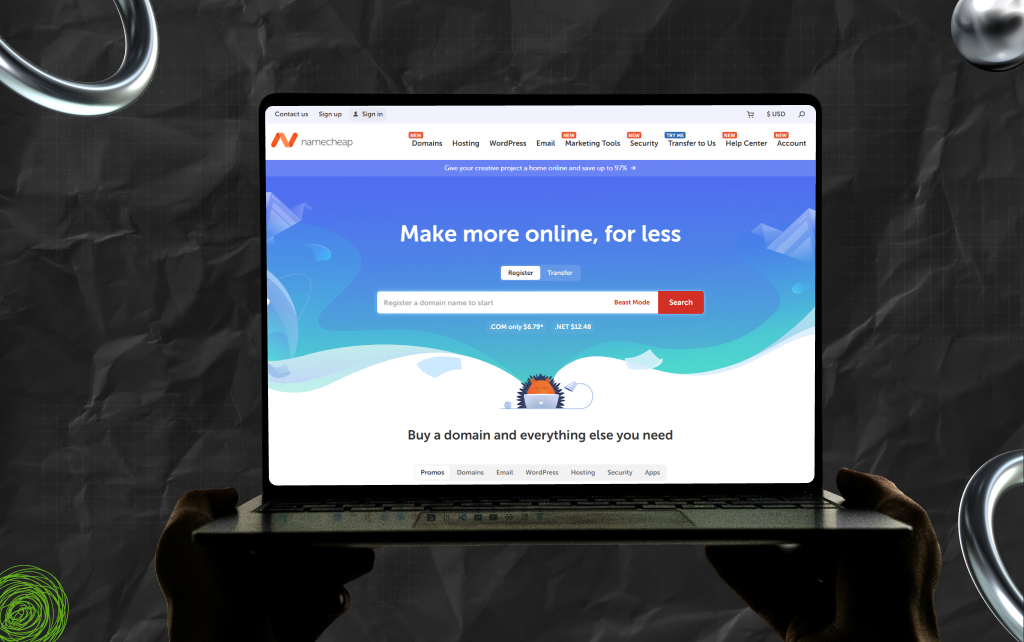
Launched in 2000, Namecheap is famous – and not just as a hosting provider, but also as a domain registrar.
Currently in charge of managing over 24 million domains, Namecheap is praised for its reliability and affordability.
Moreover, I like using Namecheap because it offers multiple services, including domain registration and transfer of hosting options such as shared, VPS, WordPress, reseller, dedicated servers, and more.
Also, with an additional layer of precaution through domain security, domain vault, and SSL certificates, Namecheap guarantees a secure digital presence for both individuals and businesses.
| Pros | Cons |
|---|---|
| Easy and affordable domain management. | Hard to migrate. |
| Free migrations, privacy protection, and domains. | Access is restricted to server settings. |
| WHOIS privacy is available for free. | Requires manual optimization. |
| cPanel access is familiar to most users. Also, it offers more control over the backend. | Users have highlighted hidden fees. |
Since Namecheap began its journey with domain registration, it is easy to deduce that this is probably its biggest strength. And I am speaking from experience.
Most of my clients use Namecheap for domain registration. And honestly, I love sticking to companies that make their strongest attribute very clear.
Also, this is why I am going to keep using Namecheap in the future as well.
Having said that, here’s the actual question: if you come across something better than Namecheap, will you switch?
Patience, I’ll get back to that!
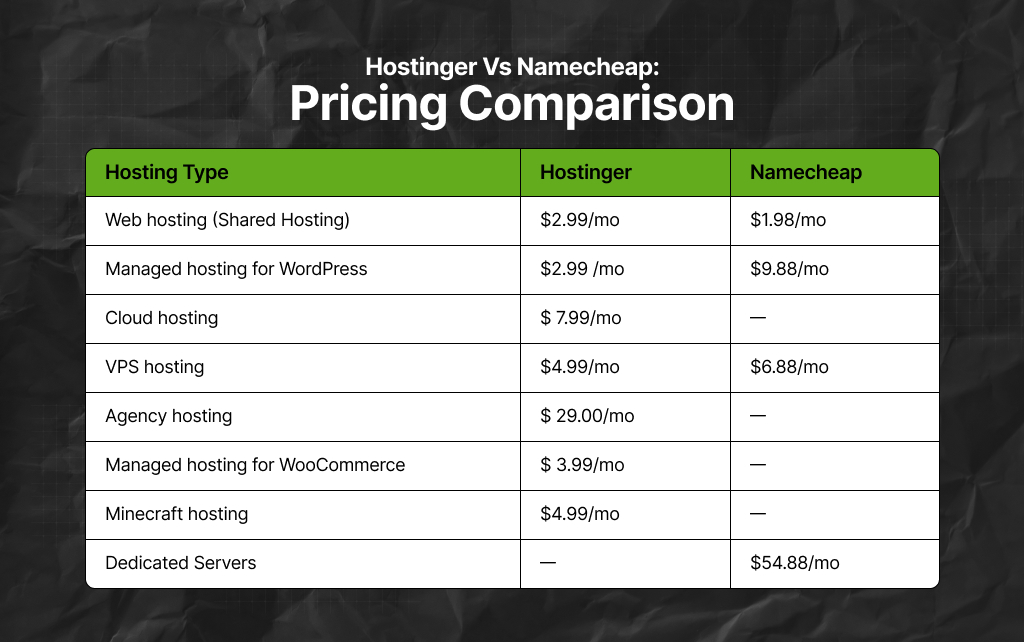
Of course, this is the most significant aspect of the comparison – the differences actually appear once you compare the prices.
Currently, Hostinger has launched some special plans with certain deals.
So, with the company’s long-term deals, customers need to pay an introductory fee – $1.99 to $2.99 every month – and access a 24 to 48-month plan.
FYI, the introductory fee usually depends on the actual plan you are opting for and the discount you are going to apply.
Moreover, for several such plans, a free domain name is often included.
Now, let’s compare this pricing model with that of Namecheap. So, Namecheap has a shared hosting Stellar plan that starts at around $1.98 monthly, but it has to be billed annually.
On that note, here’s the catch.
With the introductory pricing of Hostinger, you can also access:
However, Namecheap offers a relatively lower introductory fee.
But email and domain registration might cost you extra. Also, it can cost you the most once the first year is over – it entirely depends on the actual offer.
As a result, on value and pricing, Hostinger emerges as the winner, thanks to the bundled features you can enjoy after paying upfront.
Now, let’s discuss speed.
In several tests, Hostinger loads websites consistently under a second, thanks to its built-in caching and Litespeed servers.
Moreover, this kind of optimization is something that Hostinger includes in its hosting-related shared plans.
In contrast, Namecheap averages between 1.8 and 2.5 seconds on hosting-related shared plans. While this speed is decent, it is less optimized, especially compared to Hostinger.
As a result, if performance is important to you, particularly if you are in charge of an ecommerce website or SEO matters to you, then Hostinger emerges as a winner here as well.
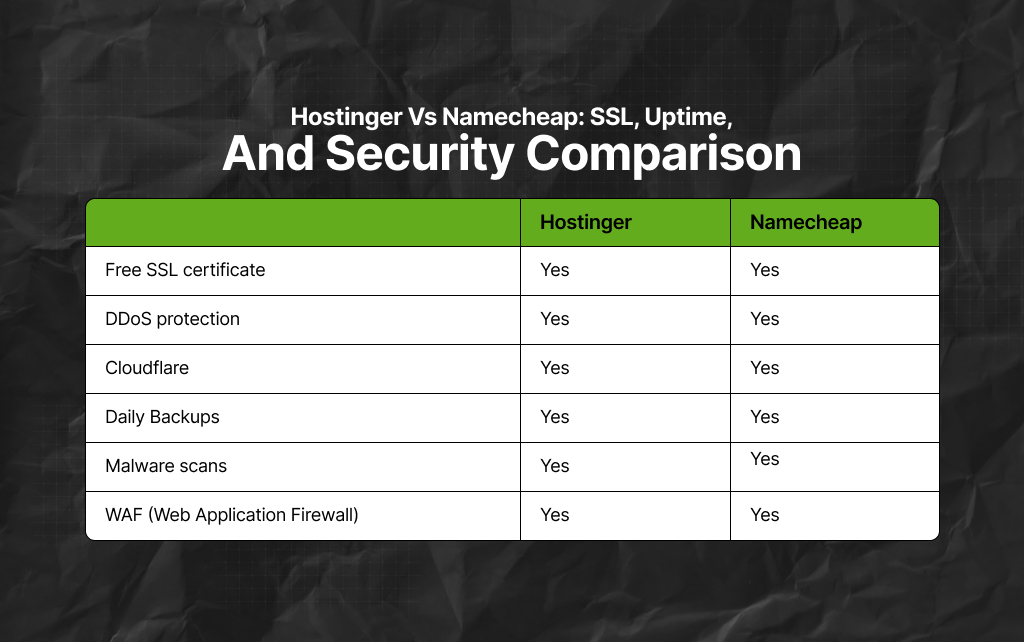
Both Namecheap and Hostinger offer SSL certificates for free with a 99.9% uptime guarantee.
But Hostinger manages to go a step further by including Cloudflare protection and weekly automated backups by default.
In contrast, with Namecheap, you can access these perks, but you have to manually configure them.
As a result, Hostinger again emerges as a clear winner – plus, it is so much more beginner-friendly.
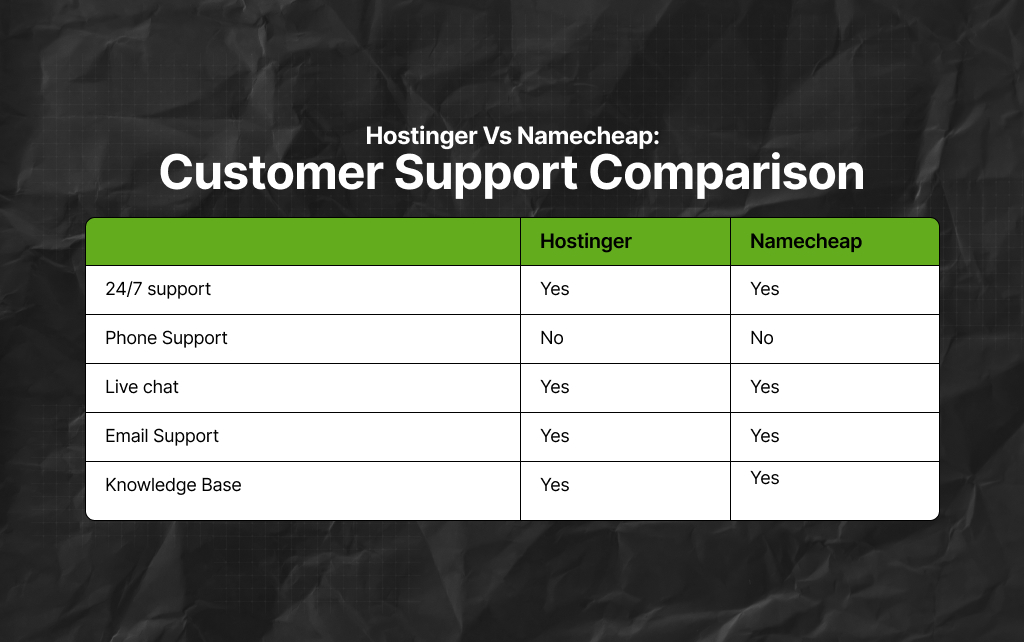
At first glance, customer support as a comparison parameter might not make a lot of sense.
But in my experience, I have seen that this is precisely where most hosting providers, especially the affordable ones, struggle.
Personally, Hostinger offers live customer support 24/7 via chat. Moreover, the quality of support is friendly, quick, and helpful.
In contrast, Namecheap’s customer support is decent. TBH, I would even go to the extent of saying they have one of the best support teams.
I have actually reached out to them several times – and on most occasions, Namecheap’s customer support resolved my problems directly.
Initially, I thought this was a significant plus for Namecheap. However, once I began using Hostinger, I realized Namecheap isn’t the only one with excellent response time.
As a result, in the context of this parameter, I would say it’s a draw between the two since both businesses are great at offering excellent customer support.
If you have just started building websites, then this parameter is highly significant for you – it’s perhaps the most important factor in your decision-making.
So, Hostinger has its own personalized control panel known as hPanel. This clean and modern control panel exists solely for tending to beginners.
Moreover, Hostinger’s control panel can guide users through different setups, and that too in real-time. This, in turn, makes the entire process super smooth.
Also, Hostinger’s AI Website Builder can help you to build a professional website in minutes – you just need to explain to the built-in AI what your website is all about.
In comparison, Namecheap uses cPanel. While using cPanel is perfect for any technical user, it is not simple, and not just from an operational point of view, but also visually.
As a result, Hostinger is a winner here as well.
Both Namecheap and Hostinger are affordable, secure, and legit.
Having said that, here’s my honest two cents. Frankly, I will pick Hostinger but only if I’m looking at simplicity, speed, and long-term savings.
But I will choose Namecheap only if I have a domain there already, and I’m looking for standard hosting specifically for smaller projects.
Also, it is crucial to highlight that for 2026 and even the future, Hostinger is the winner.
Read Also:
Barsha is a seasoned digital marketing writer with a focus on SEO, content marketing, and conversion-driven copy. With 8+ years of experience in crafting high-performing content for startups, agencies, and established brands, Barsha brings strategic insight and storytelling together to drive online growth. When not writing, Barsha spends time obsessing over conspiracy theories, the latest Google algorithm changes, and content trends.
View all Posts

How Corda Turns Authority Data Into Campaigns
Oct 01, 2026
How To Audit Your Search Visibility In 2026: ...
Sep 30, 2026
What Is Google Lighthouse? A Practical Guide ...
Sep 30, 2026
When Can You Save A Public Instagram Story?
Sep 30, 2026
Google Looker Studio: What It Is, How It Work...
Sep 30, 2026