Master The Rich Result Test: Fix Your Broken Schema Markup
Oct 08, 2026


Ahrefs is powerful, but it’s not cheap. That said, you can still get real value from it without paying.
So, the question that I have today is: how to use Ahrefs for free? And I am sure I’m not the only one asking this question.
Everyone who is new to the digital marketing landscape has thought about this at least once.
Personally, I almost always run out of credits before the end of the month – and there’s this brief span of 3 to 4 days where I struggle with free tools.
After spending 8 years in the digital marketing industry, I know how to make use of tools like Ahrefs for free – and after reading my personal guide, you will know as well.
Stay tuned.
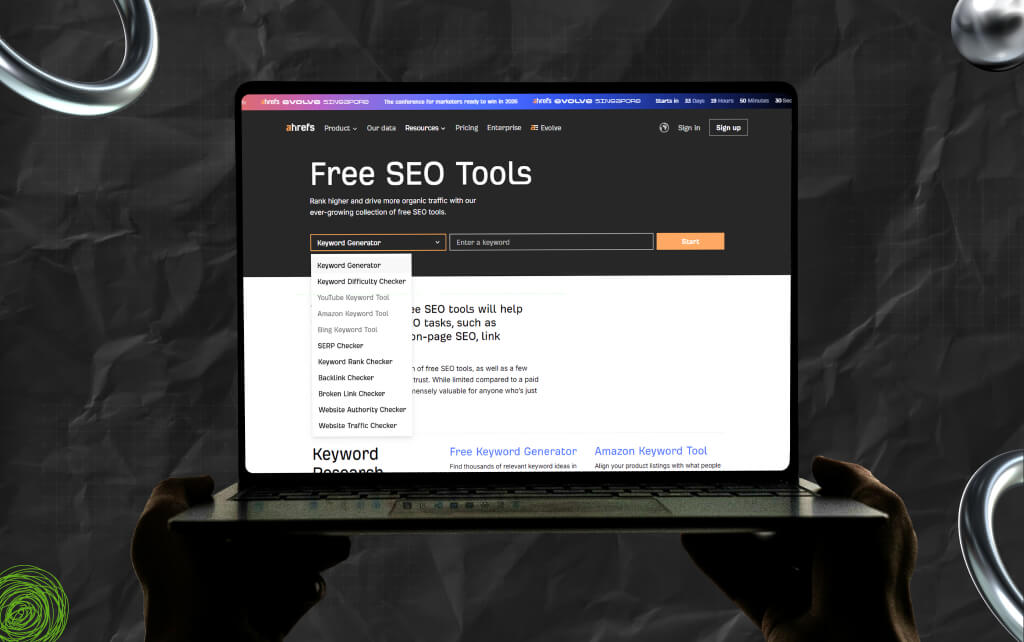
There’s more than one way in which you can use Ahrefs for free. You just need to know where to look and how to use the free parts well.
And with my help, it will be an easy, breezy experience for you.
This is the best free entry point.
Ahrefs offers Webmaster Tools for site owners. So, you have to connect your website to get access to useful data.
As a result, you can:
It’s not the full tool, but it covers the basics well. Also, if you run a site, this is a must.
Ahrefs has a public backlink checker. So, you enter any domain, and it shows:
I know that the data is limited, but it’s enough to spot patterns.
Moreover, you can use it to:
In addition, it’s quick and useful for basic research.
This tool helps you find keyword ideas.
So, you need to enter a seed keyword, and it gives you:
While it’s not as deep as the paid version, it’s good for content ideas. As a result, you can use it for planning blogs or pages.
Ahrefs offers a set of small tools you can access without logging in.
These include:
Moreover, each tool is limited, but together they cover a lot. So, use them for quick checks instead of full analysis.
Sometimes Ahrefs offers a low-cost or limited trial. Use this carefully.
Moreover, it is best that you don’t explore randomly. Instead, plan what you want to do before you start.
For example:
The point? Treat the trial like a sprint.
Ahrefs publishes high-quality guides and videos. These are free and practical.
Moreover, with the help of these insights, you can learn:
Even without the tool, this knowledge helps.
Ahrefs alone will feel limited without a subscription. So combine it with other tools.
For example, you can use:
Personally, I do this every month to fill the gaps. And so far, it has worked out for me.
Even without full access, you can still learn from top-ranking pages.
Search your target keyword on Google. Then run those URLs through Ahrefs’ free tools like the backlink checker or authority checker.
Now, look for patterns:
This gives you a rough benchmark. Also, you won’t get exact numbers, but you will understand the level you need to reach.
You don’t need full Ahrefs access to study competitors. Instead, pick a competitor who ranks well.
Then, just follow the three steps I’ve mentioned below:
Now use Ahrefs’ free backlink checker on a few of their top pages.
You will start seeing:
This helps you plan smarter content. Not by copying, but by understanding what works.
Most people use keyword tools for search volume. That’s useful, but it’s not enough. As a result, use Ahrefs’ keyword generator to find questions and problems.
For example:
Understand that these are real user concerns. You have to turn these into content. Also, answer them clearly – add examples and keep it practical.
This is how you build useful pages, not just optimized ones.
Since free tools have limits, you need a simple system. When you use the backlink checker, note down:
Do this once a month. It sounds basic, but it works. Over time, you will see if your efforts are working.
Moreover, you will see that growth becomes visible, even without full dashboards.
With Ahrefs Webmaster Tools, you can run site audits.
Moreover, you can focus on key issues:
Don’t try to fix everything at once. Instead, start with high-impact problems. For example, broken pages or major crawl errors.
Fixing these can improve your site quickly.
To make this practical, create a routine.
Moreover, to make things easier, here’s a simple flow:
This keeps things structured. Also, you don’t need a paid tool to stay consistent.
Free tools will feel restricted at times. You won’t see full keyword lists. Moreover, you won’t get deep data.
That can feel frustrating. But most beginners don’t need full data. Instead, they need direction.
So, you will still grow if you focus on:
Also, you have to understand that tools support your work. But they do not replace it.
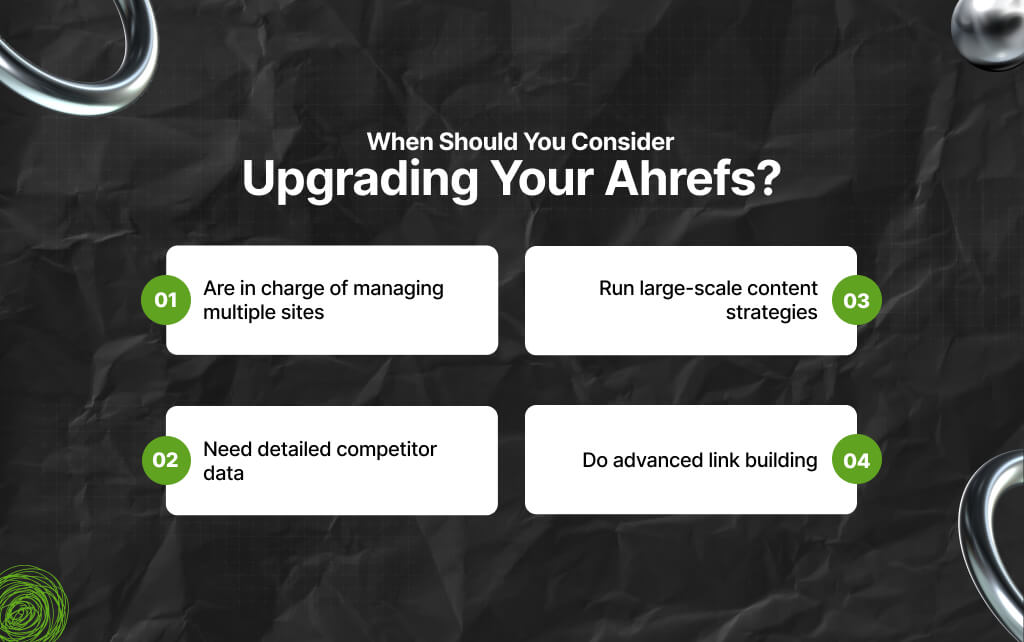
While knowing how to use Ahrefs for free is an excellent hack, free tools may not be enough at some point.
In that case, it is best to consider upgrading your Ahrefs when you:
Until then, stay lean – instead, use free tools well before spending money. These additions turn Ahrefs into a practical system, not just a set of tools.
As a result, it is always best to use it with intent – because when you do so, even the free version becomes powerful.
Be clear about limits.
With the free version of Ahrefs, you won’t get:
That’s fine. Because the goal is not to replace the paid tool. Instead, it’s to get useful insights without spending money.
Moreover, using Ahrefs for free is about being intentional. You won’t have everything. But you don’t need everything.
So, if you focus on key tasks, you can still make smart SEO decisions. Start small. Use what’s available and build from there.
Barsha is a seasoned digital marketing writer with a focus on SEO, content marketing, and conversion-driven copy. With 8+ years of experience in crafting high-performing content for startups, agencies, and established brands, Barsha brings strategic insight and storytelling together to drive online growth. When not writing, Barsha spends time obsessing over conspiracy theories, the latest Google algorithm changes, and content trends.
View all Posts

Master The Rich Result Test: Fix Your Broken ...
Oct 08, 2026
Does vnROM Bypass Still Work? A Realistic 202...
Oct 08, 2026
Event Pages That Rank And Convert: A Practica...
Oct 06, 2026
KeywordStat Review: Keyword Research, Cluster...
Oct 03, 2026
How Corda Turns Authority Data Into Campaigns
Oct 01, 2026