SEO Dashboard: What To Track, What To Ignore, And How To Make It Useful
Sep 25, 2026


While TikTok is pretty popular, there are still so many of us who don’t have the app on our phones – and don’t plan to download it anytime in the near future.
Instagram already takes up a lot of my time – if I install TikTok, then I won’t be able to stop myself from doom scrolling throughout the night.
But that doesn’t mean people don’t send me links to some popular video on TikTok, or I stumble upon a creator whose portfolio of work is largely on TikTok – and I am sure I am not the only one.
In such situations, I’ve wondered so many times whether it is absolutely impossible to watch TikTok without the app – turns out it is not!
Yep, you don’t need to install the app to watch videos on it. Also, in some cases, you don’t even need an account.
FYI, TikTok’s official website runs well on both mobile browsers and desktops – and you can open shared video links from here without any problem.
Still, the browser experience isn’t exactly the same.
While some features continue to be accessible from the browser, there are features you can only access via the app – and this is the same for most social media apps, including Instagram.
As a result, it entirely depends on your purpose – the web version might offer an excellent experience or turn out to be really limited.
My guide covers every practical way to watch TikTok without the app in 2026. Also, you will learn which methods work best, what features you lose, and when installing the app actually makes sense.
Stay tuned.

Yes, you can watch TikTok without the app.
Popular social media allows everyone to access their public content via its web browser. FYI, you can access TikTok’s official website via any device (laptop, desktop, tablet, phone, etc) without installing the app.
And this is generally enough for anyone casually checking out some videos on TikTok.
So, if someone shares a TikTok video link with you via email, text, Messenger, or WhatsApp, you can open it in your browser to watch it.
Also, from the app’s web version, you can:
Having said that, there are some trade-offs.
As I mentioned in the beginning, there are some features that will work only inside the app. Then, there are certain features that will require you to sign into your account.
Also, it is possible that you will come across prompts on the web version asking you to install the app for a better experience. And this usually happens when you are scrolling through video after video or trying to engage with a video.
That doesn’t mean the browser version is broken. It is just that the app has been specifically made for a 360-degree experience, while the browser was made only for viewing.
So, if you want to watch videos but don’t want to install yet another social media app on your phone, then it is best to give in to the temptation sometimes and view videos through the browser version.
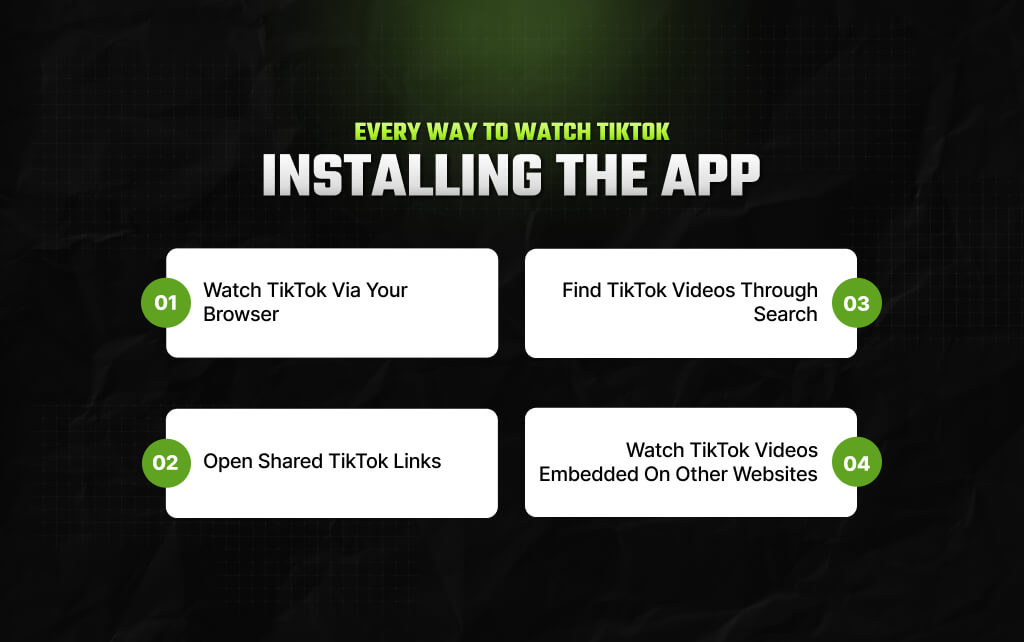
There isn’t just one method.
Depending on your device and situation, several options work well. Based on my personal experience with watching TikTok without installing, here are four methods that still work well in 2026.
As I’ve been saying in the above sections as well, this is perhaps the most convenient and easy option at your disposal.
Just watch videos from the app’s web version with literally any browser since all of them – Chrome, Firefox, Safari, and even Edge – support video playback.
So, you can:
For someone who only watches the occasional clip, the browser experience is usually enough.
There are a few differences, though. So, if you try interacting with the videos or keep scrolling endlessly, TikTok will likely show prompts asking you to install the app for a better experience.
Use your mobile browser if:
This is probably how most people end up on TikTok.
A friend sends a video through WhatsApp. A colleague shares a marketing example in Slack. Someone posts a funny clip in a Facebook group.
You tap the link, and in most cases, the link will open directly in your browser. And this is applicable to most social media apps.
But for people with the app on their phones, the link will open within the app.
Also, if you have been visiting the official website of TikTok through your browser repeatedly, then chances are you will get a prompt asking you to install the app.
In many situations, you can stay in the browser and watch the video anyway. The prompt is an invitation, not always a requirement.
That’s an important difference because many older guides suggest that shared links only work through the app. That’s no longer true for many public videos.
Personally, I’ve used this method several times. As a content manager for 20+ websites, it is my job to stay updated with what’s trending and viral content.
As a result, I have this tendency to keep up with viral content on TikTok, YouTube, and Instagram from search results, considering public videos easily rank on SERPs.
And this method really works well when you are searching for something specific.
For instance, I saw rice paper dumplings all over the internet. And thought of making them at home. I immediately typed out ‘rice paper dumpling recipe ’ on Google Search – and immediately two TikTok videos popped up right at the top of SERPs.
But I don’t have a TikTok account – and I was still able to check out the two videos about making rice paper dumplings.
Also, I love using the search engine to find relevant content – it saves time and stops me from falling into the trap of doom scrolling.
For anyone who only visits TikTok casually, this is an effective way to find videos that add value – and that too without installing the app.
Here’s a method that many people use without even noticing.
News websites, blogs, and online magazines often embed TikTok videos directly into their articles. Instead of sending readers away, they place the video inside the page.
Imagine you’re reading a story about a viral cooking trend. Rather than describing the video, the article embeds it so you can watch it immediately.
The same thing happens with technology reviews, fashion articles, sports coverage, and entertainment news.
In these situations, you aren’t really using TikTok at all. You’re simply watching a video that’s been placed inside another website.
It’s a small detail, but it shows that downloading the app isn’t the only way to enjoy TikTok content.
For many casual viewers, it’s not even the most common way.
Saying that the browser is “limited” doesn’t tell you much. The better question is this: what can you do without the app, and what still requires it? The answer depends on how you use TikTok.
Here’s a simple comparison.
| Feature | Browser | TikTok App |
|---|---|---|
| Watch public videos | Yes | Yes |
| Search creators | Yes | Yes |
| View public profiles | Yes | Yes |
| Share video links | Yes | Yes |
| Read captions | Yes | Yes |
| Comment on videos | Limited or requires sign-in | Yes |
| Follow creators | Requires sign-in | Yes |
| Upload videos | No | Yes |
| Create drafts | No | Yes |
| Video editing tools | No | Yes |
| LIVE streaming | Viewing may vary | Full support |
| Personalized For You feed | Limited | Full experience |
For someone who mainly watches content, the browser covers most of the basics. For creators, the app remains the better choice.

To be honest, there’s a lot of vagueness and confusion around this topic. And one of the primary reasons happens to be how the experience tends to vary from person to person.
So, I needed to know for real and open the app from different browsers to check the quality of experience during casual browsing.
And surprisingly, the first thing I noticed was consistency.
Public videos loaded quickly across every browser I tested. Video quality remained sharp, and switching to full-screen mode worked without any obvious problems.
Searching for creators also worked as expected. Public profiles opened without requiring the app, and moving from one profile to another felt smooth.
The biggest difference wasn’t speed. It was how often TikTok encouraged me to sign in.
After browsing several videos, prompts began appearing more frequently. Sometimes they covered only a small part of the screen. Other times they interrupted the browsing session with a larger message suggesting that the app offered a better experience.
Closing those prompts usually allowed browsing to continue. Also, on desktop, those interruptions felt less frequent than they did on mobile.
Now, based on this, I can objectively point out that everyone is going to have the same kind of experience. But my overall experience did make one thing clear – the app’s web version is perfect for anyone casually browsing TikTok for an hour or so!
Instead of asking which method is ‘best,’ ask what you’re trying to do. Here’s a quick guide.
| Your goal | Best option |
|---|---|
| Watch one shared video | Open the link in your browser |
| Find a creator | Use TikTok’s web version |
| Research a specific topic | Search on Google, then open the TikTok pages |
| Avoid installing more apps | Stick with the browser |
| Upload or edit videos | Use the TikTok app |
| Build a personalized feed | Use the TikTok app |
So, it is obvious from the table that choosing the right method isn’t about finding a trick. It’s about matching the tool to the task.
Search for ways to watch TikTok without the app, and you’ll quickly find websites promising anonymous viewing, unlimited browsing, or access without restrictions.
Some work on basic tasks. Many don’t. Moreover, the biggest problem is that these websites depend on TikTok continuing to allow access in the background.
If TikTok changes how its platform works, third-party viewers may stop functioning without warning.
Privacy is another concern.
Before using any service, ask yourself what it wants in return. If a website asks you to sign in with your TikTok account, install browser extensions, or grant unnecessary permissions, it’s worth being cautious.
For most people, the official web version is the safer choice.
Also, it supports public videos, works across modern browsers, and doesn’t require trusting another service with your browsing activity.
Third-party viewers may still have a place for specific use cases, but they shouldn’t be your first option simply because you don’t want to install the app.
You May Also Like:
Barsha is a seasoned digital marketing writer with a focus on SEO, content marketing, and conversion-driven copy. With 8+ years of experience in crafting high-performing content for startups, agencies, and established brands, Barsha brings strategic insight and storytelling together to drive online growth. When not writing, Barsha spends time obsessing over conspiracy theories, the latest Google algorithm changes, and content trends.
View all Posts

SEO Dashboard: What To Track, What To Ignore,...
Sep 25, 2026
Analytics SEO: How To Turn Search Data Into B...
Sep 25, 2026
AI Search Tools: What They Actually Measure A...
Sep 25, 2026
FAQ Schema: When It Still Makes Sense And Whe...
Sep 25, 2026
The Keyword With 10 Searches That Sent Ahrefs...
Sep 24, 2026