The Ultimate Guide To Stealing Your Competitors’ Backlinks Using Curated Resource Lists
Oct 15, 2026
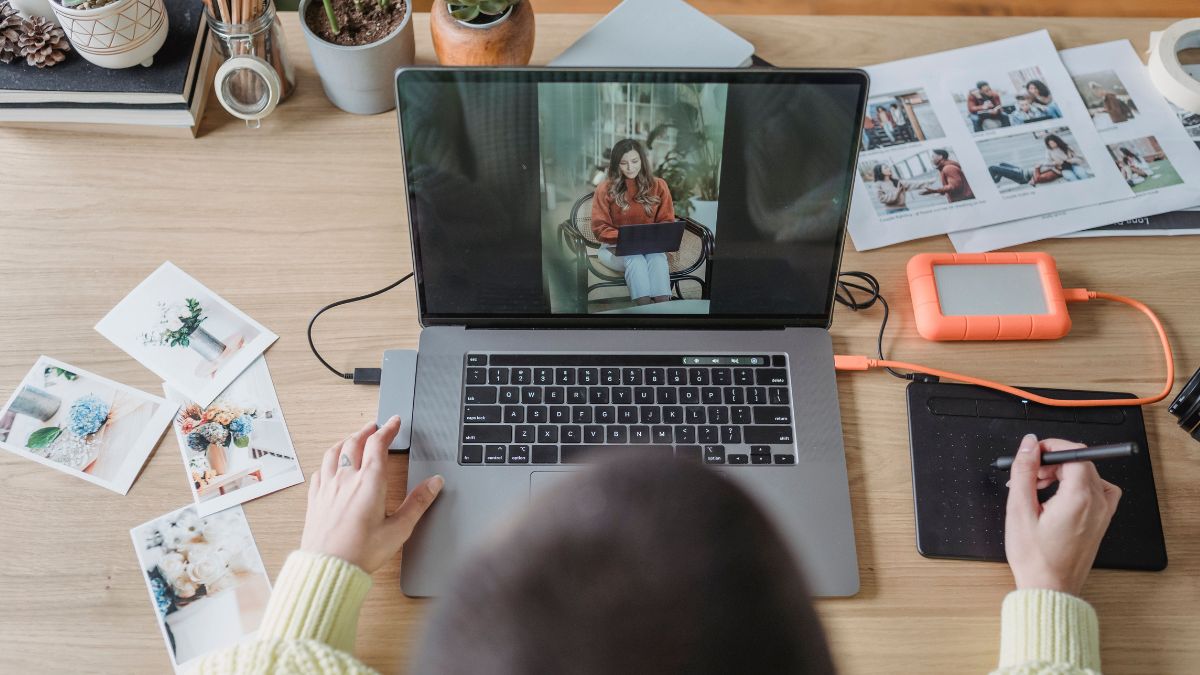

Visual production used to sit slightly outside the normal content workflow. A writer finished an article, a marketer prepared the campaign copy, and then somebody had to source or create the images. For teams without an in-house designer, that last step could turn into a surprisingly large amount of work.
That separation is becoming less useful. Blog posts need custom graphics, social campaigns require several versions of the same creative, and ecommerce pages are constantly being refreshed. Even a relatively small marketing team can end up editing dozens of images in a week.
AI image editing tools are useful here for a simple reason: they make it easier to work with an image you already have.
Generating an entirely new visual is sometimes the answer, but often the job is much smaller. The background is wrong. An object needs to disappear. The composition needs more room. A campaign image works, except one detail has changed.
Those are editing problems, not generation problems.
Search and content teams are producing more visual material than they did a few years ago. An article might need a feature image and a supporting illustration.
The same campaign may also require a landscape banner, a square social post, and a vertical version for mobile platforms.
Stock photography covers some of this demand, but it has obvious limits. Finding an image that is almost right often leads to another round of editing anyway.
Traditional software remains the better choice for detailed manual work, particularly when precise masking, typography, or layer control matters. The problem is that many everyday marketing edits do not justify opening a complex design project.
Consider a product photo that needs a different setting for a holiday campaign. A designer could isolate the product, find or build a new background, adjust lighting and shadows, and then export several versions.
With prompt-based editing, much of the exploratory work can happen by describing the intended change and reviewing the result.
That changes where the effort goes. More time can be spent deciding what the image should communicate, and less on the mechanics of producing the first usable version.
The difference becomes clearer when the two workflows are compared.
| Common Task | Conventional Workflow | AI-assisted Approach |
|---|---|---|
| Change a background | Select the subject, mask it, replace the background and correct edges | Describe the new setting and generate an edited version |
| Remove an unwanted element | Select, clone, heal and manually clean the surrounding area | Ask the model to remove the object and reconstruct the area |
| Explore a new visual style | Rework colors, textures and effects or rebuild the design | Use the existing image as a reference and request another visual direction |
| Create campaign variations | Duplicate the file and edit each version separately | Generate several interpretations from the same source material |
| Adapt an image for another format | Crop, reposition elements and repair empty areas | Regenerate or edit the composition for the intended layout |
The AI route is not automatically better in every row. The advantage is speed during iteration. A marketer can test whether an idea works before spending more time polishing it.
There is another change taking place inside AI image tools themselves. Image generation is no longer dominated by one model doing every job.
Different models can respond differently to the same prompt and source image. One may be better at following a complicated instruction, while another may produce a more appealing photographic result. Some are more useful when preserving the identity or structure of the uploaded image matters.
This makes model choice part of the editing process.
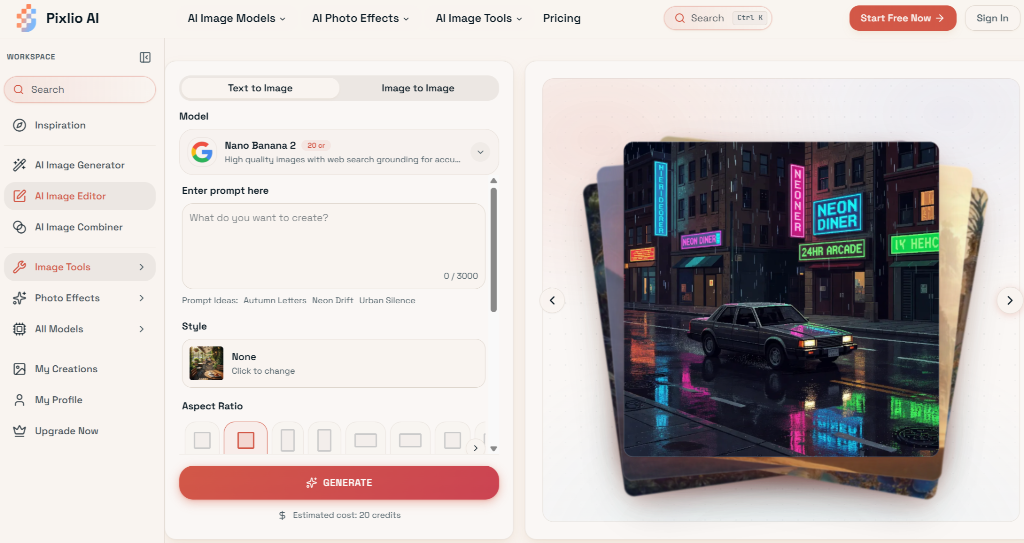
The Pixlio AI image editor, for example, puts multiple image models inside the same browser-based workflow rather than tying every edit to a single model.
It also combines text-to-image and image-to-image work, so an initial generation can become the input for another round of editing instead of forcing the user to rebuild the process elsewhere.
For people who work on marketing assets regularly, that flexibility is more useful than it may sound.
A failed generation does not always mean the prompt was bad. Sometimes the model simply handles that particular task poorly.
Being able to try another model without moving the project to another service makes experimentation less cumbersome.
The quickest workflow is not necessarily “type one prompt and publish whatever comes out.”
A more reliable process starts with a clear purpose. Decide where the image will appear and what it needs to communicate. If an existing photo already contains the right subject or composition, use it as the starting point rather than generating everything again.
Then make one meaningful change at a time.
For example, changing the background, clothing, lighting, camera angle, and overall visual style in a single instruction gives the model more opportunities to misunderstand the request. Smaller edits also make it easier to identify which change caused an unwanted result.
The same applies when creating images for SEO content. A custom visual is most useful when it contributes something to the page: showing a process, illustrating an example, comparing alternatives, or making an abstract idea easier to understand. Producing an AI image merely to fill an empty space is unlikely to improve the article.
Generated and edited images still need a human pass before publication.
Product details can drift. Text inside an image may be incorrect. People can acquire subtle anatomical errors. A background replacement might look convincing at first glance but contain odd reflections or inconsistent lighting.
Brand consistency is another reason to review the output. A technically good image can still feel wrong for the site or campaign it belongs to.
This is why AI editing tends to work best as part of an existing creative process rather than as an automatic publishing system. It speeds up drafts, variations, and revisions. Someone still needs to decide which result is accurate and appropriate.
Large organizations can distribute work among writers, designers, photographers, and campaign specialists. Smaller teams often cannot.
The same person may research an article in the morning, prepare its social assets in the afternoon, and update a landing page before the day ends.
Tools available through sites such as pixlio.net make some of that visual work more accessible without requiring every marketer to become a professional image editor.
That does not make traditional design skills obsolete. It changes which tasks require them. Routine edits and early concepts can be handled faster, while skilled designers can spend more of their time on work where judgment and precision genuinely matter.
For content teams, that is probably the most practical way to think about AI image editing. It is less about replacing the creative process and more about removing some of the friction between an idea and the visual that eventually gets published.
Read Also:
Barsha is a seasoned digital marketing writer with a focus on SEO, content marketing, and conversion-driven copy. With 8+ years of experience in crafting high-performing content for startups, agencies, and established brands, Barsha brings strategic insight and storytelling together to drive online growth. When not writing, Barsha spends time obsessing over conspiracy theories, the latest Google algorithm changes, and content trends.
View all Posts

The Ultimate Guide To Stealing Your Competito...
Oct 15, 2026
Beyond The Basics: Master Guest Posting For H...
Oct 15, 2026
Best Generative Engine Optimization (GEO) Com...
Oct 14, 2026
Digital PR for Link Building: How To Earn Hig...
Oct 13, 2026
Cracking The Code Of The Social Media Saga Si...
Oct 13, 2026