The Ultimate Guide To Competitor Backlink Analysis: An Actionable SEO Blueprint To Steal Your Rivals’ Traffic
Oct 23, 2026

Apart from posting consistently on any social media platform, going live is a great way to connect with the target audience.
But not all brands can go live. Whether it is their limited time or budget constraints, brands can avoid going live.
So, what’s the solution? Well, Premiering. Yes, you’ve heard that right!
Similar to YouTube, Facebook has also launched its Premiere feature. Allowing brands to pre-record videos and release them on a scheduled time to keep the audience engaged.
Moreover, it works like a pseudo-live video. That is, it allows brands to interact with the audience in real-time over the comments section.
But there is no on-screen multitasking like in a live video. So, the brands can ensure the videos focus on the important points without distracting the audience.
So, if you, too, are curious about this new Facebook Premiere feature, I have brought you a complete guide on how to use it and why it matters, highlighting—
Stay tuned!
In simple words, Facebook Premiere lies between regular videos and live videos. That is, it offers the perfect space for the brands to release their brand videos in a pre-recorded form.
So, the brands can indirectly promote their campaigns while interacting with the audience members in real-time.
Moreover, once the premiere ends, the video is stored in the main brand page as a regular video. And, the live interactions are saved along with the video.
So, it creates a space that engages the audience similar to a live video, and allows the brands to post a pre-recorded video. Making it a win-win feature on social media.
Now, if you want to use the Facebook Premiere feature, you need to know how it works. So, here is how to get started with this unique marketing feature—
Even though they choose Publish, the video will be published on the Facebook page at the scheduled time. So, it is easier than you could have imagined!
Unlike a live or regular video, the Premiere option provides massive benefits to the brands. So, some of these benefits of the unique feature include—
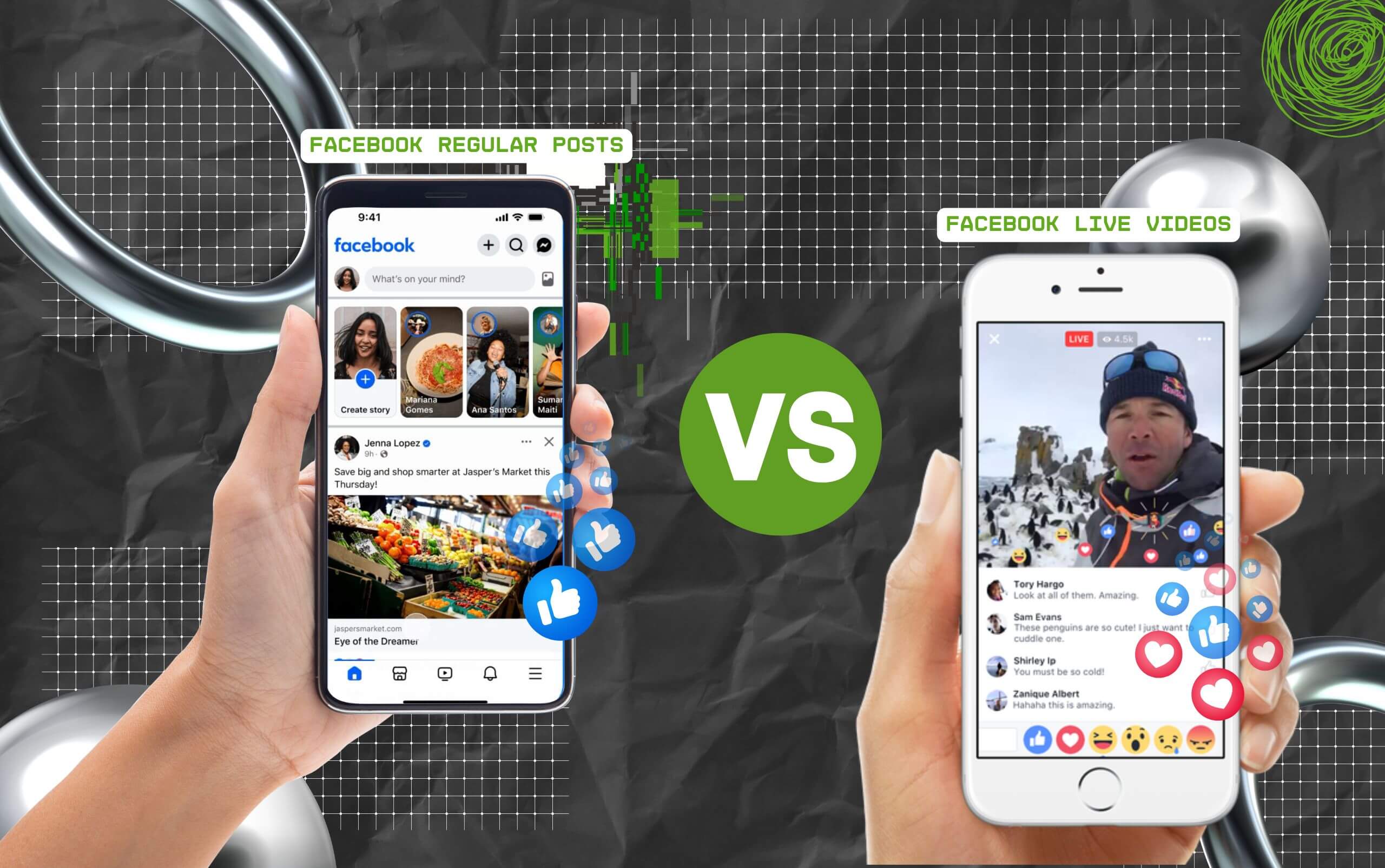
Now, Facebook Premiere is not the only feature that allows brands to post videos. That is, brands can use the regular posts or the live video options for posting their videos.
So, here is a breakdown of the differences between these features—
Now, using the Premiere feature is not enough. So, here are some tips and best practices for using the feature—
Now, making a simple mistake while using the Facebook Premiere feature can adversely impact the overall results.
So, here are some of the common mistakes to avoid with Facebook Premiering—
Since airing a pre-recorded video has become so simple and easy, why wait for others to reach the top? Take this sign to upload your brand videos and premiere them across a strong audience base.
Now, I have brought you a complete list of all the frequently asked questions around the Facebook Premiere that most brands look for.
Generally, Facebook allows its users to schedule the Premiere for up to 7 days in advance. But the time set should be at least 10 minutes before the airtime.
Moreover, users can schedule the Facebook Premiere through the Meta Business Suite and the Creator Suite. So, it can be like a live event on the platform.
Unlike the live videos, the premiere feature on Facebook airs a pre-recorded version of the video in the same way as the live video.
So, once it starts, viewers can interact with the premiere in real-time. And, once the Premiere ends, the views and the comments are added to the video like a normal post.
Yes, absolutely. If the viewer is part of the community or previously selected the Get Notified option, then they will receive the notification for the start of the Premiere.
Also, they will get the notification for the Premiere access at least 3 minutes before it starts. So, they can stay in the lobby or directly access the Premiere on the platform.
Unlike a regular video post, Facebook Premiere requires specific technical requirements. So, here are the essential technical needs—
• Video format — MP4 / MOV
• Audio format — AAC audio
• File Size — 10 GB (Max)
• Resolution — 1920×1080 pixels
• Frames Rate — 30fps
• Length of video — 30 seconds to 4 hours
• Scheduling time — 10 minutes before airtime.
Chandrima is a seasoned digital marketing professional who works with multiple brands and agencies to create compelling web content for boosting digital presence. With 3 years of experience in SEO, content marketing, and ROI-driven content, she brings effective strategies to life. Outside blogging, you can find her scrolling Instagram, obsessing over Google's algorithm changes, and keeping up with current content trends.
View all Posts

The Ultimate Guide To Competitor Backlink Ana...
Oct 23, 2026
How To Land High-Authority Editorial Backlink...
Oct 23, 2026
Why Your Website Traffic Dropped Suddenly And...
Oct 23, 2026
How Do The Physical Google Review Tools Redef...
Oct 23, 2026
How To Get Your Brand Cited In AI Search Resu...
Oct 22, 2026