PRNEWS Rewards Adds Rankfor.AI To Track How Brands Show Up In AI Assistants
Oct 10, 2026


SEO shortcuts, honestly, have scared me for the most part of my nearly decade-long career.
I have completed more than eight years in the search engine-dominated digital marketing landscape. And working with shortcuts has never been a good idea. On top of that, SEO isn’t really a sprint – it’s more of a marathon.
And a marathon requires consistency, patience, and showing up every single day without fail if you want to succeed. Moreover, the reality behind ranking on SERPs is time-consuming – it takes time, consistent effort, and lots of trust from Google.
Having said that, I’m an ardent believer in smart work, not hard work. So, waiting for months without any significant progress isn’t my thing, really.
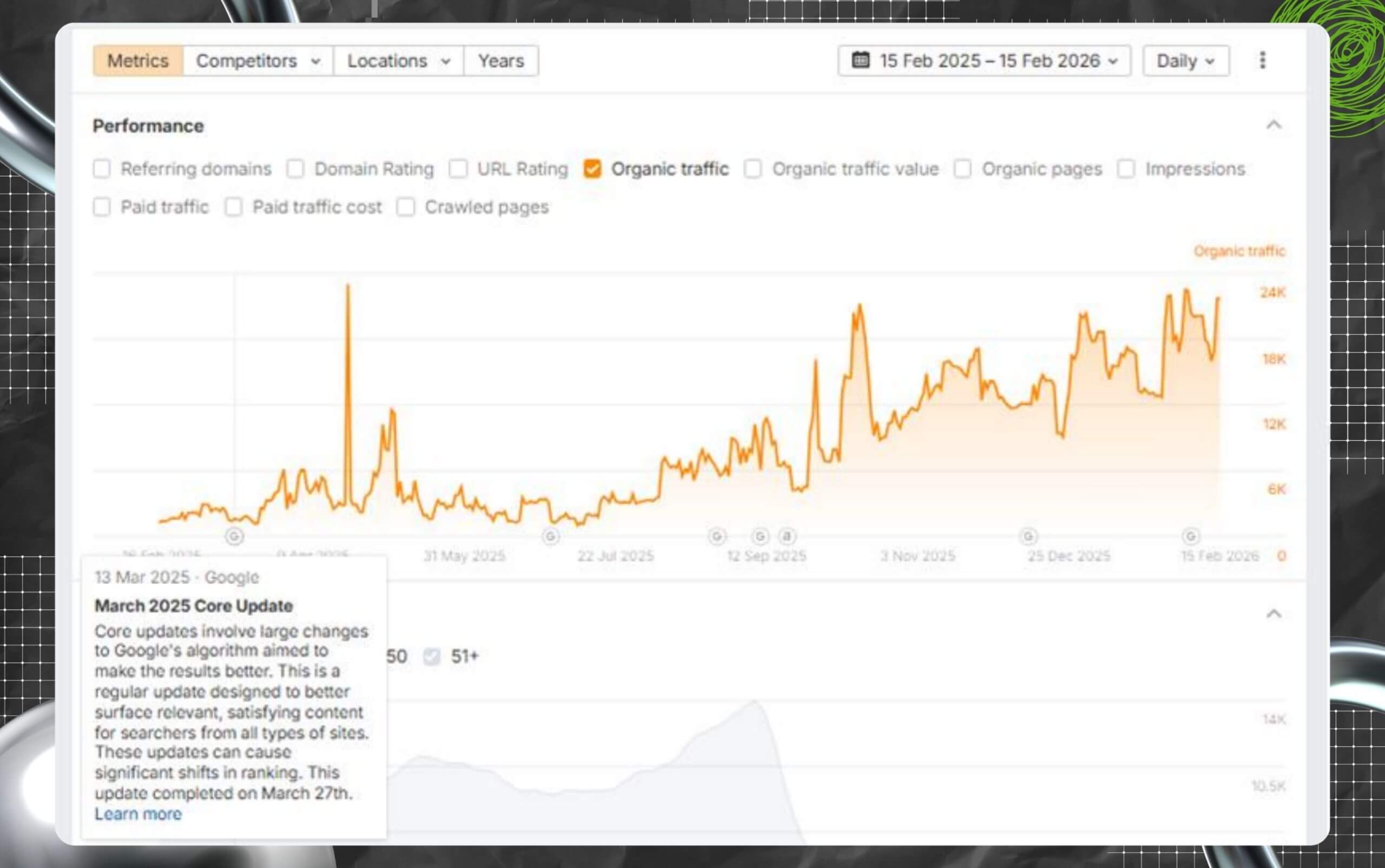
And the Search Engine Magazine is a living example – it tanked, thanks to the Google March Update of 2024. Yes, we tanked, and then for 9 months, we sat still at zero. No amount of hard work could solve the problem.
But I wasn’t ready to give up on this blog. So, from November 2024, I started working on the website alone. And over the next three months, we were able to hit 1.4K in traffic and survived the 2025 March update, and even the October Spam update.
Today, we stand strong with 33K organic traffic. Of course, my strategy was organic, but needless to say, I did use a few SEO shortcuts to accelerate progress and obtain faster results without cutting corners.
Based on my experience with Search Engine Magazine, I’m here to share my no-nonsense expertise on using shortcuts effectively without risking damage to your ranking on SERPs.
Stay tuned.
Yes, they work. However, it is possible that you don’t know which ones I’m talking about. Why? Because the most effective shortcuts are not meant to trick search engines.
Rather, they are ethical and high-impact. Remember what I said about smart work over hard work?
For example, I would not call SEO outreach or link building a shortcut. Why? Because it takes some time to start your outreach journey. And sometimes, it might take you months to obtain any real result.
In this blog, I’ve compiled SEO shortcuts that are actionable (and super quick) – tactics that will not take months to yield results.
Moreover, my list of shortcuts prioritizes optimizing content and web pages that you have on your website already. Additionally, you don’t really need to create new content for this to work out, except in a few cases.
Also, these shortcuts work because of their alignment with the core mission of Google: to help users with valuable and relevant content.
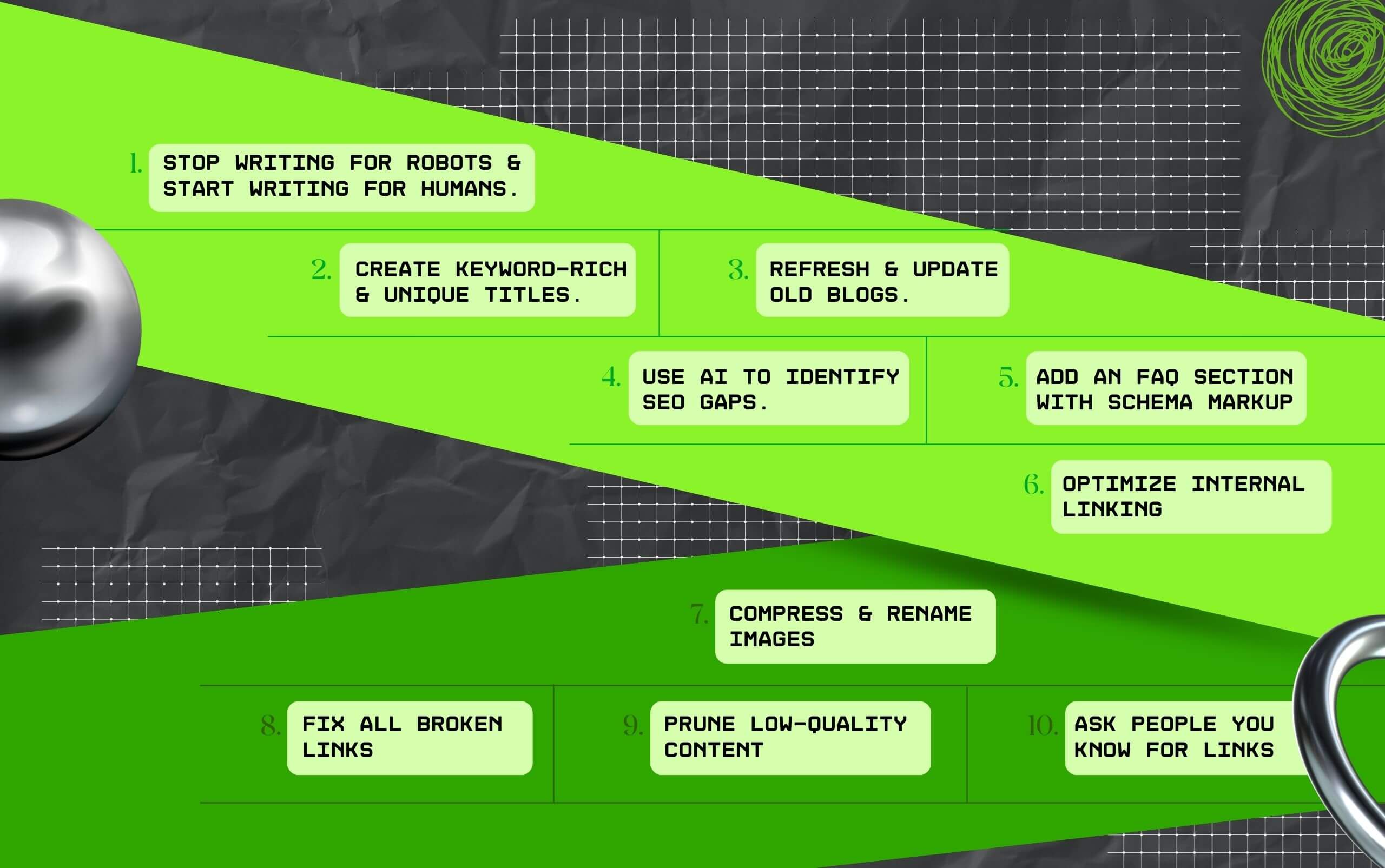
So without wasting time, let’s check out 10 SEO shortcuts that work without fail:
Of course, you have heard this before. But that is only because it is the most effective SEO shortcut for quick results!
Yes! You need to create content that adds value and genuinely helps people coming to your website. Moreover, your content has to meet the search intent to perform on SERPs.
While doing this, you need to understand that Google’s algorithm is very smart and can easily prioritize content that adds value and meets user intent.
So, if you are creating content that is easily readable, offers real value, and is engaging, then it will definitely perform better in SERPs. Also, the content can appear on AI Overviews and other generative AI platforms like Gemini and ChatGPT.
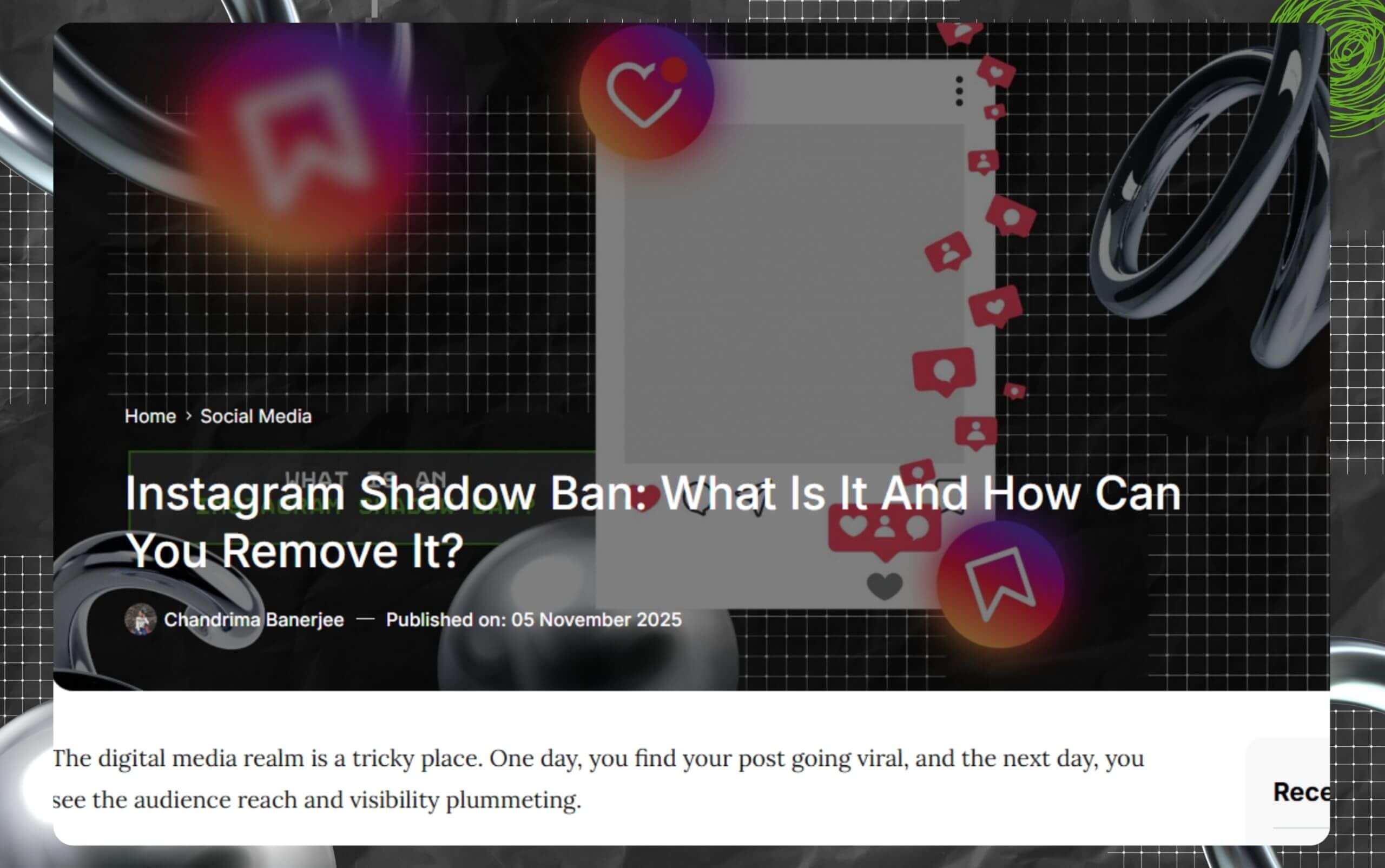
Your title tag (page title) is the most crucial aspect of your on-page SEO strategy.
It is literally the first thing that users come across in search results. Moreover, it informs both readers and search engines what your website is all about.
Also, it has already been proven that adding unique titles can boost your CTR or click-through rates.
This one’s old but gold! All your old blog pages are a major goldmine for gaining some quick wins in the SEO-dominated digital marketing landscape.
Of course, content has its own expiry date. And the worst part? Outdated content can impact your ranking on SERPs – your article can fall down in ranking, losing organic traffic in the process.
So, by refreshing content, you can regain lost traffic quickly and boost its authority in the process.
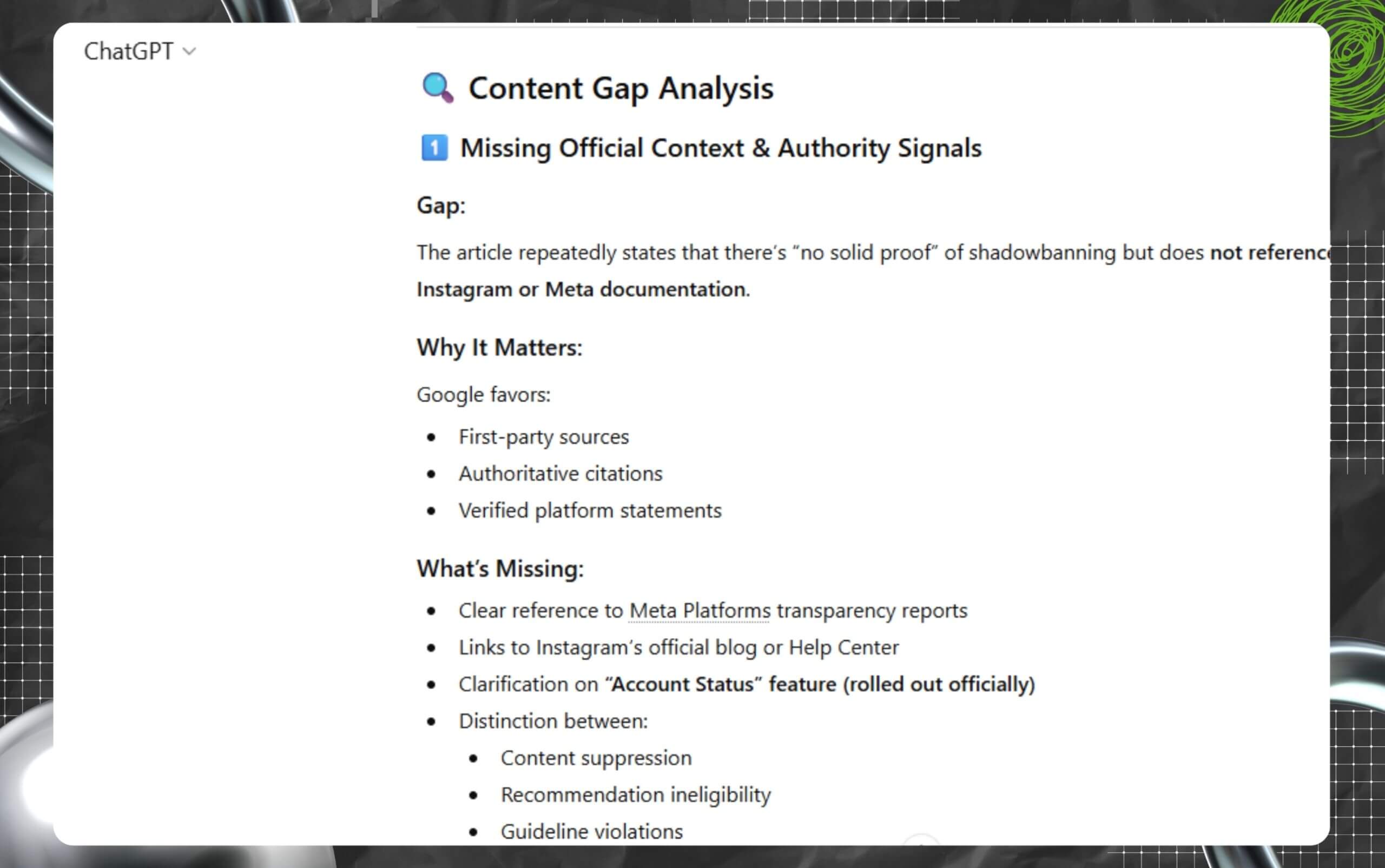
AI tools are excellent weapons for anyone trying to analyze huge amounts of data at the drop of a hat. Moreover, it can help you spot ranking opportunities that your competitor has used to rank.
With the help of AI tools, you can do keyword research, identify gaps in the content, and suggest tactics for improving existing pages.
Adding an FAQ section to your blog pages and website is one of the best SEO shortcuts on this list. Why?
Because it is perfect for anyone trying to capture organic traffic via long-tail keywords and getting mentions in AI overviews.
Moreover, when you use an FAQ schema markup, it improves the visibility of your page and increases the CTR.
Also, adding Schema.org code is a shortcut that you can make the most of – and not just for Google SEO, but most importantly for Generative Engine Optimization.
Internal linking is super important. With internal linking, you can link your blog posts to one another, creating a map for visitors to navigate related queries and guides.
Moreover, internal linking helps a search engine understand your website’s structure, pass authority between pages, and discover new blogs.
So, how to practice internal linking without any penalty?
Large media files can significantly slow your website’s loading speed. This, in turn, hurts your ranking in SERPs and overall user experience.
As a result, you should consider optimizing images on your website. This is a quick technical fix with a major positive impact.
Broken links make the overall user experience poor.
Also, it is not good for SEO. And this includes both outbound and internal links. In case you didn’t know, broken internal links lead to 404 pages on the website.
As a result, fixing pages that have broken backlinks is perhaps one of the easiest and most effective SEO shortcuts in this list.
Moreover, you need to regularly audit and fix broken links to ensure your website remains healthy.
Also, this will improve crawl efficiency, helping you obtain value from your existing backlinks instead of waiting for organic link growth.
Underperforming pages with low-quality and thin content can dilute the overall authority of your website. And that is precisely where content pruning comes to save the day!
Moreover, you can look at content pruning as a way to improve or remove dead weight (A.K.A low-quality content) from your website.
Building backlinks, especially high-quality ones, is perhaps one of the biggest challenges in the SEO landscape. It takes a lot of time, trust, and persistence.
Moreover, if you are trying to do it for free due to a lack of budget, then it is almost impossible.
Also, for smaller or new websites, it gets difficult to even compete against established websites that already come with strong link profiles.
As a result, one of the simplest (and easiest) SEO shortcuts is to ask people you know for links.
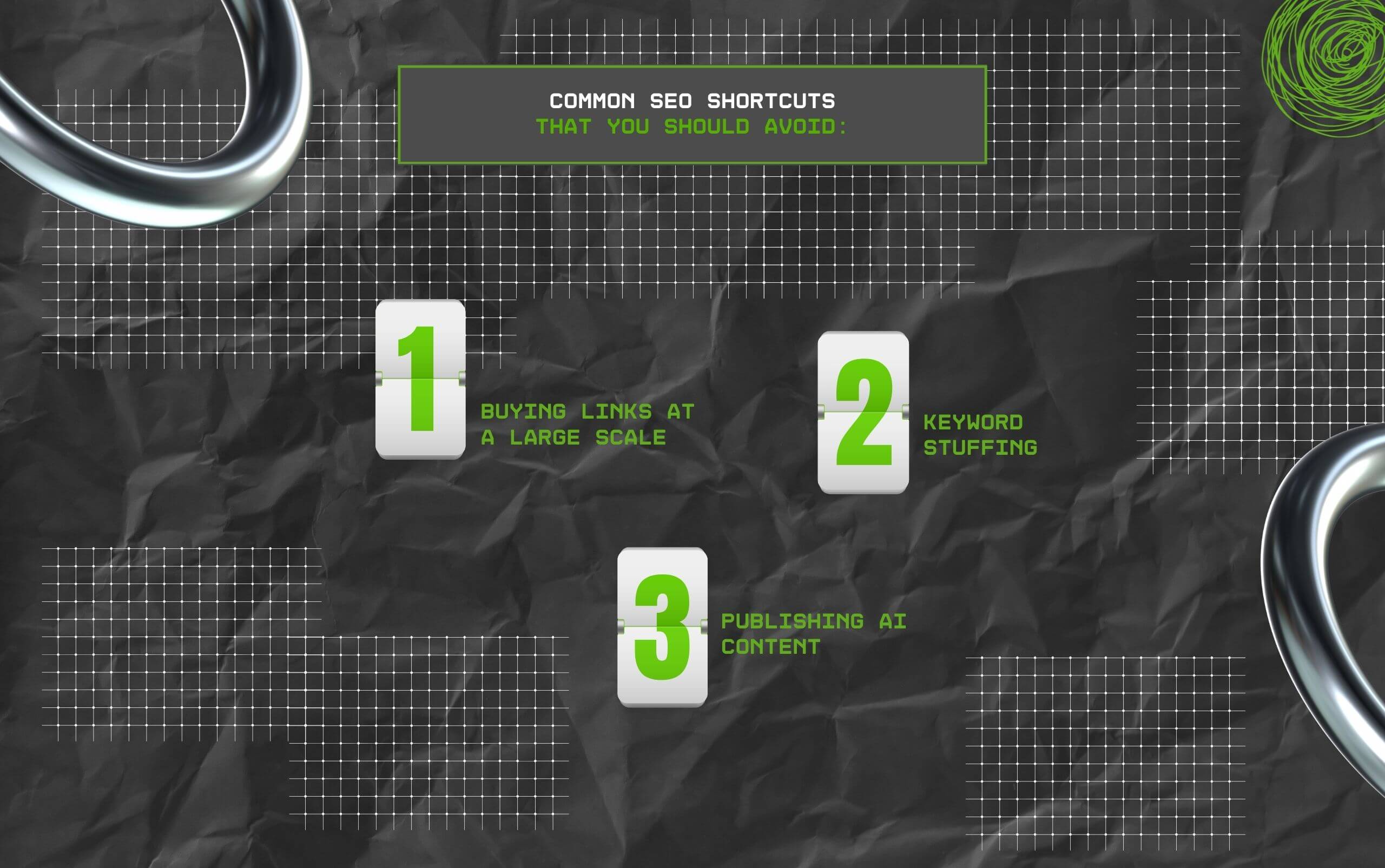
I have listed 10 SEO shortcuts above that have proven to be very effective for me, especially while revamping Search Engine Magazine.
However, there were three shortcuts that can further penalize your website, making it difficult for you to obtain any results.
On that note, here are three common SEO shortcuts that you must avoid – and that too at all costs!
Purchasing backlinks on a large scale is a complete violation of Google’s policies on SEO guidelines.
While buying links at a large scale will boost your website temporarily, the search engine giant’s algorithm is too good at detecting unnatural linking.
And once caught, it is possible to obtain manual penalties. This will cause your rankings and traffic to drop overnight. And we have faced this during the 2024 Match Update. It is very real and frightening.
As a result, always try to earn links through genuine outreach and good content.
Stuffing your content with keywords is extremely harmful. Please understand that stuffing your articles unnaturally with keywords to manipulate ranking in search results will not yield any results.
Instead, it makes your content unreadable. Moreover, Google can easily detect what you are trying to do – and trust me, because I’m not talking from personal experience.
Also, Google will end up penalizing websites for doing this because it makes the overall user experience poor.
AI is an excellent tool for both assistance and research. However, using AI to generate low-quality content at a large scale without any human intervention will get flagged as spam.
Also, AI-generated content hardly ever offers any real value to the users. More importantly, it ends up going against the helpful content guidelines of Google.
Barsha is a seasoned digital marketing writer with a focus on SEO, content marketing, and conversion-driven copy. With 8+ years of experience in crafting high-performing content for startups, agencies, and established brands, Barsha brings strategic insight and storytelling together to drive online growth. When not writing, Barsha spends time obsessing over conspiracy theories, the latest Google algorithm changes, and content trends.
View all Posts

PRNEWS Rewards Adds Rankfor.AI To Track How B...
Oct 10, 2026
Is Serpstat Worth It? A Deep Dive Into Pricin...
Oct 09, 2026
How To Use Screaming Frog: The Definitive Tec...
Oct 09, 2026
Master The Rich Result Test: Fix Your Broken ...
Oct 08, 2026
Does vnROM Bypass Still Work? A Realistic 202...
Oct 08, 2026