How To Audit Your Search Visibility In 2026: Google Rankings, AI Overviews, And Where Your Traffic Really Comes From
Sep 30, 2026
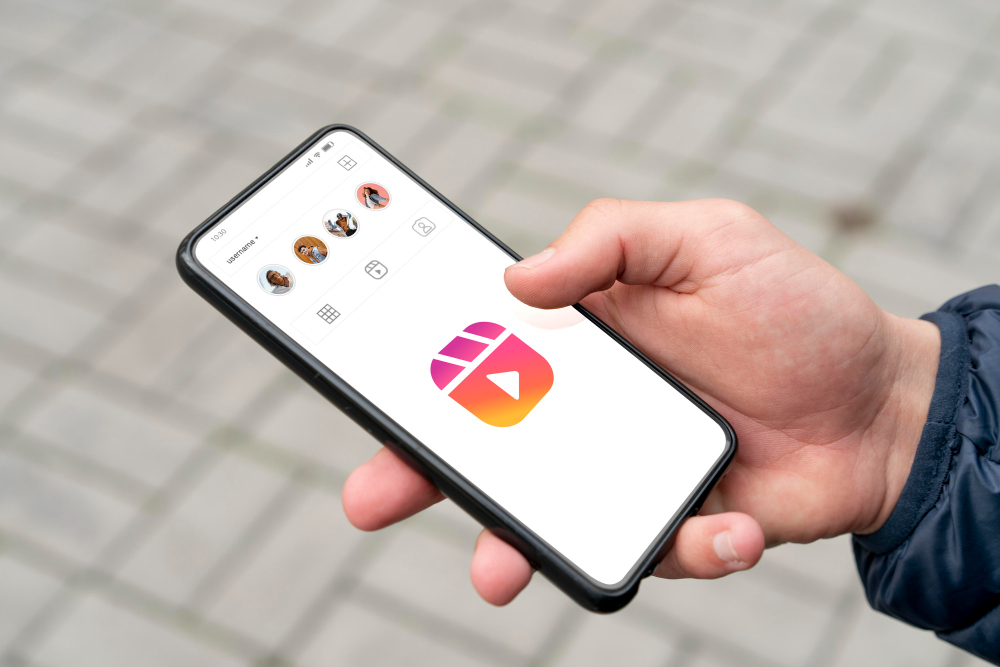

Today’s topic: When can you save Instagram Story from a public account?
Suppose a creator posts a Story featuring your product on Monday morning. Your team wants a copy for its campaign records, but nobody gets around to it until Wednesday.
The profile is still public. The Story isn’t there.
The account’s public status doesn’t preserve its Stories. Instagram normally makes each Story visible for 24 hours from the time it was posted.
The creator can remove it sooner, and a Highlight can keep it visible longer. Those differences decide whether you can still save a copy.
You can save Instagram Story for a public account only while the post remains active within its 24-hour lifespan or if the creator saves it to a public Highlight.
If a Story expires, gets deleted early, or shifts to a restricted audience like Close Friends, public tools cannot retrieve or manufacture a copy.
Instagram’s Help Center says a Story disappears from the creator’s profile, Feed, and Direct after 24 hours unless the creator adds it to a Highlight.
A sequence of Stories doesn’t share one deadline: a frame posted at 9 a.m. can disappear before another frame posted that evening.
If you need a public Story for a legitimate record, check it while it’s active. Open the creator’s profile, confirm that the Story plays, and save the specific photo or video you need.
Don’t assume that a profile link or a screenshot of the colored Story ring will let you retrieve the media tomorrow.
For an active Story on a public profile, LikeWave Instagram Story Downloader lets you enter the username or profile link, preview the available frames, and save one to your device.
It works with currently available public Stories; it doesn’t recover expired content or open private Stories.
That last limit matters. A downloader needs an accessible source file. It can’t manufacture a copy because someone remembers seeing the Story yesterday.
The original Story normally stops appearing in the active Story tray. You may still see an old link in a message or a notification, but the link’s presence tells you nothing about whether the media behind it still loads.
Check the creator’s Highlights next. If they added the Story to a visible Highlight, you may still be able to watch it on their profile.
Don’t assume a tool that saves active Stories also supports Highlights; they are a separate destination on Instagram, and tool support varies.
The creator may also have a copy in their private Stories Archive. That archive belongs to the account owner. It isn’t a public library that a third-party viewer can search.
If you commissioned the Story and missed the active window, ask the creator to send you the original file or reshare it, subject to your agreement.
If the creator deleted the Story before its 24 hours ended, waiting won’t bring it back. The same practical answer applies when a Story was never public: a Close Friends post or a Story hidden from certain people, isn’t available to a public downloader.
Here’s a table for a quick check:
| Story Type | Can A Public Downloader Save It? | Alternative Recovery Method |
| Active Public Story | Yes | Direct download via tool or manual screen recording. |
| Active Close Friends | No | Internal screenshot or recording via creator access. |
| Public Highlight | Depends on tool | Manual screen recording or requesting the native file. |
| Expired (Past 24h) | No | Request file export from the creator’s archive. |
| Deleted Early | No | Unrecoverable unless cached manually before deletion. |
Expiration is common, but it isn’t the only explanation. The creator might delete a frame, change the account to private or restrict the Story’s audience.
Instagram may remove content, too. From the outside, a missing Story rarely comes with a reliable label explaining which event occurred.
First, refresh the profile rather than trusting the Story ring in an older feed view. If other Stories also fail to play, try Instagram in a browser or check your connection.
A temporary loading problem can look much like an unavailable Story. If the profile and other content work but that particular frame remains absent, you can’t use a downloader to settle whether it expired or was removed.
For campaign work, record the posting time when you can. If a creator sends you a link shortly after posting, a reminder to check it that day is more useful than trying several recovery sites after the deadline.
A lot of people try to save an Instagram Story by downloading it. But that doesn’t really work! Here’s why:
A saved public Story can help a team document that a partnership went live, review the creative, or compare the delivered frame with the approved brief.
Public visibility alone doesn’t give another account permission to repost the creator’s image or video in an ad.
Agree on the intended uses before the campaign. If you want the Story for your website, paid ads, or later social posts, ask for the original asset and the necessary permission from the creator.
That also avoids relying on a compressed screen recording or an expiring link as your only campaign record.
The Campaign Record Checklist:

Ensure your creator briefs and contracts mandate the following three deliverables to protect your compliance records:

• Native Asset Delivery: Require the creator to send the raw, uncompressed video or photo file via a shared drive within 48 hours of posting.
• Performance Metrics: Require native Instagram Insights screenshots for reach and link clicks before the 24-hour mark passes.
• Archive Preservation: Add a clause obligating the creator to retain the campaign Story in their private archive for at least 90 days.
For your own Stories, check your Instagram archive settings and keep the original files outside the app when they matter to the business.
Your archive can retain Stories after the public window closes when the feature is enabled, but a folder you control is easier to hand to a colleague or use in a report.
The working rule is straightforward: save an accessible public Story while it is live. After it expires, look for a visible Highlight or ask the creator for the file.
If it was deleted, made private or shared with a limited audience, a public Story downloader can’t restore access.
Barsha is a seasoned digital marketing writer with a focus on SEO, content marketing, and conversion-driven copy. With 8+ years of experience in crafting high-performing content for startups, agencies, and established brands, Barsha brings strategic insight and storytelling together to drive online growth. When not writing, Barsha spends time obsessing over conspiracy theories, the latest Google algorithm changes, and content trends.
View all Posts

How To Audit Your Search Visibility In 2026: ...
Sep 30, 2026
What Is Google Lighthouse? A Practical Guide ...
Sep 30, 2026
Google Looker Studio: What It Is, How It Work...
Sep 30, 2026
What Is Google Tag Manager? A Practical Guide...
Sep 30, 2026
SEO KPIs: Which Metrics Actually Tell You If ...
Sep 30, 2026