
Enterprise Search Guide: Modern Knowledge Management & Internal Data Discovery
Nov 03, 2026

Have you ever tried to find an update on a project, a contract, or a design document but wasted an hour scrolling through emails, team messaging apps, and multiple cloud folders?
This happens because valuable information gets stuck in individual apps.
Implementing an enterprise search tool removes this problem entirely.
This lets you unify disjointed digital platforms so your workforce can easily search for internal documents through one clean dashboard.
Below we’ll take a look at how this new software works, why it helps your team make better decisions, and how to choose the right platform.
Enterprise search is an internal software layer that acts like a private Google for your company.
It connects all your disconnected software programs into a single, secure search bar.
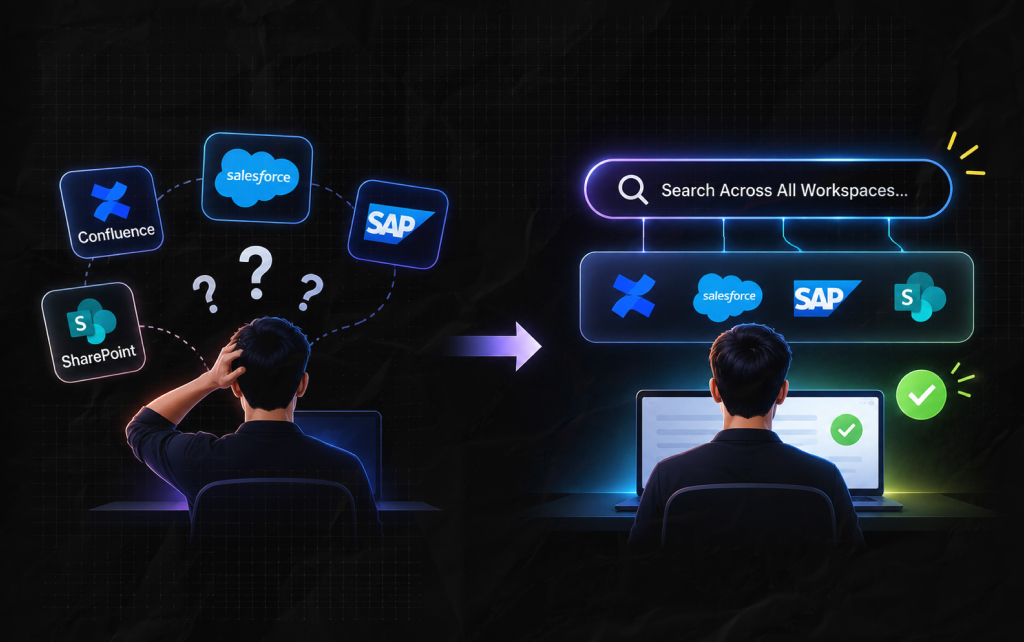
Most enterprises today use a wide range of cloud apps and databases.
Your engineering team uses Confluence for notes, your sales team uses Salesforce to log leads, your operations team uses SAP, and your everyday documents are stored in SharePoint.
Employees then have to guess where a document is because these systems are separate and not connected.
This means wasting huge amounts of your employees’ paid working hours.
According to well-known research by McKinsey & Company, the average digital employee will spend up to 20% of their week searching for information or asking for help.
In addition, the International Data Corporation (IDC) has shown that knowledge workers lose around 2.5 hours per day searching for documents.
An internal search engine removes this issue by bringing all your separate data sources together into one clean index.
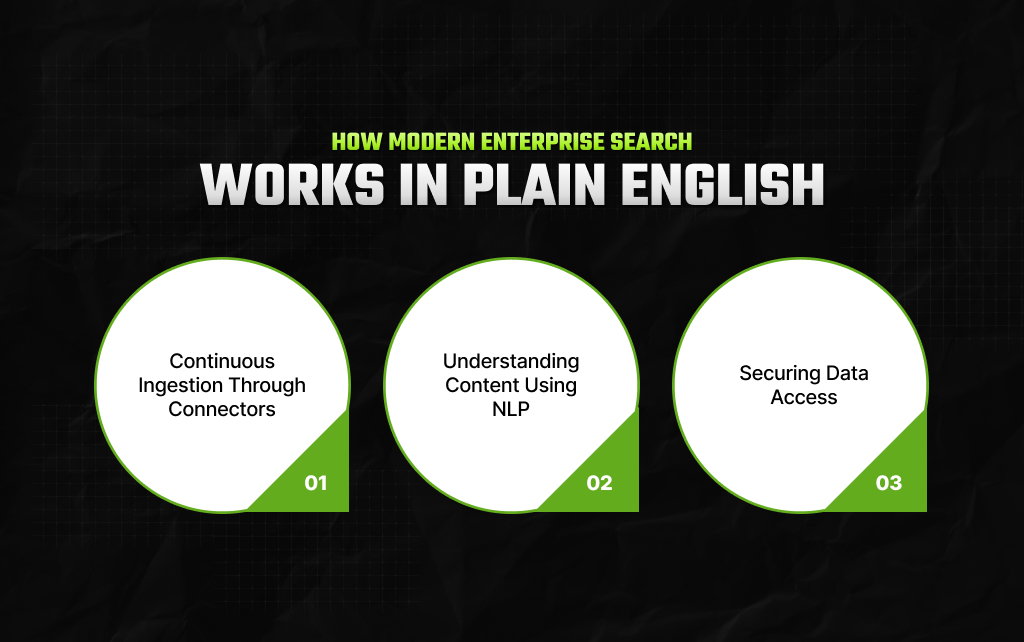
You don’t need to be an engineering expert to understand how this search works. The platform will do all the hard work for you.
The platform will connect directly to your software using connectors.
These connectors automatically scan your documents, emails, logs, and notes to keep the search index fully up to date.
Instead of searching by document name, the platform searches the content of your company documents.
Furthermore, using intelligent NLP, the software understands what sentences mean, providing more accurate results than a simple computer search.
The main difference between a public search and enterprise search is data security.
Moreover, the platform checks the original access rights on each document and ensures they’re secure.
Even an entry-level employee will not see confidential finance spreadsheets or HR logs in their search results.
User Enters Input ─> Connectors Scan All Apps ─> NLP Parses Meaning ─> Filtered Safe Results
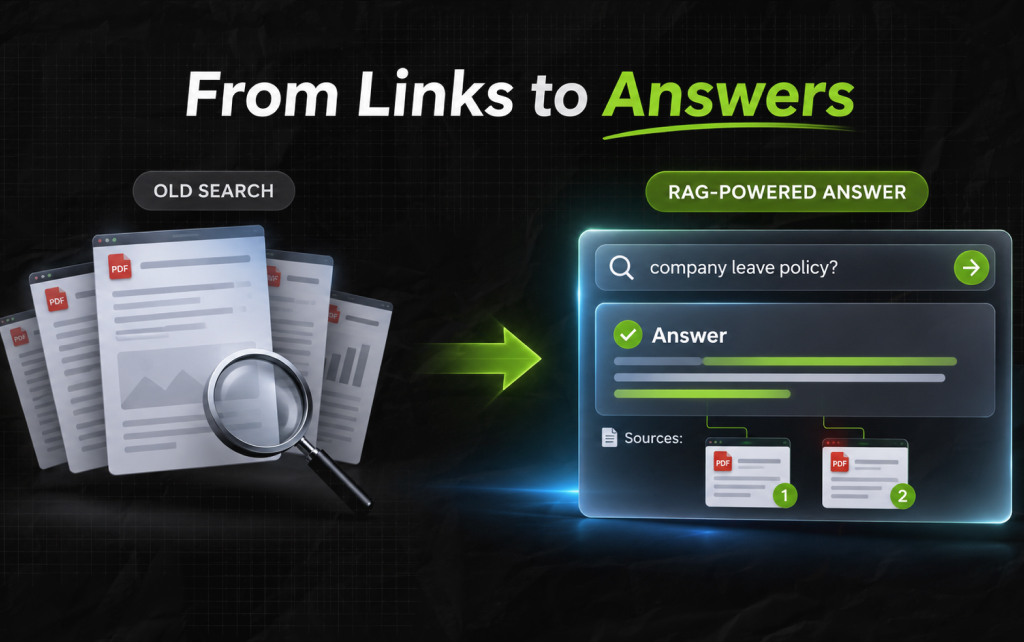
Over the past few years, enterprise search has evolved. Previously, traditional enterprise tools would provide a long list of links.
Employees then had to open 5 different PDFs to find the information they needed.
However, modern search platforms can use a Retrieval-Augmented Generation (RAG) system.
This means the software searches your documents and provides a summary.
For example, if a team member asks, “What safety measures were updated during our facility audit in 2024?”
The software won’t just provide a link to a large handbook but will pull out the relevant paragraphs and provide a short summary with inline references.
This ensures your workforce gets accurate, grounded answers in seconds without losing their daily momentum.
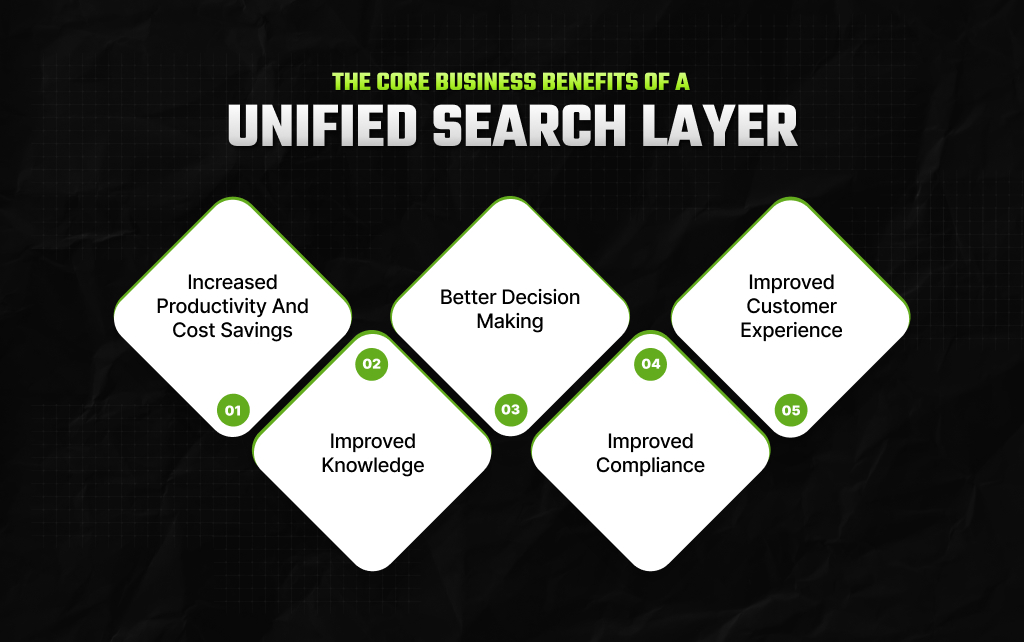
Implementing a search platform brings major benefits to your organization. Here are some reasons why:
Firstly, by reducing search times from hours to seconds, employees will save time. It also improves productivity by removing duplicate documentation.
All your project documents, research, and protocols will be searchable, meaning teams can quickly use previous knowledge.
Moreover, new staff can also get up to speed quickly using previous information.
With up-to-date information, management can make informed decisions. For example, in a retail company, you can understand customer trends faster.
Now, with a search database, your compliance team can retrieve key financial information or contract history in seconds.
Issues can be solved much faster with instant access to technical manuals and client information. Moreover, this reduces client turnover and increases long-term brand loyalty.
Many technology managers wonder why they cannot just rely on the basic search functionality built directly into their corporate intranet.
Let’s compare these tools side by side:
| Key Evaluation Criteria | Basic Intranet Search | True Enterprise Search Platform |
| Data Silo Reach | Only searches internal web pages and local shared folders | Connects to CRMs, cloud drives, email queues, and databases simultaneously |
| Search Intelligence | Relies on basic, exact keyword matches | Understands the context, synonyms, and intent of your phrasing |
| AI Answer Synthesis | Not available; strictly shows file paths | Generates immediate, cited summaries using your private data |
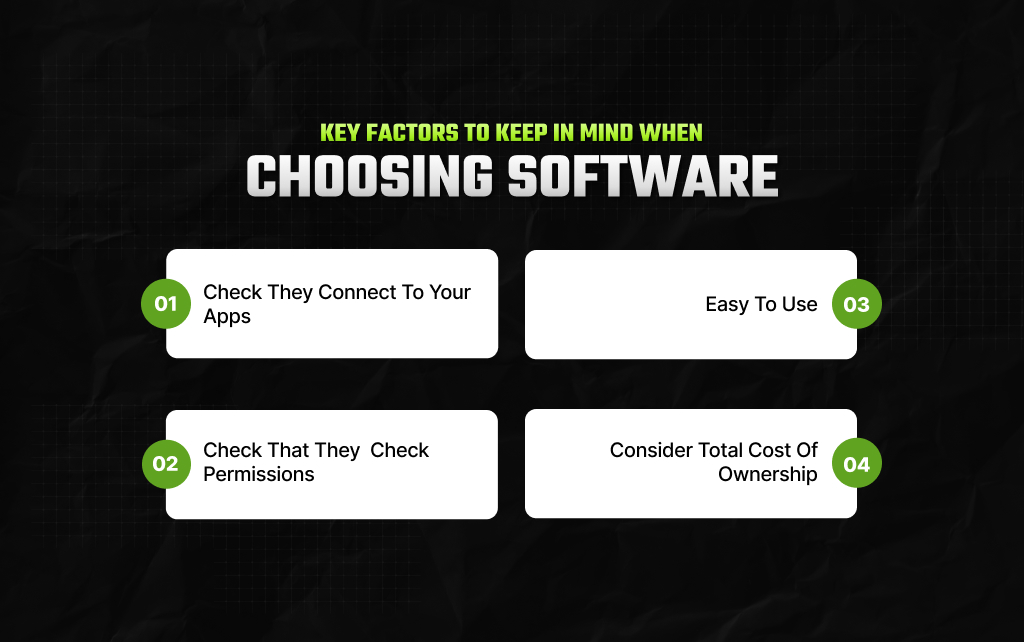
To help you remove any data confusion within your office, consider the following 4 points.
First, make sure the search platform can connect to your apps using fast, native connectors.
Second, ensure the platform checks user permissions while searching so no sensitive data is visible.
After that, make sure the search bar is easy to use, with no lengthy training required.
Lastly, look at the overall cost of the software, including licensing, setup, and any extra costs.
Here are some examples of how the search bar can be used within 2 key departments.
If there is an issue on the manufacturing line, an engineer can type in the part name into the search bar.
The software will instantly show the original blueprint from the product database, relevant safety logs from SharePoint, and previous troubleshooting notes from team chat.
This can resolve assembly line issues in minutes.
If there is a surprise audit, the legal team can search through your company’s entire history. The software will instantly find any liability within thousands of hidden PDFs.
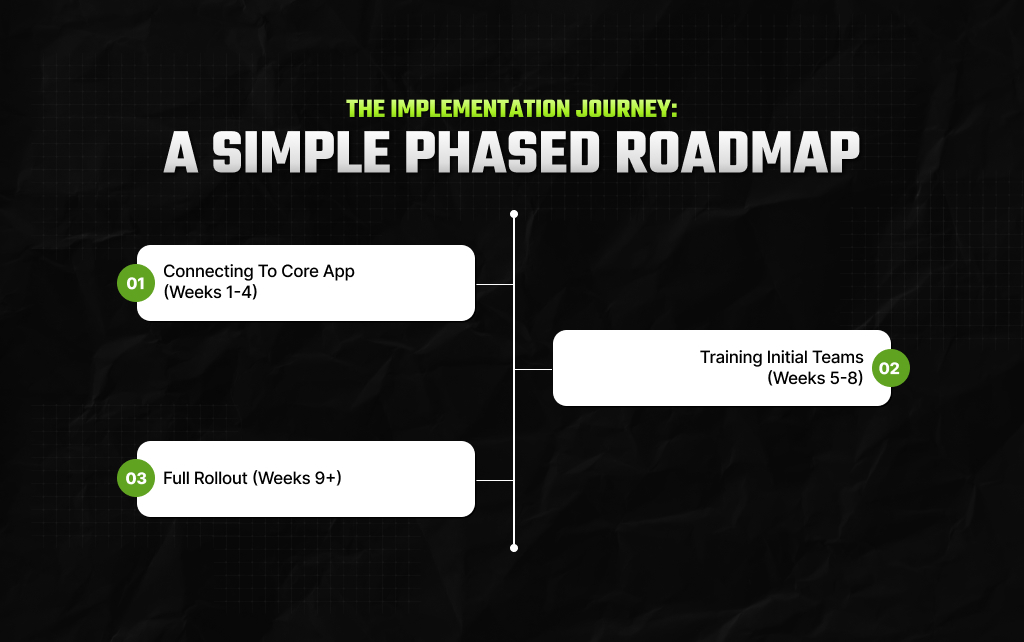
Implementing a search platform within a large company won’t happen immediately. However, successful companies will follow the 3-step process below.
First, map your digital presence and connect your top 3 most-used apps. Such as email and main cloud document storage.
Second, introduce the easy-to-use interface to a small group of power users. This will give feedback on how it works within your workflow.
Lastly, you can introduce the whole company to the search platform. Share advanced AI results and success stories across the company.
Piyasa is a search engine marketing strategist who has spent the last six years decoding Google's ever-changing mind. From corporate giants to neighborhood storefronts, she helps businesses cut through the digital noise and actually get noticed online. When she isn’t building SEO strategies or writing the latest search industry breakdowns for Search Engine Magazine, you can usually find her hanging out with friends - and gently reminding them that no, she cannot personally fix the latest algorithm update for them.
View all Posts

The Enterprise Framework: How To Measure AI P...
Nov 03, 2026
How To Create A Group on WhatsApp Without Los...
Nov 03, 2026
The Ultimate AI Showdown: Is GPT 5.3 Codex Or...
Nov 02, 2026
Glean AI Pricing For Enterprise Search 2026: ...
Oct 31, 2026
Decoding Copilot Cost: The Ultimate 2026 AI P...
Oct 31, 2026