
How To Use Google Flights: Save Hundreds On Airfare In 2026
Nov 19, 2026


Learning how to use Google Flights lets travelers compare airfares across more than 300 airline and travel agency partners in seconds without paying booking markups.
For digital marketers and SEOs, it also serves as a real-time blueprint of how Google structures vertical search, balances zero-click AI summaries, and routes high-intent referral traffic.
Whether you are booking a trip or analyzing how Google’s travel ecosystem works, this guide breaks down every core feature.
It takes you from historical pricing calendars to the August 2026 AI Mode updates, and explains what these shifts mean for search strategy.
Before you start reading the guide, here’s a quick summary of how to use Google Flights:
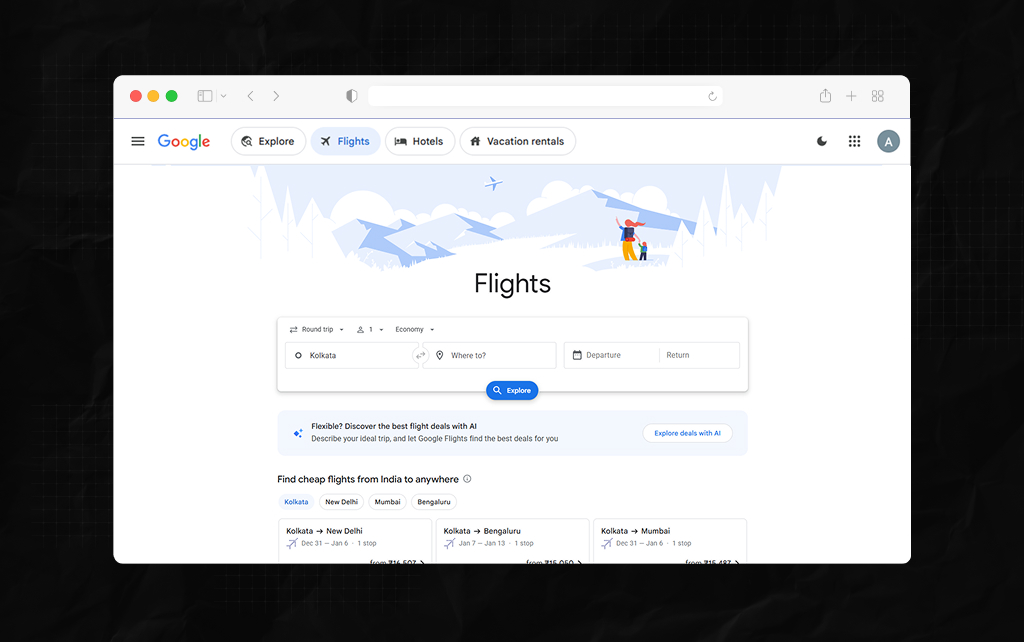
Google Flights is a free flight search tool. This means it is not an Online Travel Agency, but a metasearch platform. It pulls real-time prices from over 300 airlines, aggregators & booking partners.
Once you find the right flight, you will be redirected to the airline’s or travel agency’s website to complete the purchase.
Because partners aren’t charged to appear in the standard search, Google orders them by relevance and price.
Moreover, as Google Flights pulls real-time prices from flights globally, you can quickly get an idea of how much flights cost.
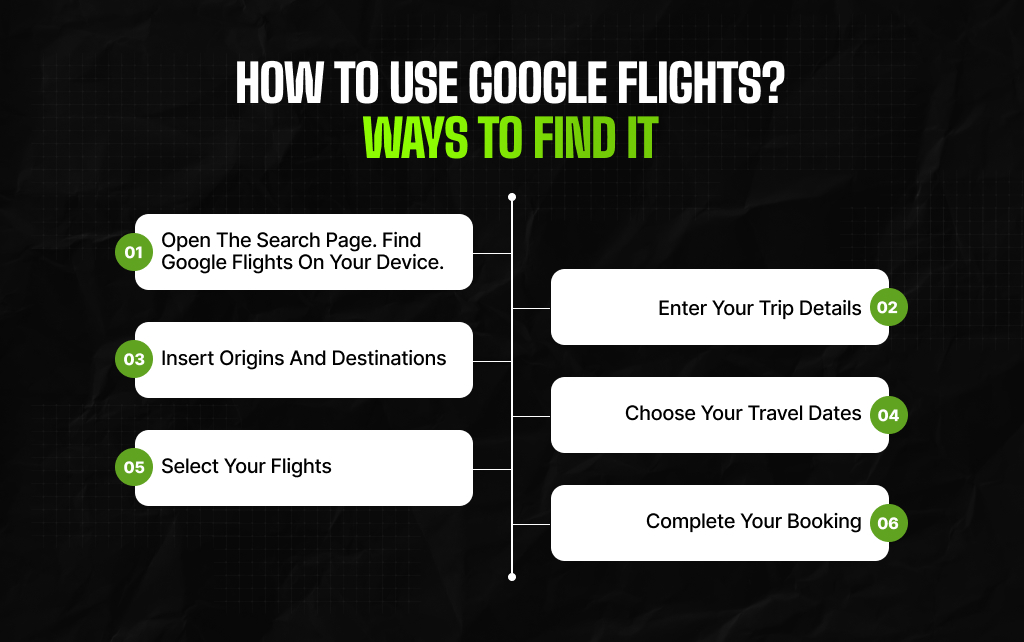
To find flights on Google Flights:
When your results load, you will see two main tabs at the top of the list: Best and Cheapest.
Checking Google Flights’ best vs cheapest options helps you avoid hidden travel headaches before you click through to a booking partner.
| Feature | Best Tab (Default) | Cheapest Tab |
| Primary Ranking Signal | Balances low price with convenience, duration, and fewer stops. | Sorts strictly by the lowest ticket price first. |
| Booking Partners | Mostly direct airline links and major, vetted OTAs. | Includes smaller third-party booking sites and budget carriers. |
| Connection Protection | Standard single-ticket itineraries with protected layovers. | May include self-transfer itineraries on separate tickets. |
| Airport Consistency | Usually flies into and out of the same airport. | May mix different airports in the same city for departure and return. |
From Google Travel Help, you are likely to find cheaper flights in the Cheapest option.
However, these flights may involve self-connecting (where you must collect your own checked luggage) or flying from secondary airports.
By expanding the arrow under each flight detail, you can check connection time, baggage allowances, and whether the connection is included in one ticket.
Always double-check this info if you are wondering how to use Google Flights just to make sure you’re getting the best deals.
If you have some flexibility in your travel dates (even just 1/2 days), changing the departure and return dates can save you some money. To easily find cheaper dates, take a look at:
Click ‘Date Grid’. This will produce a grid, with departure dates across the top row and return dates along the left column.
Each square shows the total round-trip price. The lowest prices appear in green. Within seconds, you can see whether departing on a Tuesday is cheaper than on a Friday.
Click ‘Price Graph’. This will show a bar chart for prices over a period of weeks/months. Adjust the length of your trip (E.g 7 days).
Scroll over the calendar to see how demand affects prices seasonally.
Combined with the Price Insights bar, which tells you whether the current price is Low, Typical, or High for that time of year compared to historical prices, you can assess whether it is best to book now or wait.
You don’t need to manually refresh Google Flights to find lower prices. By understanding how to track prices, you can receive price-drop emails.
Also, if the minimum price on this route falls significantly within 1 month of travel, you will be sent an email.
Now, let’s say there is no significant reduction. According to Google’s price tracking documentation, you will still receive a summary email if there is no significant price drop.
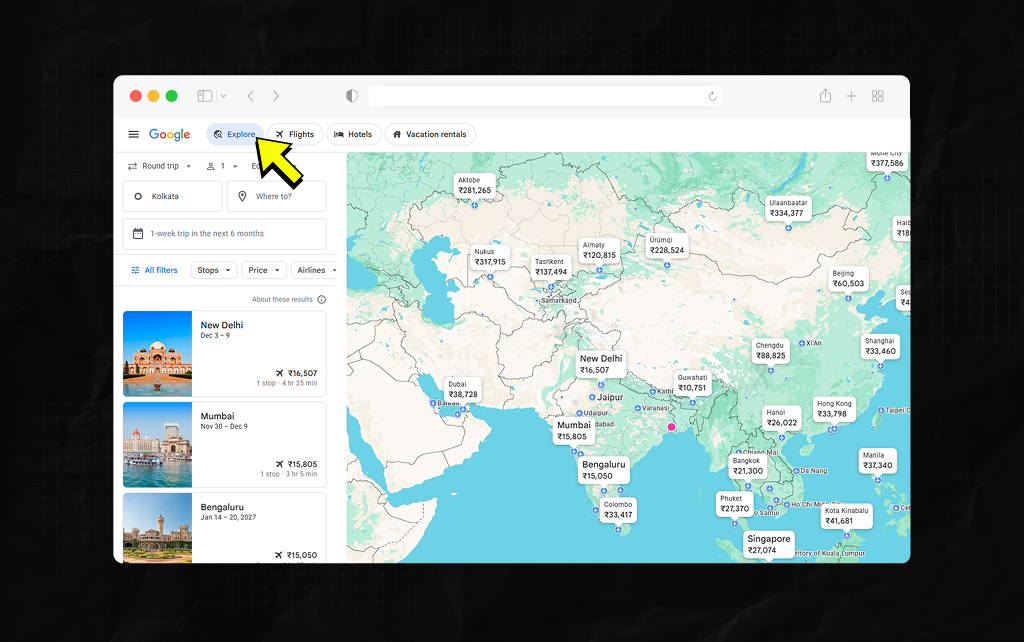
If you simply want to find a good deal, not a specific location, the ‘Explore’ feature is useful for visual searching.
Click ‘Explore’ in the menu bar. Choose your origin airport. Leave the destination field blank, or enter a general area (E.g ‘Europe’ or ‘Southeast Asia’). Choose specific dates or ‘Flexible dates’ (E.g., a 1-week trip within the next 6 months). Choose a maximum price and interests.
As you do this, you will see real-time results for the cheapest round-trip flights worldwide. Zoom in on specific areas, and click on any city to view live flights from that location.
In addition to searching manually, you can make use of AI-powered flight deals. To create a travel plan with AI, simply describe the kind of trip you want.
For example: “a 5-day beach escape in February with nonstop flights” or “cheap city breaks for cherry blossoms”.
According to Google Travel Help, the system will search prices from over 300 partners.
It will compare prices to the median price of similar trips by season, trip duration, and seat class over the past 12 months. You’ll see:
In late August 2026, Google Flights now includes more travel functionality in Google Search’s AI Mode. Flight price tracking is now available in over 180 countries and territories (excluding the European Economic Area).
Instead of navigating to the separate Flights page, you can ask AI Mode to create a travel plan.
Simply ask it to “track these flight prices for me”, and you will receive price alerts in your email.
Live points/miles redemption rates can now be viewed in AI Mode.
If you ask for flights with a partnered reward scheme, AI Mode will display the exact points/miles required for the flight, as well as the cash price.
Initial partners include Alaska Airlines/Hawaiian Airlines, American Airlines, Choice Hotels, Hilton and Wyndham.
New partners to come in the future include Accor, Flying Blue, Hyatt, LATAM and Lufthansa Group.
Sometimes cheap flights can become expensive if the airline charges for luggage. To compare prices fairly, use the filters.
Click ‘Bags’ above the search results. Choose how many pieces of hand baggage and checked luggage you are taking. Google will calculate the total price of the flight, including this luggage, for all airlines.
The ‘Basic Economy’ tickets, which include additional charges for cabin baggage, will automatically be filtered out.
Use this to limit results to direct flights, or to limit total travel time so you don’t get an overnight stop.
To avoid certain transit airports, you can exclude them. Maybe you want to avoid airports with tight connections or that require separate visas.
CO2 emissions are included in each result. If sustainability is important to you, you can filter to find flights on planes with lower emissions.
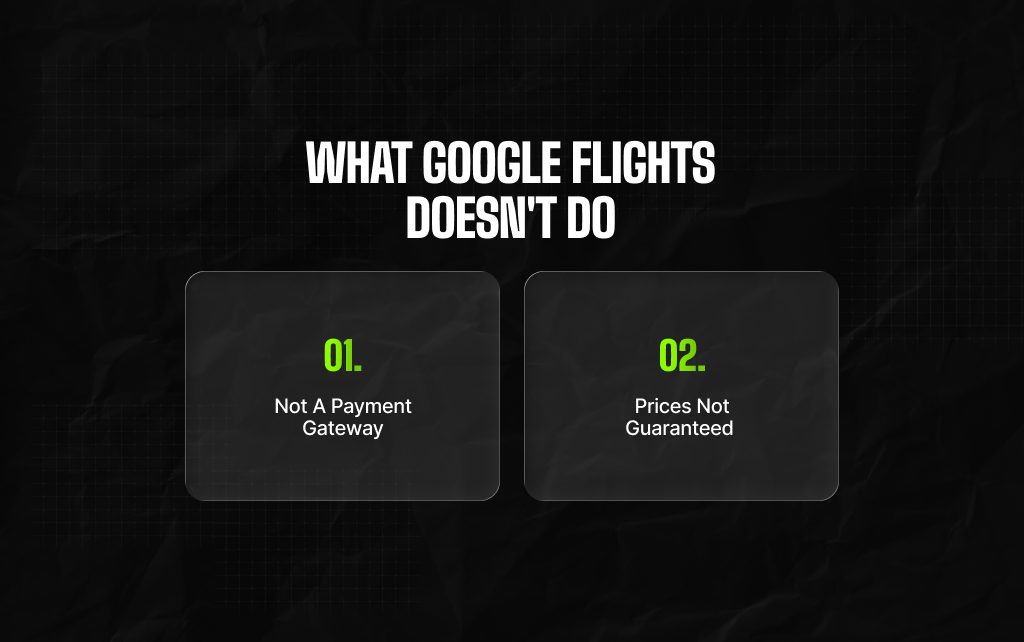
Understanding what the platform leaves out prevents surprises when you reach checkout:
You can’t book a flight directly on Google. Once you click through, the airline/OTA you selected will handle customer service, changes & refunds.
Not all budget airlines included: In some cases, certain budget airlines (Southwest (in some regions), Ryanair (certain routes)) may have limited flight information shown, or you may need to book directly on their site.
Prices are dynamic. The price shown in Google Flights may no longer be available by the time you reach the booking page.
Understanding how Google Flights works will help us understand how it is used for zero-click searches but also for passing high-intent traffic to airlines and OTA’s.
Although it is possible to book hotels via Google Pay (AI mode) in August 2026, flights will pass valuable traffic to airlines/OTA’s.
Competition is fierce in this niche.
Interactive flight widgets, pricing graphs, and summarised results (AI mode) mean that organic blue links appear lower in the SERP.
Google has crawled and indexed specific landing pages for a particular flight route (://google.com). Therefore, head keywords such as ‘cheap flights to London’ will largely be dominated by Google and main OTA’s.
Affiliates and travel content creators can still drive strong traffic from long-tail, information-based queries that meta-search sites don’t cover. Examples include:
Here are answers to the questions you may have. Read on…
No. Google Flights is a metasearch engine that compares fares across airlines and online travel agencies, then redirects you to the seller’s website to complete your booking and payment.
Sign in to your Google Account. Once you sign in, just enter the departure city, destination, and travel dates.
Then switch on the Track Prices toggle above the search results.
The Cheapest tab ranks itineraries strictly by the lowest price, often pulling fares from third-party online travel agencies.
These lower prices may also require self-transferring checked baggage between separate tickets or flying out of different local airports.
The Date grid is an interactive matrix showing round-trip prices across a 7×7 grid of departure and return dates.
You can also use it when your schedule is flexible by a few days to spot cheaper midweek flights highlighted in green.
AI-powered Flight Deals is a beta feature in Google Flights that lets you search for trips using conversational prompts like “beach getaway in March”.
The system then highlights fares priced at least 20% below the 12-month median price. It is also available in markets including the US, Canada, and India.
Yes, following Google’s August 2026 update, you can search for flights in Search’s AI mode and ask it to track prices for your route and dates via email across over 180 countries and territories. This excludes the European Economic Area.
Piyasa is a search engine marketing strategist who has spent the last six years decoding Google's ever-changing mind. From corporate giants to neighborhood storefronts, she helps businesses cut through the digital noise and actually get noticed online. When she isn’t building SEO strategies or writing the latest search industry breakdowns for Search Engine Magazine, you can usually find her hanging out with friends - and gently reminding them that no, she cannot personally fix the latest algorithm update for them.
View all Posts

The Local Advantage: How Niche Service Busine...
Nov 14, 2026
Why PPC Audits Should Look Beyond The Last 90...
Nov 12, 2026
All-In-One Local SEO Software For Agencies Ma...
Nov 06, 2026
Can You Screenshot On Instagram Without Them ...
Nov 04, 2026
How To Fix Windows Update Error Codes On Wind...
Nov 04, 2026