How To Get Your Brand Cited In AI Search Results In 2026
Oct 22, 2026

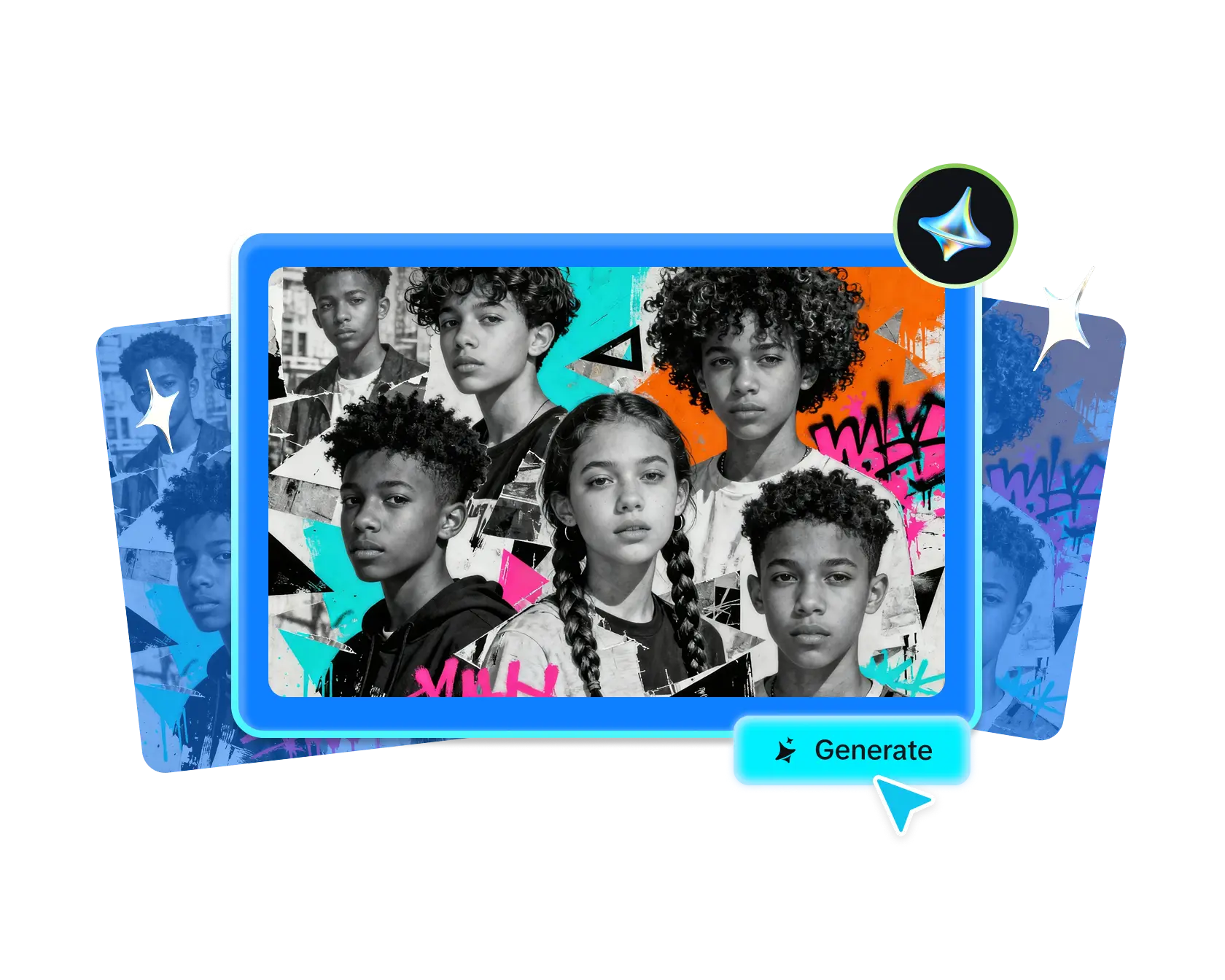
You can reflect many ideas and perspectives in a single image frame. However, sometimes 1 frame might not capture the entire story.
There’s a mood board for such occasions. It is a series of frames all at once that presents the same color theme and texture or pattern. In fact, all images in the mood board are inspired by the same thing!
That is to say, it is a cluster of different images that comes together to portray a combined idea. In other words, the images in it, kept separate, would not make any sense. An easy example of a mood board is a collection of images from the same trip.
So what do you need to create such a creative collage? Most importantly, you need an AI image generator that generates unique ideas and templates to help you leverage your creative collage ideas.
A lot of us have chunks of creative ideas. The image generator helps you sort those ideas into a genuinely creative expression. That’s where Dreamina comes in. It is powered by its image-generating algorithm, Seedream 5.0 Pro. If you are making complex designs, this is the best to use.
The instinct with a collage is often to include as much as possible, but the strongest ones actually rely on restraint. Too many competing elements crowd each other out, and a viewer’s eye has nowhere clear to land.
A collage that combines four or five well-chosen elements, each given genuine visual space, almost always reads as more polished than one crammed with a dozen small fragments.
Before generating a single element, identify what ties the collage together, since that thread keeps a multi-element composition from feeling random. It might be a shared color palette, a common theme like travel or nostalgia, or a consistent texture running through every piece.
Naming this thread clearly gives every element in the collage a reason to belong together.
Not every idea related to your theme needs to make it into the final composition. It helps to rank your elements by how essential they are to the overall story you’re telling, then include only the strongest few.
A collage built around a handful of carefully chosen, visually distinct elements almost always outperforms one trying to include everything even remotely related to the theme.
A handful of Seedream 5.0 Pro’s specific capabilities are especially useful for this kind of multi-element composition work.
This layered control can equally manage different aspects of the same art to create a seamless layout. However, it also creates a layered architecture where 1 element does not disturb the natural setting or placement of the other.
Multi-layer visual control separates individual elements within a composition into independent components, making it practical to adjust one item’s position or detail without disturbing the rest of the creative collage.
Precision editing lets you click, circle, or sketch over just the part you want to change. For instance, you may want to resize something, move it, or tweak the details.
However, without touching the rest of the image. That makes it easy to fix the balance of the whole composition without starting over.
Deep reasoning generation analyzes your prompt’s relationships and intent before producing an image, helping multiple distinct elements relate to one another coherently rather than feeling randomly scattered.
Since creative collage ideas often relies on several small elements each needing their own clarity, 2K output quality ensures individual textures and details stay crisp even within a busier composition.
With your unifying thread and key elements chosen, here’s exactly how to bring the composition together.
Navigate to Dreamina and write a detailed text prompt describing a person interacting with one of your collage elements if your composition includes a figure, along with the full range of objects and textures you want represented together. If you have reference images of the actual items or inspiration you’re pulling from, upload them to help anchor the composition accurately.
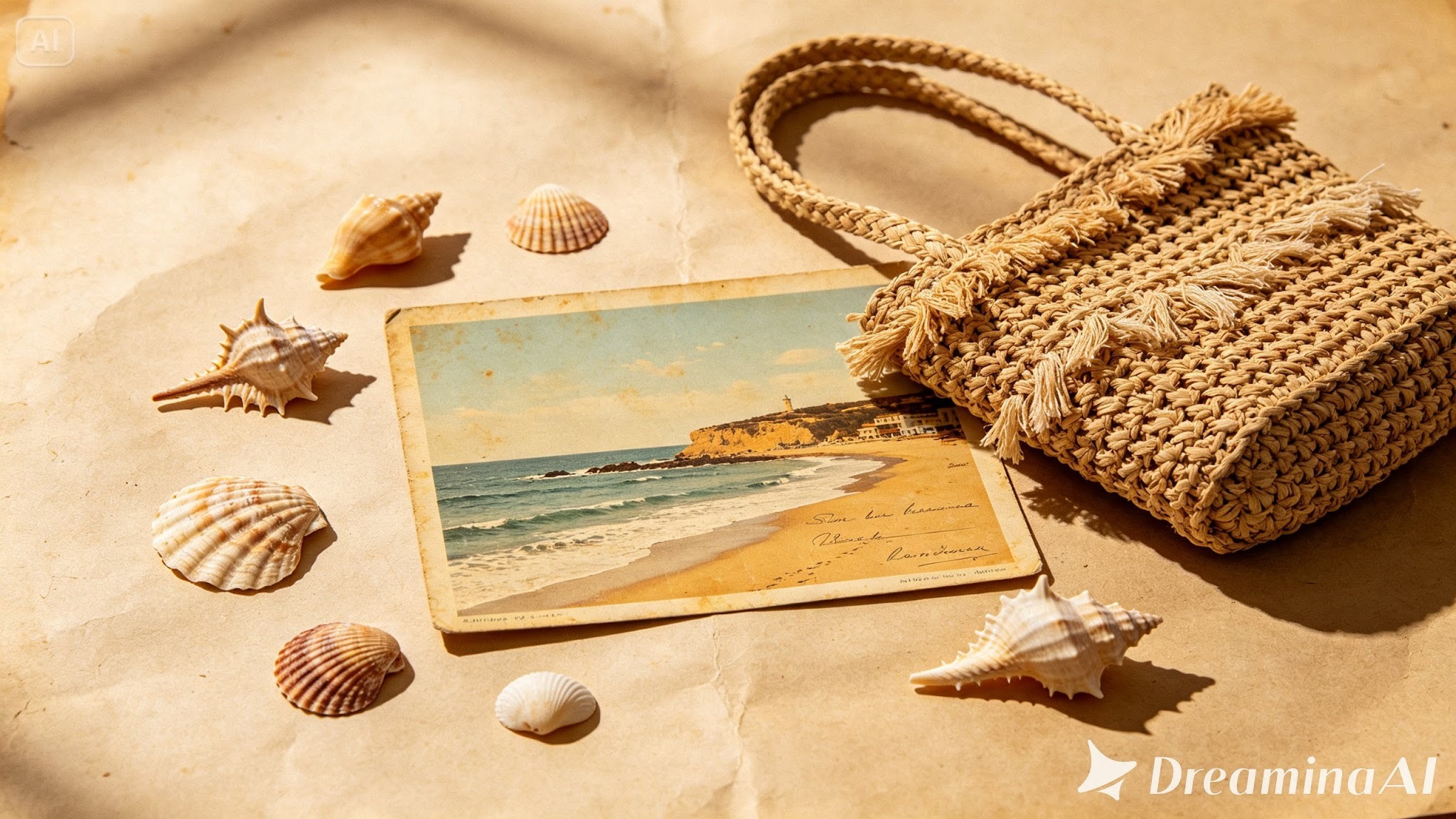
A strong sample prompt might read: A creative flat lay collage featuring an open travel journal, scattered vintage polaroid photos, a scattering of dried flowers, and a folded antique map, warm natural window lighting, cohesive nostalgic composition.
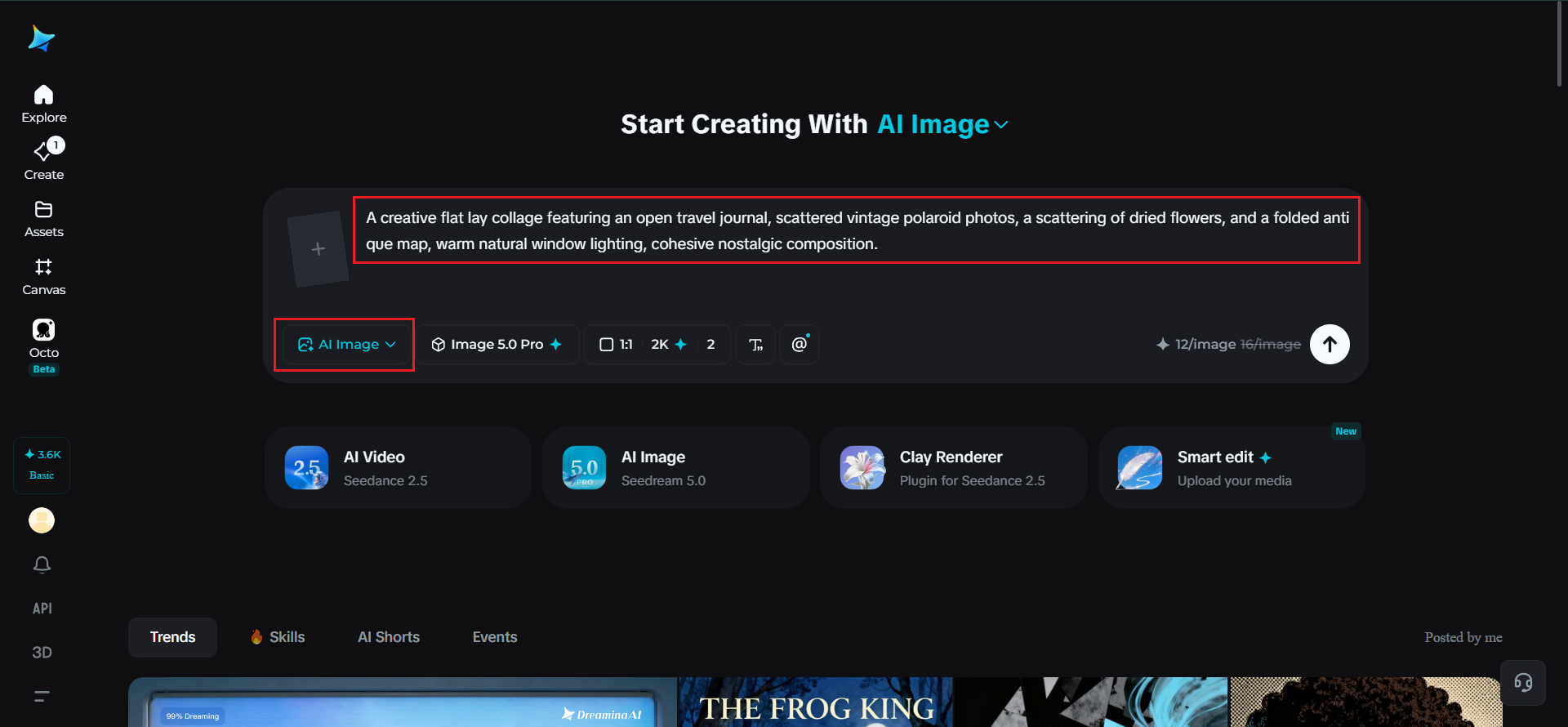
Before generating, set your parameters. Choose Image 5.0 Pro, powered by Seedream 5.0 Pro, as your model, then select your aspect ratio, image size, and resolution, using a square or landscape ratio depending on how the creative collage ideas will be displayed, and 2K resolution to keep each element’s texture and detail clear. Click Dreamina’s generate icon to produce your collage.
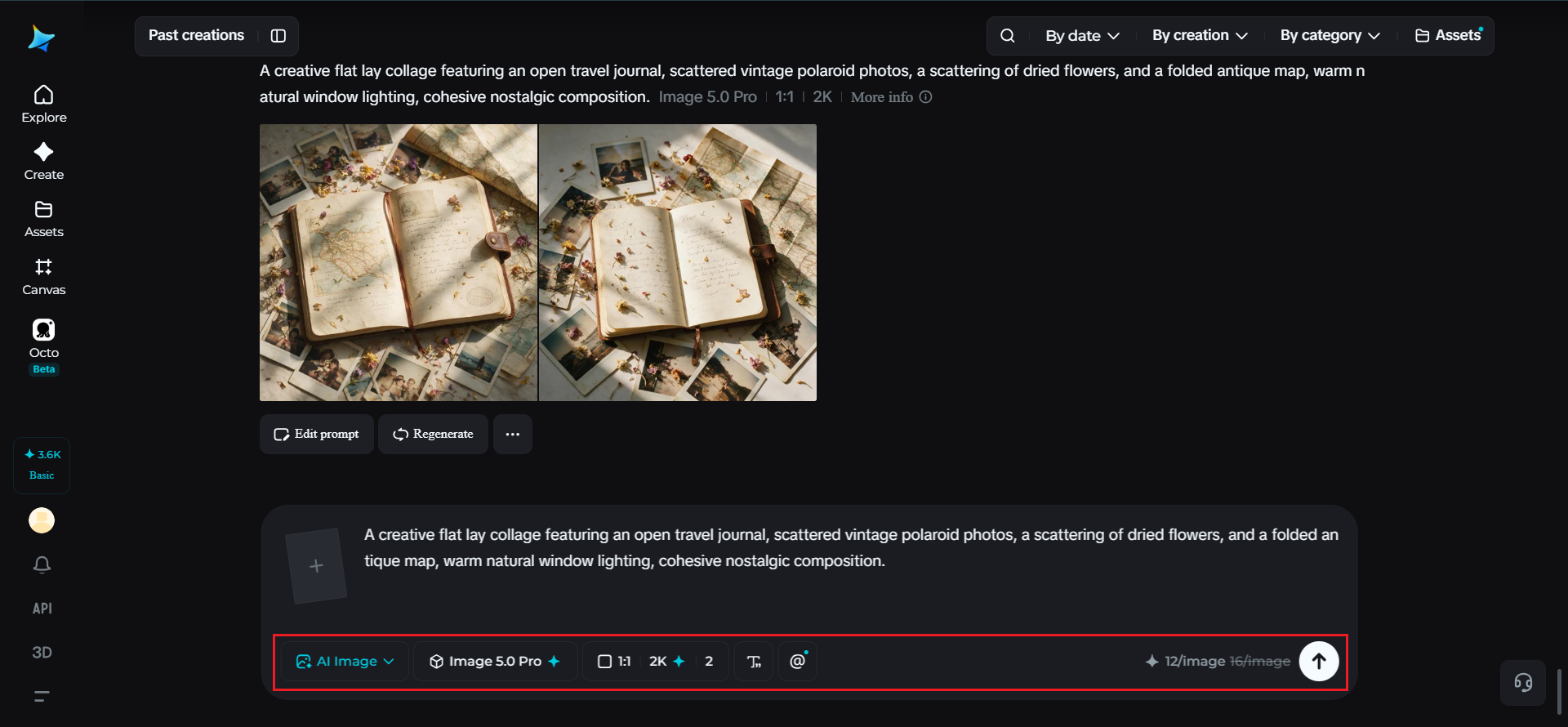
After the collage is ready, you can use the manual editing segment of Dremina to make it better.
When the composition feels genuinely unified, click the Download icon to save it.
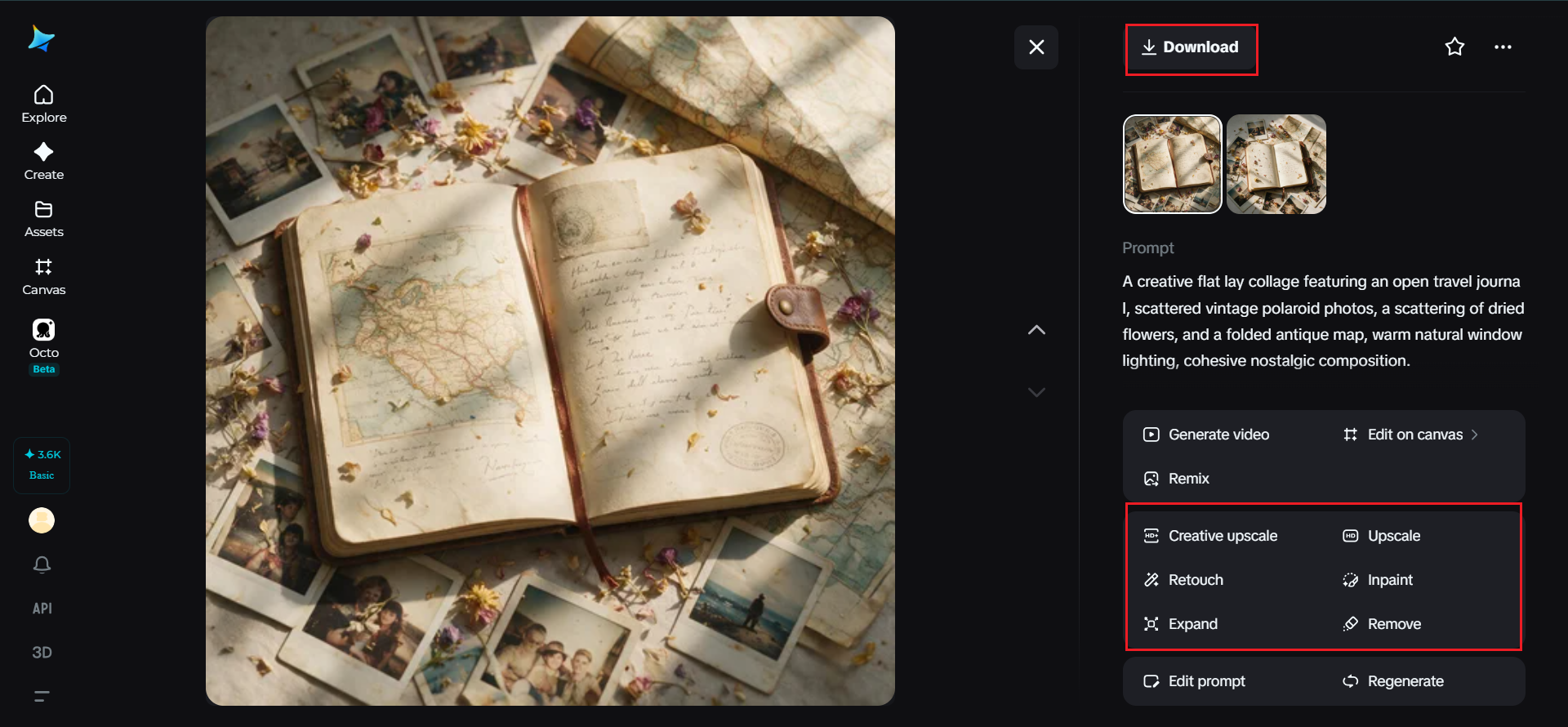
A collage feels off-balance quickly if one corner is packed with detail while another sits nearly empty. Thinking about visual weight, how much attention each element naturally draws, and distributing it thoughtfully across the frame keeps the eye moving comfortably through the whole composition rather than getting stuck in one busy corner.
This kind of multi-element visual composition shows up across a range of practical and creative applications:
Here’s the thing about combining a bunch of creative collage ideas into one image. Simply put, the hard part isn’t cramming everything in. I feel it’s picking one thread and actually sticking to it.
Dreamina, running on the Seedream 5.0 Pro model, is one of the few tools that actually pulls this off. Instead of turning your ideas into a cluttered mess, it holds them together in a way that looks deliberate. In other words, it’s like someone sat down and composed it, not just generated it.
Pick your thread first. Give every element some breathing room. Let Dreamina pull your scattered ideas into a single shot that actually makes sense.
Read Also:
Barsha is a seasoned digital marketing writer with a focus on SEO, content marketing, and conversion-driven copy. With 8+ years of experience in crafting high-performing content for startups, agencies, and established brands, Barsha brings strategic insight and storytelling together to drive online growth. When not writing, Barsha spends time obsessing over conspiracy theories, the latest Google algorithm changes, and content trends.
View all Posts

How To Get Your Brand Cited In AI Search Resu...
Oct 22, 2026
The Ultimate Blueprint For Broken Link Buildi...
Oct 16, 2026
The Ultimate Guide To Stealing Your Competito...
Oct 15, 2026
Beyond The Basics: Master Guest Posting For H...
Oct 15, 2026
Best Generative Engine Optimization (GEO) Com...
Oct 14, 2026