The Ultimate Guide To Stealing Your Competitors’ Backlinks Using Curated Resource Lists
Oct 15, 2026
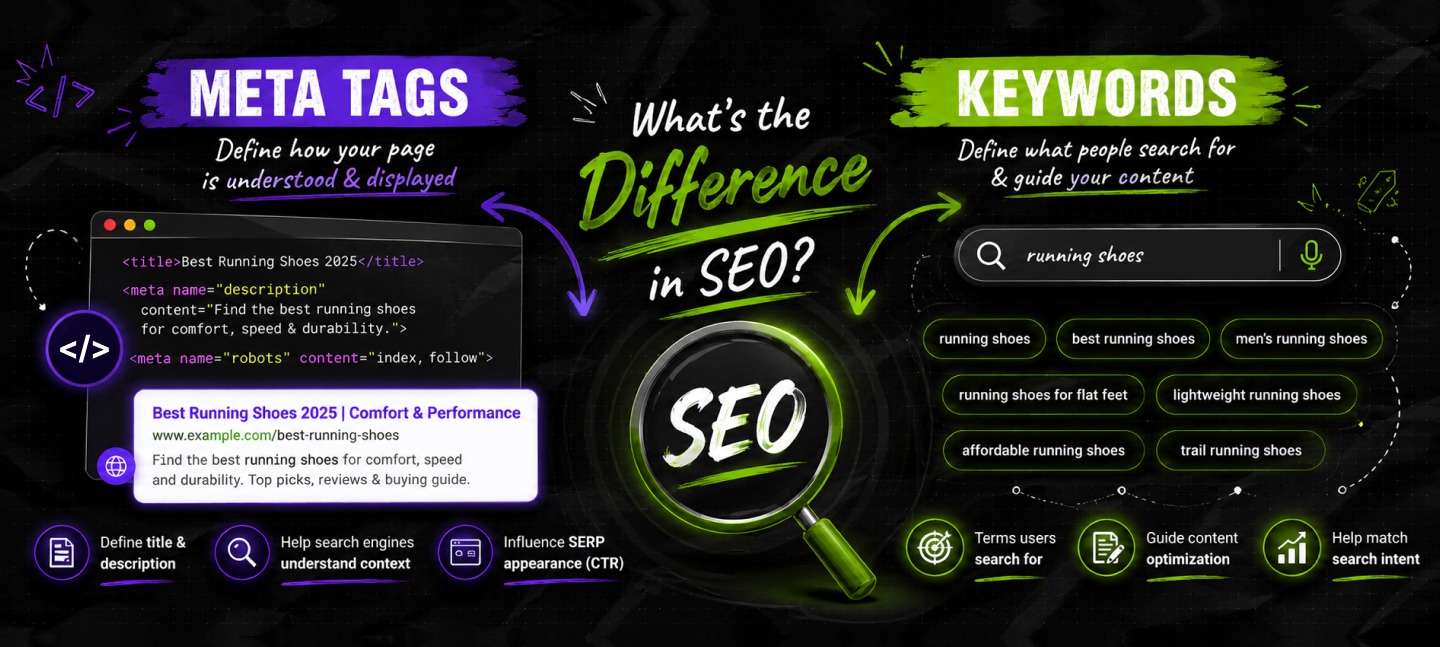

While keywords are specific phrases or words that highlight the topics on a web page, meta tags are responsible for describing the content of a page to search engines.
In short, meta tags are a type of container, i.e., HTML code snippets, where you can place keywords strategically to describe your content.
While the difference between meta tags and keywords is stark and easy to understand for anyone in the digital marketing industry, it is somewhat confusing for people just starting out in SEO.
And I’m no Neil Patel, but I have spent more than 8 years in the content-SEO landscape, working with smaller websites.
My experience tells me, this confusion still persists because there is a lot of outdated information floating around on the internet – and it’s only fair, I’ll clear your doubts.
Fundamentally, meta tags and keywords are not opposing forces. Instead, they are just different elements with different purposes.
Like I was saying, keywords represent what your page is all about – the concept, the topics, and everything related.
In contrast, meta tags are structural containers to describe your content to Google and other search engines.
Frankly, the confusion arises from an outdated, specific term, the meta keywords tag, which I’ll explain a bit later.
Rather than repeating the usual definitions, I’m going to examine meta tags and keywords through a modern SEO lens.
You will learn not only how they differ, but also which elements still affect rankings, click-through rates, and search visibility in 2026 and which have become relics of an earlier era.
Stay tuned.
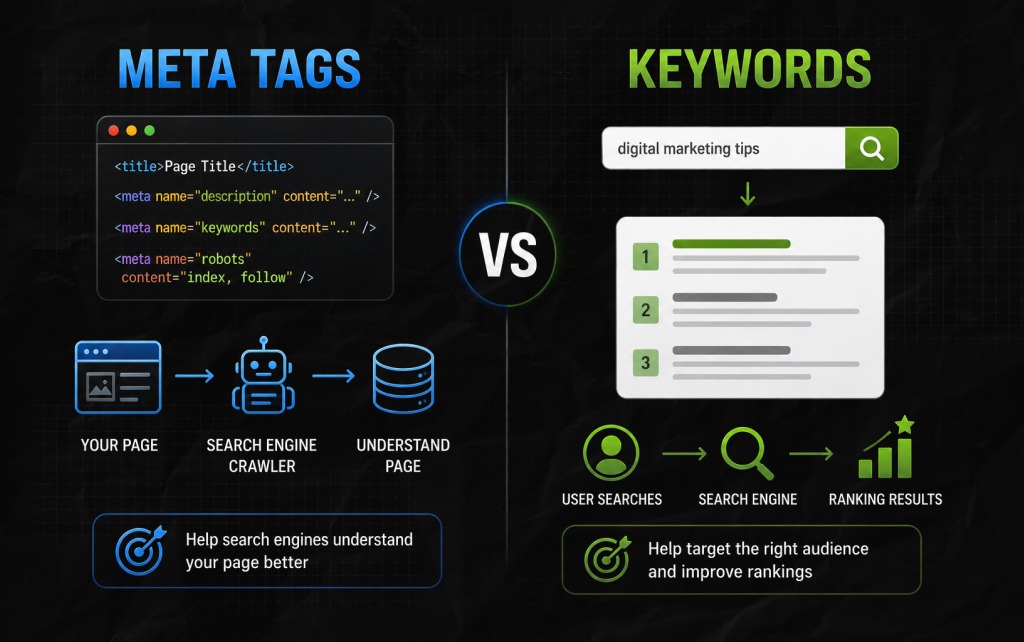
To make matters super simple, I’ve discussed the differences between meta tags and keywords in a table below.
| Aspect | Meta Tags | Keywords |
|---|---|---|
| Definition | HTML elements that provide information about a webpage to search engines and browsers. | Words and phrases people use when searching online. |
| Purpose | Help search engines understand and display a page. | Help content match user search intent. |
| Location | Placed in a page’s HTML code. | Used naturally within page content, headings, URLs, and metadata. |
| Examples | Title tag, meta description, robots tag, viewport tag. | ‘best running shoes, ’ ‘digital marketing tips,’ ‘roof repair cost.’ |
| SEO Impact | Some meta tags directly influence SEO and click-through rates. | Keywords help search engines determine a page’s relevance. |
| Visibility | Usually invisible to visitors. | Visible throughout the content. |
Now, let’s take a simple example to understand the difference between meta tags and keywords.
So, imagine you are publishing a blog post on ‘Google Advanced Search.’ Then, your keyword will be ‘advanced search on Google.’
Similarly, your meta tags will include:
Drawing from this example, your keyword is the specific topic that your target audience searches for, while your meta tags are responsible for describing the content of the page to search engines.
While keywords inform search engines what a page is all about, meta tags describe the page for search engines to understand, index, and display in search results.
Moreover, without keywords, Google and other search engines will struggle to comprehend relevance.
Similarly, without the right meta tags, they might struggle to show the page and even process it effectively. Both sorts of work in collaboration, but they serve different roles in SEO.
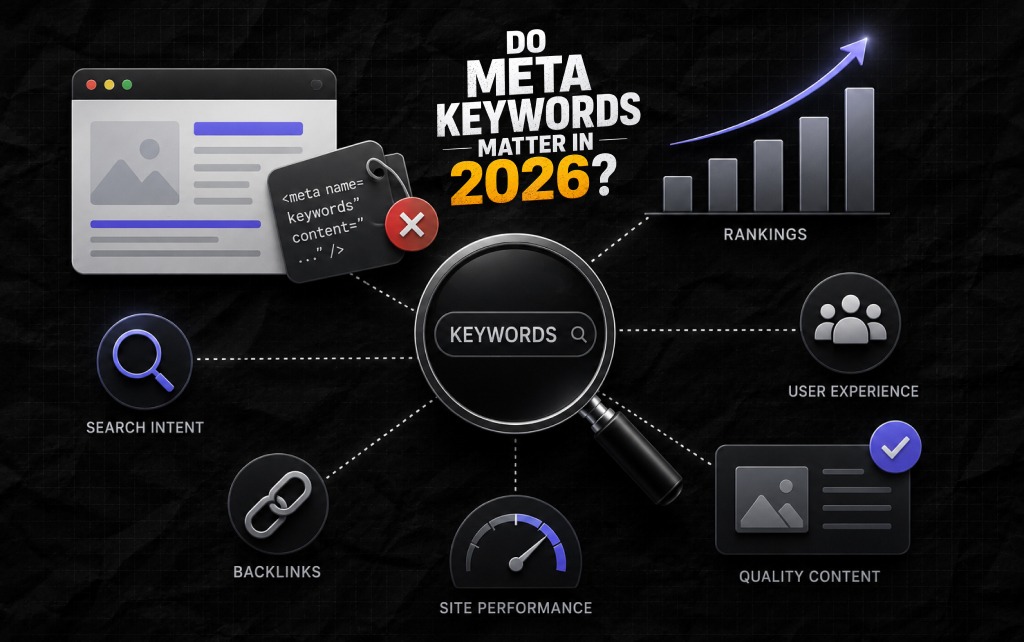
For all kinds of practical reasons, especially when I’m discussing this in the context of Google, the answer is definitely a hard NO!
In 2026, the meta keywords tag has no value from an SEO perspective. To support my hard NO, I’ve dug out Google’s official stance on the matter from more than a decade ago.
In 2009, Matt Cutts was leading the webspam team at Google. He had announced officially that the search engine giant ““completely ignores the keywords meta tag.”
While Google had been ignoring it even before 2009, this was a sort of official public confirmation. And the reasoning behind this simple, technical logic:
Please understand that this is a vital distinction. While Google does ignore specific HTML tags, it doesn’t ignore keywords.
Keywords continue to be the foundation rock of search and user intent. But the work has moved from calling them out inside some hidden tag to using them contextually inside your content.
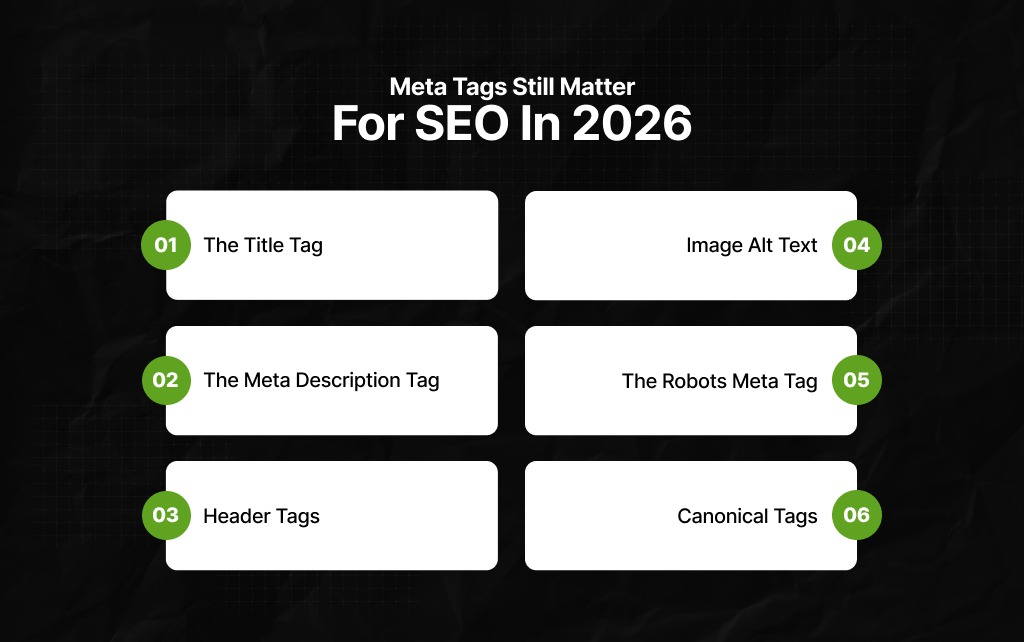
While meta keywords tags are absolutely irrelevant in 2026, your focus should be on elements that Google and other search engines use for understanding and ranking your content.
This is exactly where solid keyword research will pay off.
On that note, I’ve highlighted which meta tags still matter for SEO in 2026:
Your title tag is your primary shot at the search engine result pages. It is perhaps the most crucial on-page element that serves as the clickable link visible in search results.
Moreover, it is a significant signal to search engines about the main topic on your page – and it also happens to be the main sales pitch to users.
As a result, it is super important to incorporate your primary keyword in this space, preferably close to the front. I know it sounds like old-school advice, but it usually holds up.
Additionally, try to keep your title within 50 to 60 characters because that’s the optimal space at your disposal – Google cuts your title short, which appears unprofessional.
Plus, don’t forget every page should have a unique and relevant title – no excuses.
Okay, I’ll start with clarifying something important – your meta description isn’t a ranking factor directly. But its actual impact on organic traffic is significant.
Moreover, it is an ad copy that usually appears in search results, right under the title. The best meta descriptions convince users to tap on your article and not on the other visible links.
CTR, or click-through rate, is an essential behavioral signal to show Google that people think your content is highly relevant.
As a result, it is a no-brainer that your meta description needs to be compelling, which means,
Headers offer structure. As a result, for users, the content becomes scannable and, more importantly, easy to read or digest.
Also, for Google, headers showcase a definitive hierarchy with the information clearly structured on your page.
Generally, you should have only one H1 on every page and ensure it closely aligns with the title tag – to simply the matter, you need to understand that this is your content’s main headline.
Plus, use H2 for your major headings within the content and H3 for the subpoints under those topics – this blog is an example of appropriate formatting in terms of headers.
In addition, remember skipping levels like jumping to H4 from H2 is bad – this is where you add your keywords naturally.
Primarily a sort of accessibility feature that serves screen readers, image alt text also has a vital SEO function.
So, Google cannot actuall ‘see’ images – the alt text, thereby, describes to Google what the images inside a blog are all about.
As a result, with the help of image alt text, your images will rank on Google’s image search, offering contextual relevance for the whole page.
While updating alt text for your images, be descriptive, yet concise – for instance, ‘golden retriever puppy chewing a yellow ball,’ is better than ‘golden retriever.’
Also, if you can incorporate your keywords in the alt text naturally, then do it – but ensure you are not forcing it since clarity is more important.
Your robots meta tag is a pure instruction manual tailored for crawlers, and it happens to be incredibly powerful.
With the robots meta tag, you can inform search engines not to index a page or make links nofollow. It is essential to keep private, duplicate, or thin pages away from Google’s crawlers.
Also, be very careful with your robots meta tag. I’ll tell you why – a random noindex tag on some important page will make it entirely disappear from search engine result pages.
Additionally, a safe and common syntax is: <meta name=”robots” content=”noindex, follow”> (note: use this for pages that you want crawled but not shown in search results.)
With canonical tags, you can fight duplicate content.
At times, it is possible that the same type of content is live on multiple URLs – this can end up splitting the ranking signals.
This is where canonical tags help by pointing back to one main version that you want search engines to rank.
So, it essentially informs Google, “among these identical webpages, this one matters the most – funnel the SEO value on this page.”
Also, just a small reminder: don’t use relative URLs. Instead, opt for absolute URLs in canonical tags.
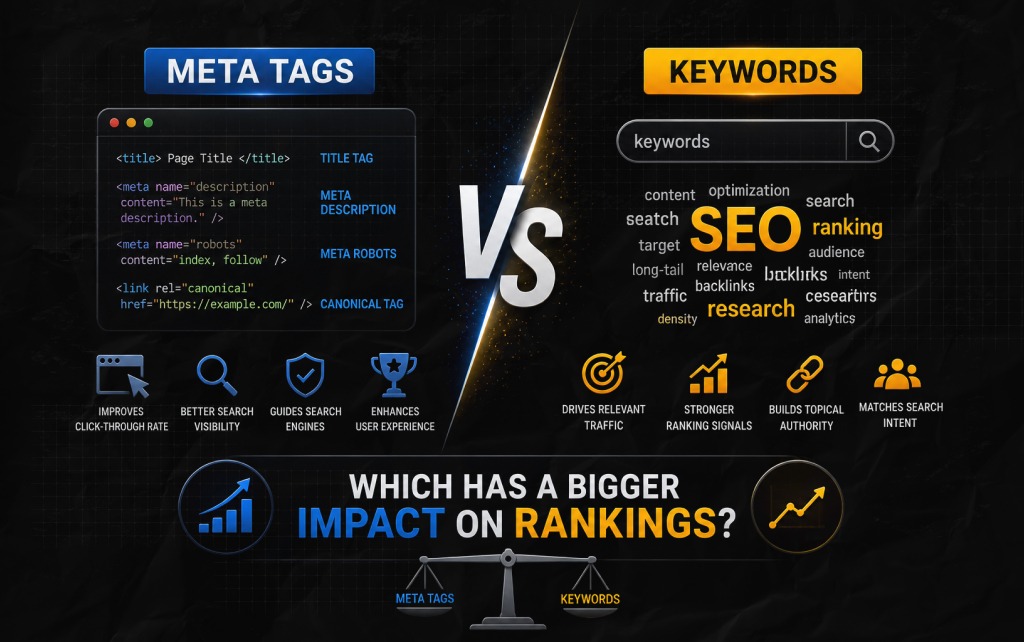
Of course, this question is common. But just because it’s common doesn’t mean it has to be entirely fair, considering both serve different purposes.
Having said that, some elements usually carry significantly more weight than others. And to explain that, I’ve made a table to highlight the impact of meta tags and keywords on ranking.
| Element | Ranking Impact | Click-Through Rate Impact | Indexing Impact |
|---|---|---|---|
| Title Tag | High | High | Low |
| Meta Description | Low | High | Low |
| Keywords In Content | High | Moderate | Moderate |
| Robots Tag | Low | None | High |
| Canonical Tag | Indirect | None | High |
| Meta Keywords Tag | None | None | None |
From this table, the key takeaway is simple.
Finally, if you remember nothing else from this guide, remember these principles:
The difference between meta tags and keywords is straightforward once you understand the role each one plays.
While keywords help search engines determine what a page is about, meta tags help search engines understand how that page should be indexed, interpreted, and displayed.
Both remain important components of SEO, but they contribute in different ways.
Also, the days of stuffing keywords into metadata are long gone. Modern SEO rewards websites that provide useful information, satisfy search intent, and use technical elements strategically.
As a result, if you focus on creating genuinely helpful content and support it with well-optimized meta tags, you’ll be aligned with how search works today, not how it worked fifteen years ago.
Barsha is a seasoned digital marketing writer with a focus on SEO, content marketing, and conversion-driven copy. With 8+ years of experience in crafting high-performing content for startups, agencies, and established brands, Barsha brings strategic insight and storytelling together to drive online growth. When not writing, Barsha spends time obsessing over conspiracy theories, the latest Google algorithm changes, and content trends.
View all Posts

The Ultimate Guide To Stealing Your Competito...
Oct 15, 2026
Beyond The Basics: Master Guest Posting For H...
Oct 15, 2026
Best Generative Engine Optimization (GEO) Com...
Oct 14, 2026
Digital PR for Link Building: How To Earn Hig...
Oct 13, 2026
Cracking The Code Of The Social Media Saga Si...
Oct 13, 2026