
How And When To Use The Rel=”Ugc” UGC Links Attribute For Modern SEO Success?
Oct 29, 2026


Today’s topic: 301 redirect vs 302 redirect
In SEO and web development, learning the difference between 301 vs 302 redirects is crucial. It will not only help you learn various technical aspects of SEO and web development, but it will also allow you to take the necessary steps if you face these codes while browsing the web.
Most don’t know what they mean, fumbling when they see it pop up on the screen.
Therefore, to help you all out, read this guide to understand the difference between 301 vs 302 redirect. Plus, if you are an SEO professional, read till the end to learn how to use these two redirect codes to your advantage!
Technical SEO relies heavily on 301 redirects. Web development and website management use this HTTP status code. It indicates that a web page or resource has permanently moved to a new location.
This redirect plays a crucial role in maintaining website structure. It also ensures a smooth user experience when you change URLs or move content to different locations.
Here’s a detailed explanation of how 301 redirects work:
Here are some key points to keep in mind about 301 redirect:
Webmasters commonly use a 301 redirect for website redesigns, URL restructuring, domain name changes, or page consolidation.
These redirects provide a fundamental tool for website administrators. They help manage URL changes effectively. They also ensure that both users and search engines can access the desired content after URL changes.

In eCommerce website development, teams use a 302 redirect – also known as a “Found” or “Temporary Redirect” status code – to indicate that a web page or resource has temporarily moved to a different location.
A 301 redirect signals a permanent move, but a 302 redirect suggests a temporary URL change and indicates future use of the original URL.
Here’s a detailed explanation of how a 302 redirect works:
Here are some key elements about the 302 redirect to keep in mind:
In summary, you use a 302 redirect to indicate a temporary move of a web page or resource. This redirect protects scenarios where you intend to reuse the original URL in the future rather than making a permanent change.
Unlike a 301 redirect, a 302 redirect does not transfer SEO ranking signals to the new URL because teams typically employ it for short-term purposes or temporary maintenance.
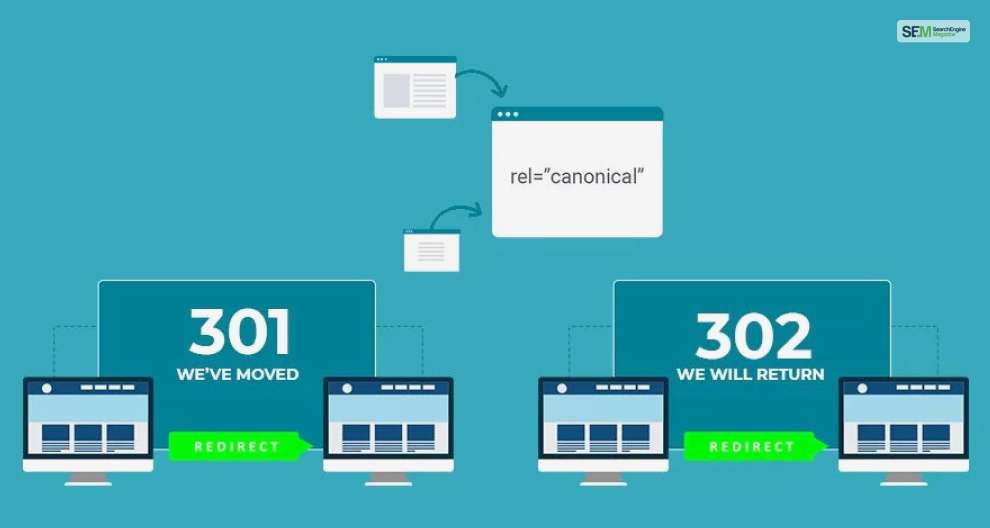
Web development and website management use 301 and 302 HTTP status codes. These two different codes redirect web pages or resources.
They serve distinct purposes and have important implications, which are explained below:
| Difference | 301 Redirect | 302 Redirect |
|---|---|---|
| Purpose | A 301 redirect indicates a permanent move of a web page or resource from one URL to another. It informs web browsers and search engines that the change is permanent and that the original URL should no longer be used. | A 302 redirect indicates a temporary move of a web page or resource from one URL to another. It informs web browsers and search engines that the change is temporary and that the original URL will be used again in the future. |
| SEO Implications | For SEO, a 301 redirect is highly significant. Search engines transfer ranking and indexing signals from the old URL to the new URL, helping preserve the content’s SEO value. This means the new URL should rank similarly to the old one over time. | From an SEO perspective, a 302 redirect is different. Search engines typically do not transfer ranking and indexing signals to the new URL as they would with a 301 redirect. They continue to index the original URL. |
| User Experience | Users are automatically redirected to the new URL without any manual intervention. This ensures a seamless transition and a better user experience. | Users are automatically redirected to the new URL, but the temporary nature of the redirect implies that they should expect the original URL to be reactivated at some point. |
| Examples of Use | It is commonly used for permanent changes in URL structure, domain name changes, or when content is permanently moved to a new location. | It is commonly used when a web page is temporarily undergoing maintenance, a specific page or resource is temporarily unavailable, or when testing a new page without committing to a permanent change. |
Here is a summary of differences between a 301 vs 302 Redirect:
The choice between a 301 vs 302 Redirect depends on the nature of the change and how long you intend to use the new URL. Use a 301 redirect to preserve SEO value if the change is permanent.
Opt for a 302 redirect if you make a temporary change and plan to use the original URL again.. Choosing the right redirect type is essential to maintaining your website’s structure and SEO performance.
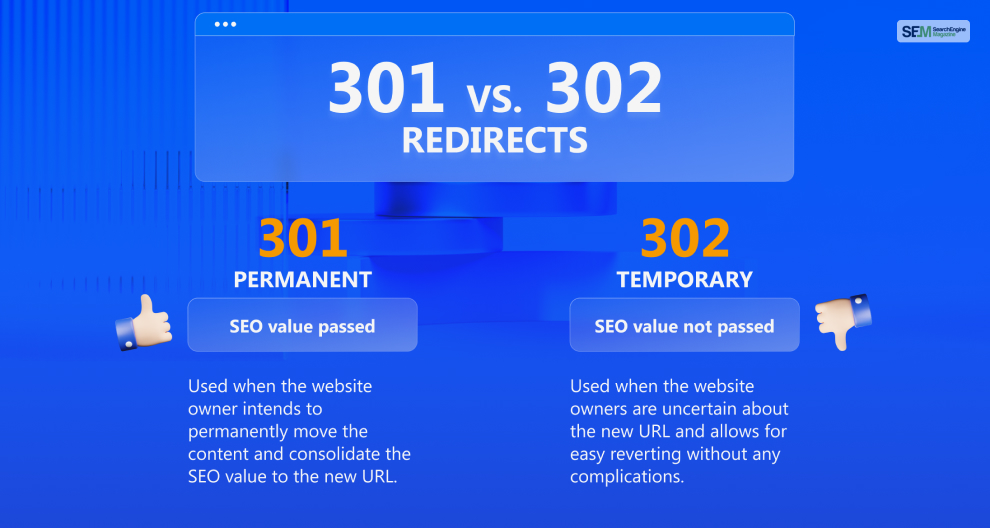
Between a 301 vs 302 Redirect, both serve different purposes in web development and have distinct implications for SEO (Search Engine Optimization).
Therefore, it’s important to understand their roles and use cases to decide which is better for SEO and when to use each type effectively:
Between 301 vs 302 redirect, a 301 redirect is used to indicate a permanent move of a web page or resource from one URL to another.
It’s highly beneficial for SEO because search engines transfer the ranking and indexing signals from the old URL to the new URL. Over time, the new URL should rank similarly to the old one, preserving the SEO value of the content.
Between a 301 vs 302 redirect, you should use the 301 redirect in such cases when you:
Between a 301 vs 302 redirect, a 302 redirect indicates a temporary move of a web page or resource. From an SEO perspective, it has different implications. Search engines typically do not transfer ranking and indexing signals to the new URL. They continue to index and rank the original URL because the change is considered temporary.
Between a 301 vs 302 redirect, you should use the 302 redirect in such cases when:

Between a 301 vs 302 redirect, you can use both effectively in your SEO strategy as an SEO consultant for making:
The choice between a 301 vs 302 redirect depends on the nature of the change and how long you intend to use the new URL.
For permanent changes, use a 301 redirect to preserve SEO value. For temporary changes where the original URL will be used again, opt for a 302 redirect.
This will ensure that search engines continue to index and rank the original URL. Choosing the right type of redirect is essential for maintaining the SEO performance of your website.
If you need further guidance for deciding which redirect to use in your SEO strategy – 301 redirect vs 302 redirect – comment your questions down below!
Also Read
Barsha is a seasoned digital marketing writer with a focus on SEO, content marketing, and conversion-driven copy. With 8+ years of experience in crafting high-performing content for startups, agencies, and established brands, Barsha brings strategic insight and storytelling together to drive online growth. When not writing, Barsha spends time obsessing over conspiracy theories, the latest Google algorithm changes, and content trends.
View all Posts