Why Your Website Traffic Dropped Suddenly And How To Fix It
Oct 23, 2026
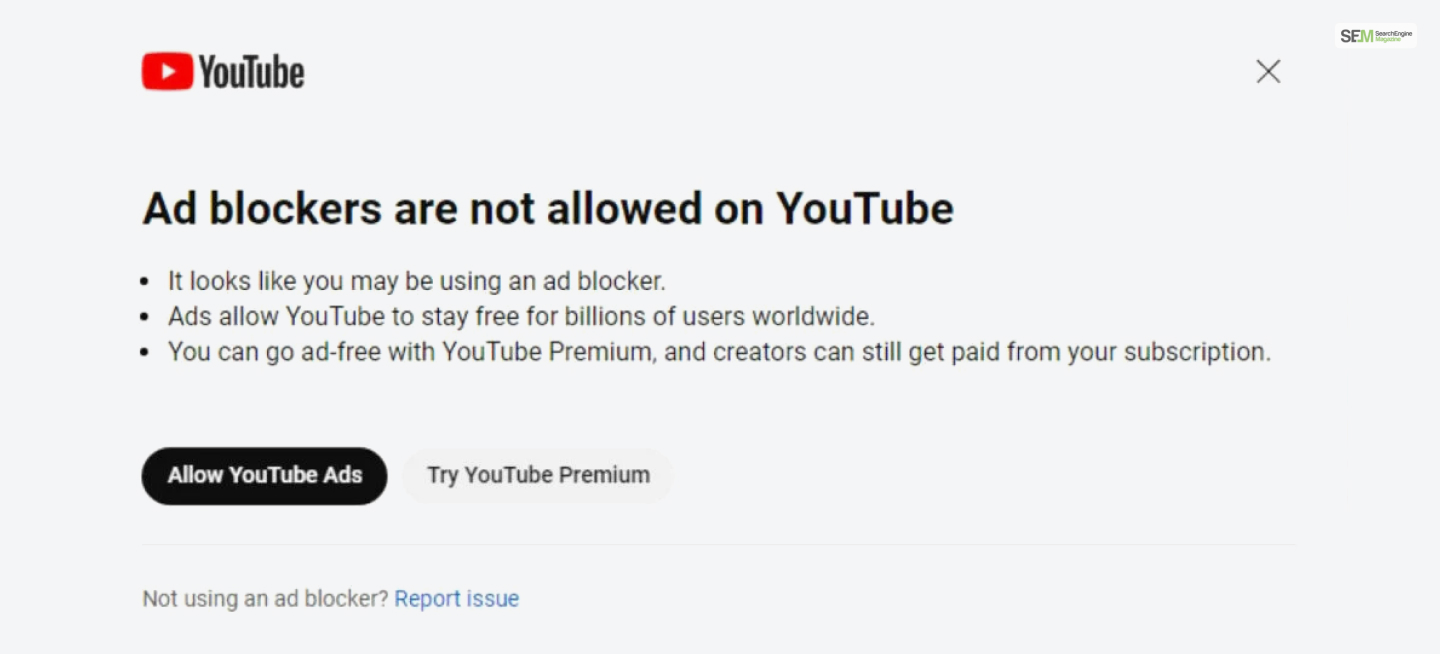

YouTube ad blockers are not a foreign concept for many. In fact, many have been using it for quite some time to block annoying and interfering YouTube advertisements. However, recently, Youtube has blocked users from consuming the app if they have ad-blockers.
In the form of a warning, YouTube has sternly told all its users to stop using ad-blocker extensions if they wish to consume more.
According to YouTube, ads are a means of livelihood for billions all over the world.
Therefore, if someone wishes to consume ad-free YouTube, they should upgrade to premium. So that creators can earn from their subscription money.
Several users of X have reported seeing this warning pop-up every time they switch the ad-blocker extension. After which, they weren’t able to use YouTube any further until they switched the extension off.
YouTube states that using ad-blockers violates its terms and services as a user. While one can close the ad by clicking on the “x” in the top right corner, one cannot consume videos like normal. Disabling the extension is imperative. (Source)
Several months ago, YouTube officially acknowledged to The Verge that it had initiated a “limited worldwide test” targeting users who had ad blockers activated, encouraging them to either permit ads on YouTube or explore YouTube Premium.
The company additionally mentioned that users would receive multiple warnings and requests to enable ads on the platform before video playback is disabled.
Although this move could be a strategy for Google to enhance its revenue streams, it’s apparent that a significant number of users are not in favor of the company’s updated position regarding ad blockers.
According to a recent report from WindowsLatest, YouTube has implemented a comparable pop-up for Microsoft Edge users who have selected the ‘Strict’ option for ‘Tracking prevention.
If you’re using Microsoft Edge to view YouTube content, temporarily resolving this issue appears to involve switching the toggle to the ‘Balanced’ setting.
Also Read
Abdul Aziz Mondol is a professional blogger who is having a colossal interest in writing blogs and other jones of calligraphies. In terms of his professional commitments, he loves to share content related to business, finance, technology, and the gaming niche.
View all Posts

Why Your Website Traffic Dropped Suddenly And...
Oct 23, 2026
How Do The Physical Google Review Tools Redef...
Oct 23, 2026
How To Get Your Brand Cited In AI Search Resu...
Oct 22, 2026
The Ultimate Blueprint For Broken Link Buildi...
Oct 16, 2026
The Ultimate Guide To Stealing Your Competito...
Oct 15, 2026