KeywordStat Review: Keyword Research, Clustering & SEO Data Compared
Oct 03, 2026
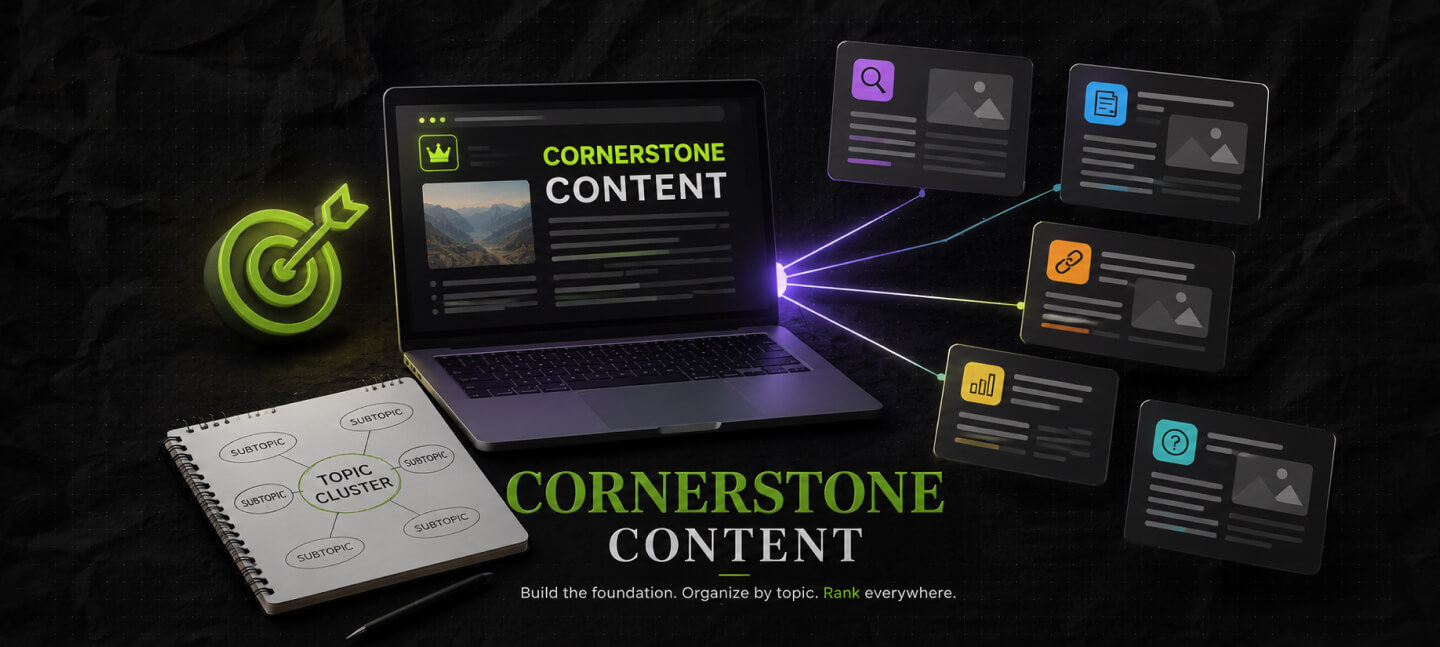

As a content marketing professional for nearly a decade, I can tell you that publishing more content on your site isn’t necessarily going to help your website do well.
In fact, you can choose to publish 100 articles in 2 months – and still have a site that fails to perform.
The problem is often not the amount of content. Rather, it is the way that content connects. And this is where cornerstone content comes in.
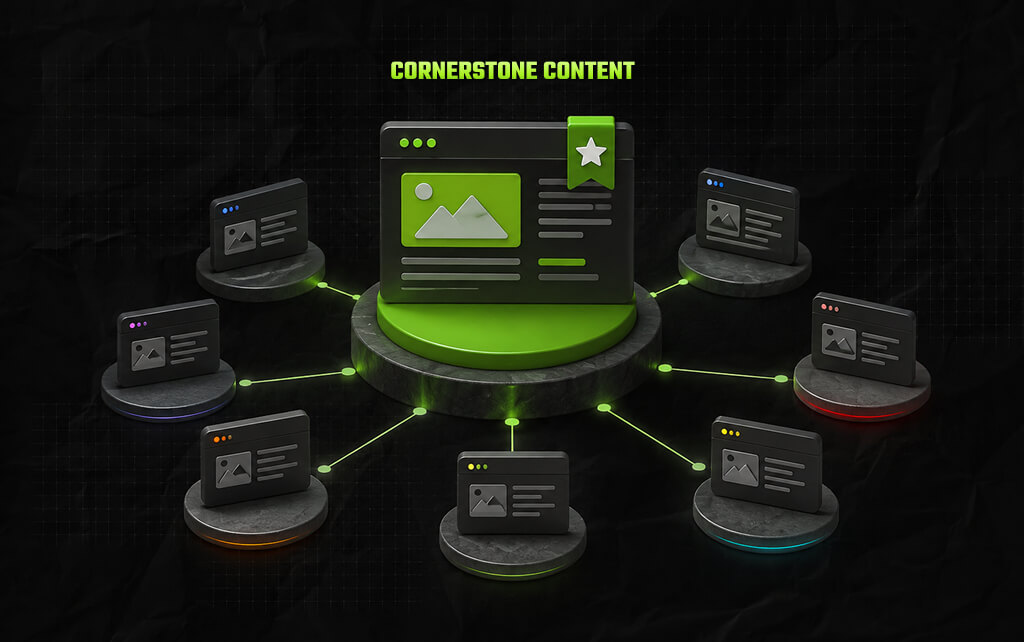
FYI, cornerstone content is your primary resource hub for an essential topic on your site. It usually covers a particular subject broadly, linking to more specific blogs that explore individual sections in depth.
So, you can look at it as the main chapter of a book – the supporting articles are smaller chapters that elaborate on each part in detail.
This sort of structure usually helps people have a better understanding of any topic. Moreover, nobody needs to go through your website searching for related information or supporting content.
Also, it helps Google and other search engines understand the relationship between different pages on your site.
Having said that, I’ve seen that people often end up misunderstanding cornerstone content. TBH, it doesn’t mean writing a really long piece of content for your site.
Also, it doesn’t mean stuffing your content with every possible related keyword.
And it definitely doesn’t mean creating a 4000-worded random guide on your site just because you heard SEO professionals say longer content has more ranking potential.
Google has actually explicitly mentioned that word count isn’t a ranking parameter. Instead, the search engine giant’s current guidelines focus on helpful, people-first content that adds value for readers.
So what actually makes content a cornerstone? Let’s find out!
In my experience, I’ve created more than 100 pieces of cornerstone content – for someone with undiagnosed OCD, this is the only way I can plan a content strategy for a website.
How else do you structure content?
Cornerstone content is an essential and detailed piece of content that serves as the primary resource for any major topic on your site.
Generally, such pieces of content cover broad subjects, while linking to pages that cover individual sections in depth.
For instance, I’ve another website called Swipe Right Stories. It publishes content on modern love and relationships.
I’ve created a cornerstone article called: “How Does Bumble Work? Is Bumble Making A Comeback?”
Now, this page covers all relevant sections, including:
Of course, I did not explain every aspect in extreme detail on the cornerstone page. Instead, I linked this page to related topics and supporting content such as:
So, you can see that the cornerstone page will give you the big picture. The supporting pages provide the detail. Together, they create a connected content structure.
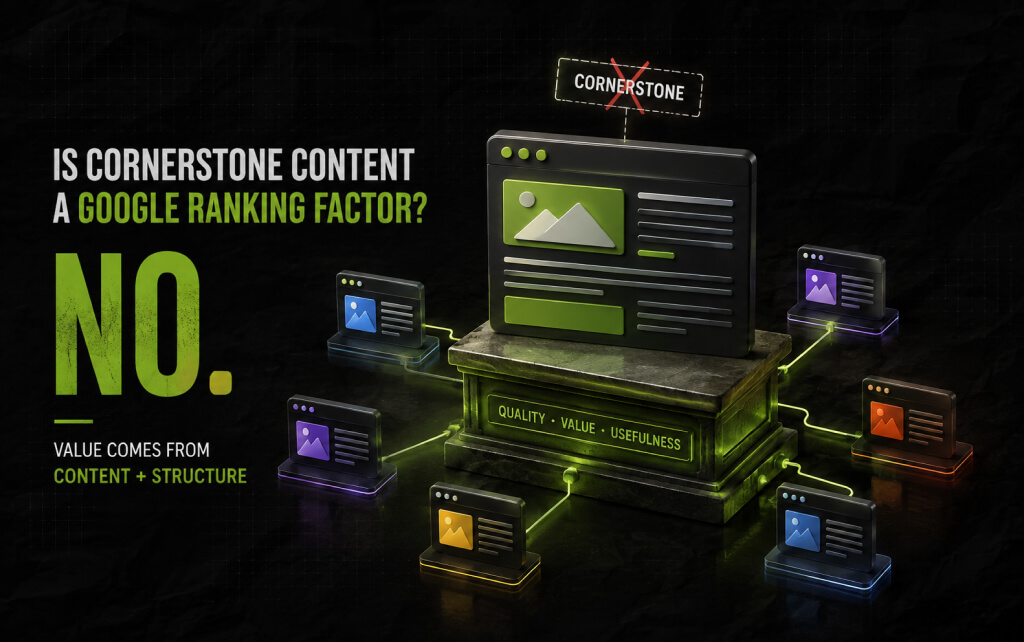
No.
Google doesn’t have any ranking factor known as ‘cornerstone content.’ That distinction matters.
Remember, it’s a part of your strategy – how you structure your content on a site. But that does not mean your page will get a ranking boost just because you have labelled it as cornerstone.
In fact, for Google, what actually matters is the quality of the content – does it help readers? Does it add value? That’s all that really matters.
As a result, the value of such content pieces solely comes from the value it is able to create.
So the value of cornerstone content comes from the structure and usefulness it creates. A strong cornerstone page can:
The label itself does not do any of this. The content and structure do.
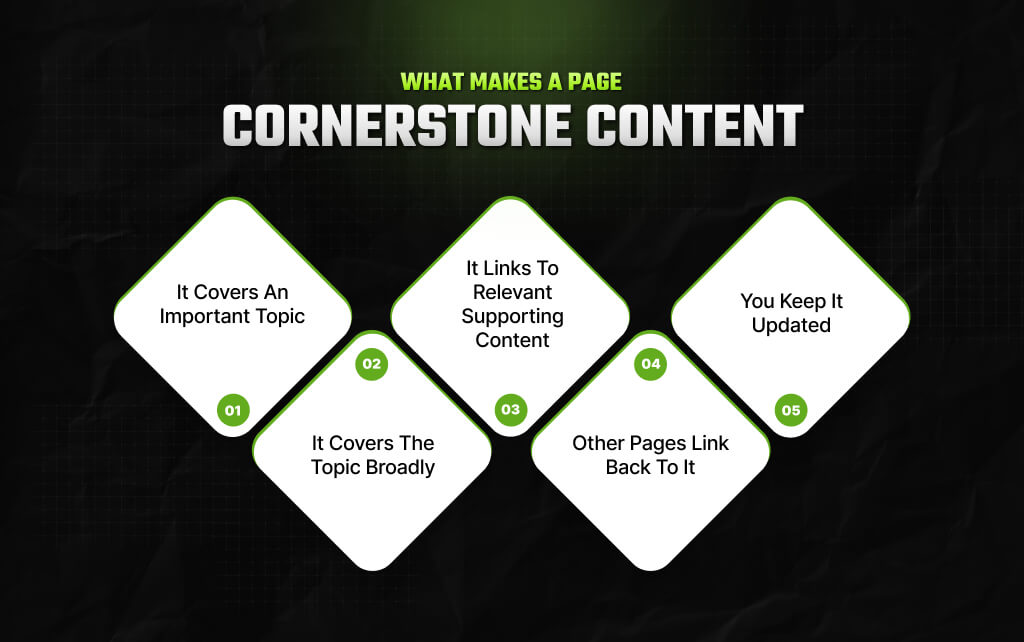
Not every long article deserves the title. A genuine cornerstone page usually has several characteristics.
The subject should matter to your audience and your website.
For instance, you sell space for guest posts on your site; then, in that case, your cornerstone topic could be “How to select sites for guest posts?” But “how to check organic traffic for a guest post site?” probably would not become a cornerstone topic.
While the smaller piece of content is helpful, it doesn’t have to be at the centre of your content strategy.
TBH, you can’t call a page a cornerstone if it doesn’t offer enough context to readers – people should be able to understand the subject.
That does not mean explaining every detail. Instead, a cornerstone page should be able to answer all the primary questions that someone can have while coming across any topic.
For instance, a cornerstone page on an email marketing guide will cover:
Each section can then point readers toward a more detailed resource.
A cornerstone article should not sit alone. Suppose your main article is about content marketing. Now, you might link from it to a lot of content stuff, like:
Those links give readers somewhere useful to go next. They also create relationships between pages that might otherwise exist as isolated articles.
The relationship should work both ways. Just like your cornerstone page links to all supporting content, your supporting articles also need to link back to your cornerstone page.
Otherwise, you will fail to create a connection across your site, and your site will end up looking like a series of unrelated blogs.
A cornerstone page covers an important topic. And that means outdated information can end up becoming a real problem.
Of course, you don’t need to change your publishing date every few weeks or even months, for that matter, just for the sake of it. And Google will penalize you if you change the date without significantly changing the content beneath the heading.
Instead, update the page when something meaningful changes – Replace outdated statistics. Remove obsolete advice. Also, don’t forget to update examples, add genuinely useful sections, and review important links.
The goal is to make the page more useful, not simply newer.
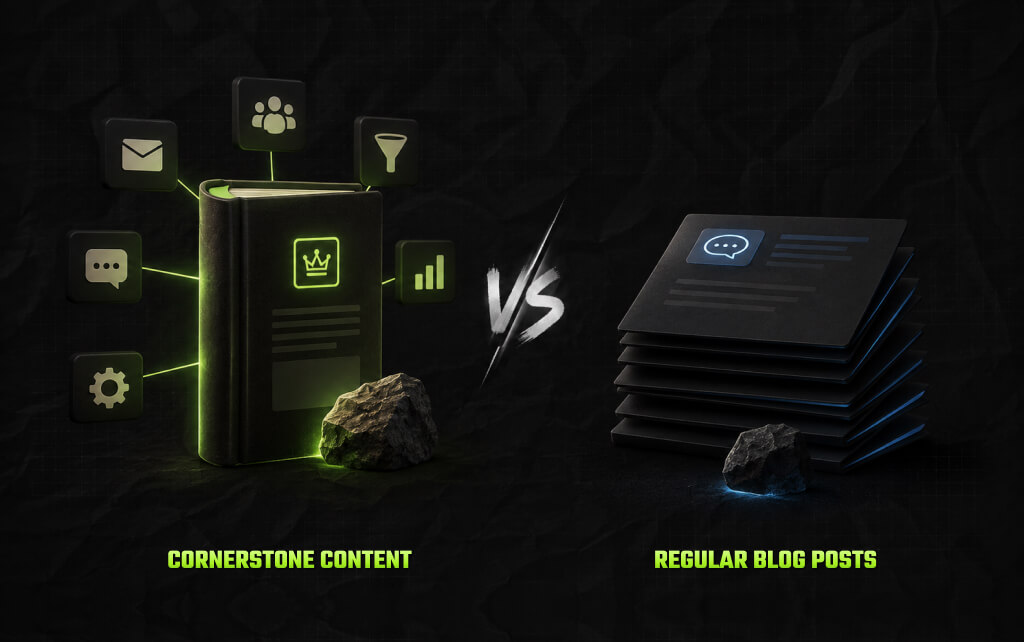
The easiest way to understand the difference is to look at the purpose of each page. A regular blog post usually answers a specific question.
For example: How Often Should You Send Marketing Emails?
That article can focus on one problem.
A cornerstone page takes a wider view: The Complete Guide to Email Marketing.
It might introduce email frequency but also cover list building, campaign types, segmentation, automation, content, and measurement.
Neither page is inherently better. In fact, they serve different purposes.
| Cornerstone Content | Supporting Content |
|---|---|
| Covers a broad topic | Covers a specific subtopic |
| Acts as a central resource | Answers a narrower question |
| Links to related pages | Links back to broader resources |
| Targets a major topic | Targets specific search intents |
| Usually has a longer lifespan | May address more specific needs |
| Connects a content cluster | Adds depth to the cluster |
The mistake is trying to make every article a cornerstone. So, if every page is the main resource, nothing really has a central role.
You will also see the terms pillar content and cornerstone content used almost interchangeably.
There is no universal industry definition that separates them. Different marketers use the terms differently.
In many content strategies, both refer to a broad, authoritative resource supported by related content.
For practical purposes, you can think of them as closely related concepts. The important thing is not what you call the page. Rather, it is how you build and connect it.
Cornerstone content works best when you build a group of related pages around it. This is often called a topic cluster.
Imagine a website focused on digital marketing. Your central topic might be: Content Marketing
Under that topic, you could create supporting pages about:
The cornerstone page links to those resources. The supporting pages link back to the cornerstone page when appropriate.
Some supporting pages may also link to one another. The result looks less like a list of blog posts and more like a connected library.
That structure can also help readers discover information naturally.
Also, someone might arrive at your article about content audits – They learn about audits, then discover your broader content marketing guide.
From there, they find your content strategy guide. The reader does not have to return to Google after every question. Instead, your website helps them take the next step.
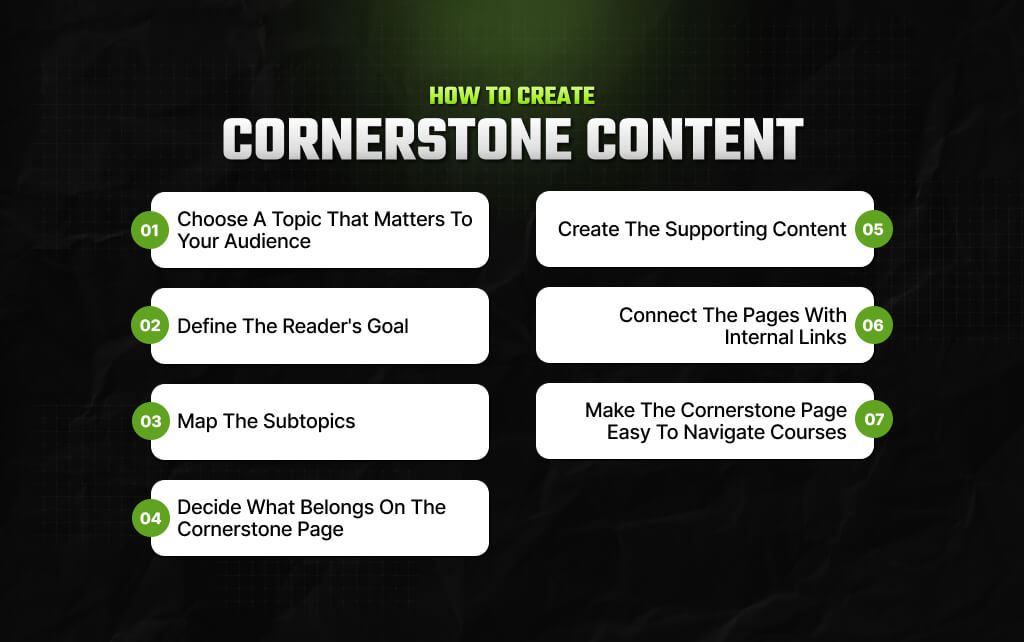
Creating cornerstone content starts before you write the first sentence. You need to decide what deserves to become a central topic on your site.
Start with your audience. Just ask, “What subject would someone expect this website to explain well?”
That question is more useful than starting with keyword volume.
For example, an SEO agency may choose ‘Search Authority,’ while a travel website may choose ‘Planning a Trip to Japan.’
Similarly, a personal finance website may choose ‘Retirement Planning.’ The point? The topic should fit the site’s purpose.
Google’s people-first guidance specifically asks whether a site has an intended audience that would find its content useful if they came directly to the site.
That is a good test for cornerstone topics.
Do not start with, “What keywords can I include?” Instead, start with, “What does the reader need to accomplish?”
Someone searching for ‘content marketing’ might want a definition. Someone searching for ‘content marketing strategy’ may want to build a strategy.
And someone searching for ‘content marketing examples’ may want inspiration.
The cornerstone page should understand the broader intent behind the topic. Also, it should help readers move from understanding to action.
Once you have your main topic, list the questions that naturally follow.
For example, your cornerstone content is ‘Search Authority,’ while your supporting topics might include:
Now you have the beginning of a content cluster.
You do not need to copy every supporting article into the main guide. Instead, give readers enough information to understand each area.
For example: ‘What Is Topical Authority?’
Your cornerstone article might explain the concept in two or three paragraphs. Then link to ‘Topical Authority vs Website Authority: What’s the Difference?’
The second article can go much deeper.
This prevents your cornerstone page from becoming bloated. Also, it gives readers control over how deeply they want to explore.
Once the cornerstone topic is clear, build the supporting articles around real questions. Do not create 20 nearly identical pages simply because you want a large cluster.
Google’s current guidance warns against producing large amounts of content mainly to attract search traffic and against creating content that simply summarizes what already exists without adding meaningful value.
Every supporting page should have a reason to exist. As a result, ask, “Does this page answer a question that deserves its own detailed explanation?”
If the answer is no, you may not need another article.
Internal links are what turn individual articles into a content system. When adding links, think about the reader’s next question.
For example: A strong internal linking structure helps search engines discover important pages and helps visitors find related information.
You could then link ‘internal linking’ to a detailed guide about internal linking. The link should make sense in context.
Do not add links simply because you have a page you want to promote. Why?
Because Google’s SEO guidance recommends using descriptive link text and linking important pages within your site’s structure.
A broad resource can become difficult to use if everything is presented as one long block of text. So, you need to use:
A reader should be able to scan the page and quickly find the section they need. That matters even more as search becomes more conversational.
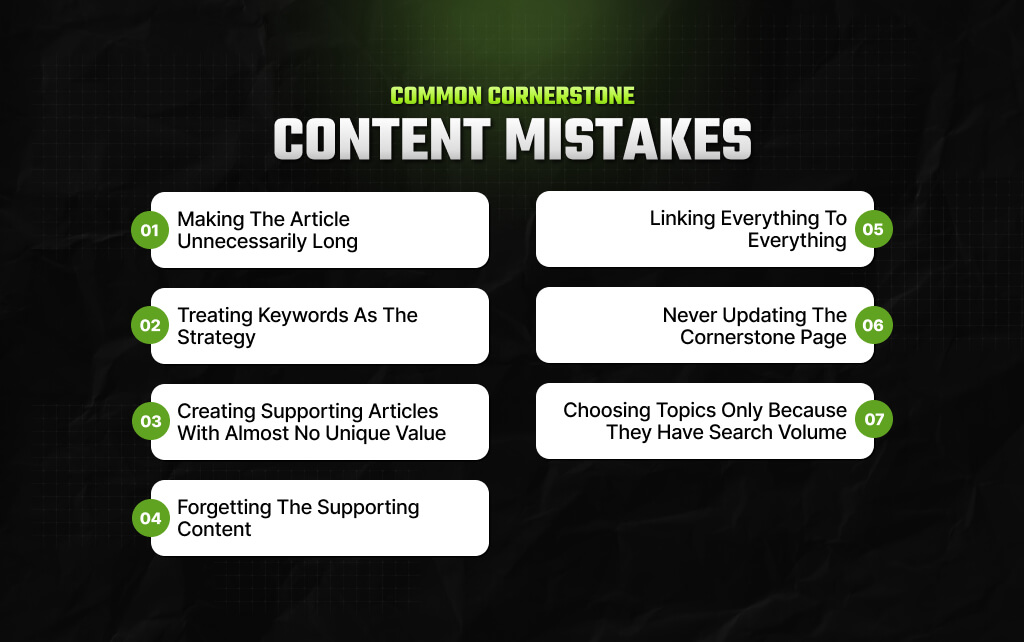
In this section, I’ve highlighted the most common mistakes that people often make while creating cornerstone content for their website.
Long does not mean comprehensive. As a result, if half the article repeats the same point, you have created a longer page, not a better one.
Keywords can help you understand what people search for. They should not determine every sentence.
Also, Google’s SEO guidance encourages creators to anticipate how readers search while also focusing on helpful, reliable content.
So, it’s best to start with the reader’s problem. Then use search data to understand how people describe that problem.
A cluster of 30 pages is not automatically better than a cluster of 10. So, if five pages answer essentially the same question, combine them where appropriate.
A smaller library of useful resources can be stronger than dozens of thin articles.
One large guide does not create a topic cluster by itself. You need related content around it. Otherwise, you simply have a long article.
Internal linking should help navigation. It should not turn every paragraph into a collection of blue links. So, link when the destination genuinely helps the reader.
Your most important resources should not become outdated. So, it’s best to review them periodically. But make meaningful changes rather than simply changing the date.
This can create a website full of traffic-oriented content that does not fit its audience.
Google’s people-first guidance specifically warns against producing content primarily to attract search engine visits.
Your cornerstone topics should make sense even if Google did not exist. That is a useful test.
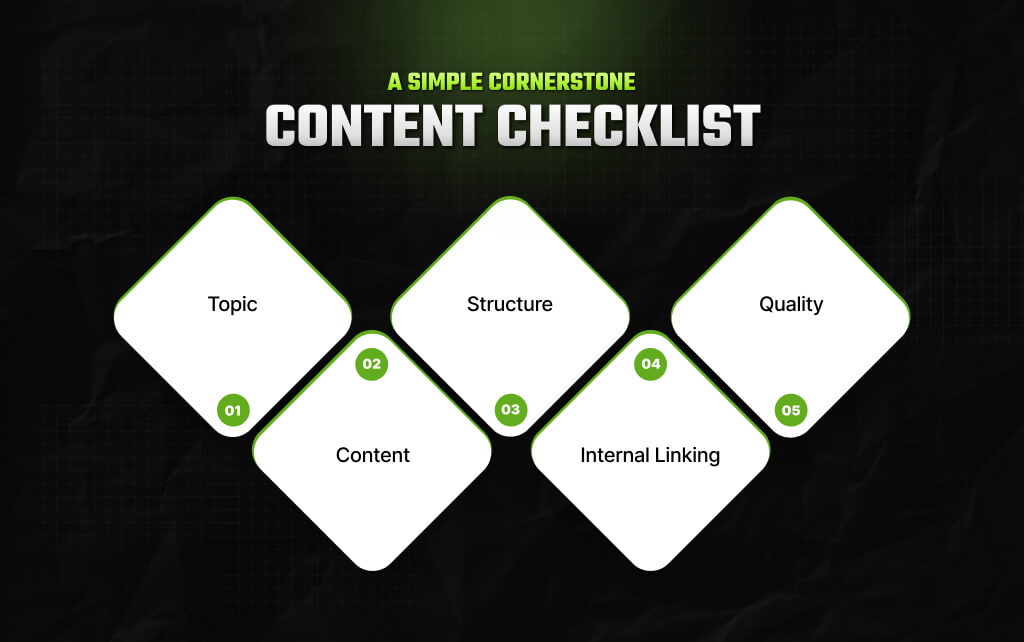
Before publishing, ask:
That last question may be the most important.
Cornerstone content is not about writing the biggest article on your website. Rather, it is about giving an important topic a clear home.
The cornerstone page provides the broad explanation. The supporting pages provide the depth, while internal links connect the two.
Together, they give readers a clearer way to explore a subject without jumping between disconnected articles.
That is why a good cornerstone strategy starts with people, not keywords.
As a result, choose topics that matter to your audience, answer the questions they actually have, and create supporting pages only when they add something useful.
Also, connect those pages naturally. Then keep improving the resources as your audience, industry, and information change.
The result should not feel like an SEO content cluster. It should feel like a well-organised library.
And that is ultimately what good cornerstone content is supposed to be: one useful resource that helps readers find the rest of the information they need.
Barsha is a seasoned digital marketing writer with a focus on SEO, content marketing, and conversion-driven copy. With 8+ years of experience in crafting high-performing content for startups, agencies, and established brands, Barsha brings strategic insight and storytelling together to drive online growth. When not writing, Barsha spends time obsessing over conspiracy theories, the latest Google algorithm changes, and content trends.
View all Posts

KeywordStat Review: Keyword Research, Cluster...
Oct 03, 2026
How Corda Turns Authority Data Into Campaigns
Oct 01, 2026
How To Audit Your Search Visibility In 2026: ...
Sep 30, 2026
What Is Google Lighthouse? A Practical Guide ...
Sep 30, 2026
When Can You Save A Public Instagram Story?
Sep 30, 2026