The Ultimate Guide To Competitor Backlink Analysis: An Actionable SEO Blueprint To Steal Your Rivals’ Traffic
Oct 23, 2026


Today, I’m here to discuss FAQ templates that actually work – both for your customers and support team.
FYI, FAQs or frequently asked questions offer clients quick answers to some of the most common queries.
More importantly, it saves lots of time for a company’s support team – that way, the support team can instead prioritize long-term relationships.
So here I am with my guide on building an FAQ section that will actually help your customers.
Stay tuned.
FAQs, or frequently asked questions, are a core part of an organization’s knowledge base.
This section offers short answers to some of the most common and frequently asked questions, both from prospects and customers.
Moreover, these are super useful. Why? Because:
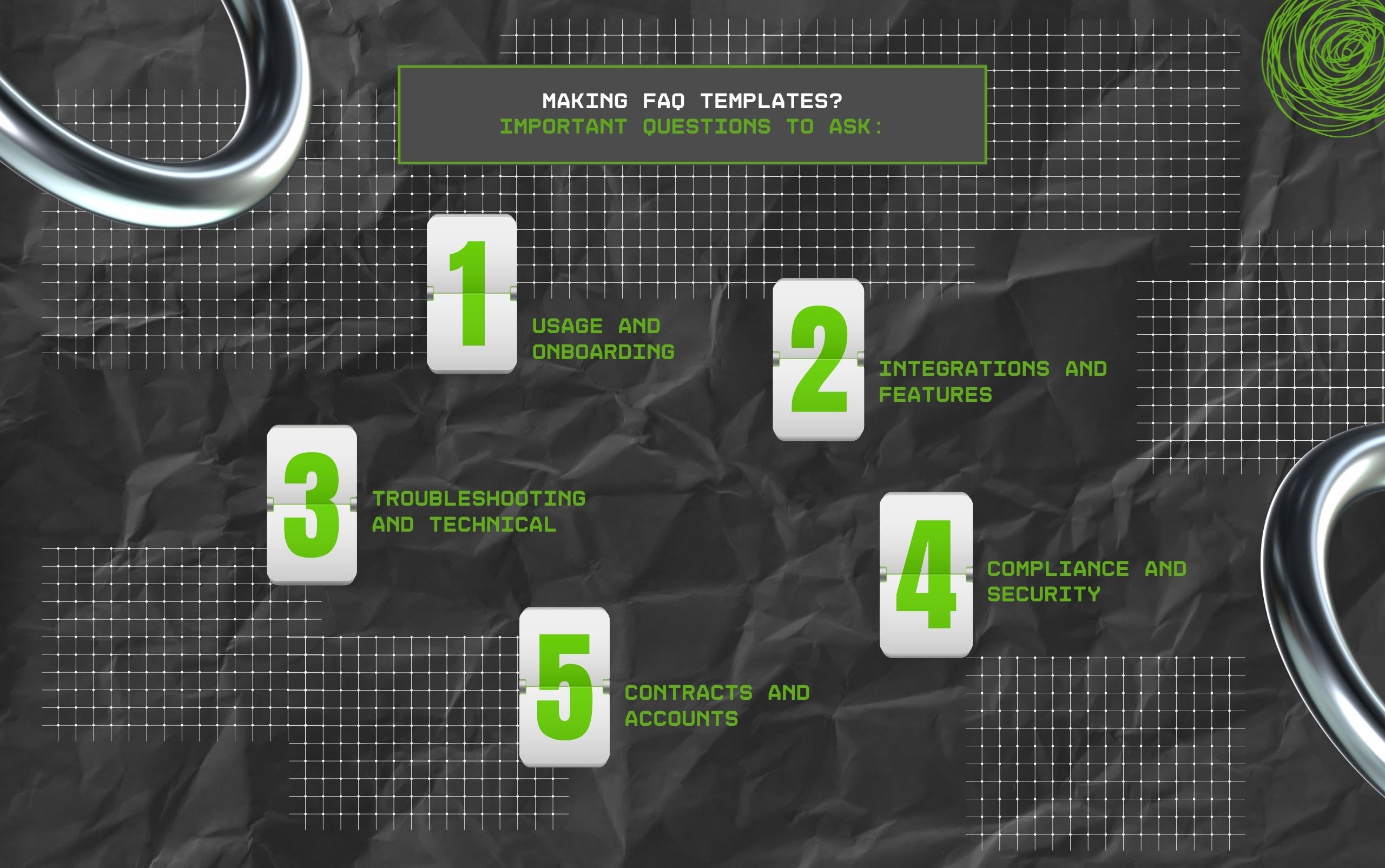
So, I’ve tried my best to show you how the FAQ templates for common categories usually look.
The best part? You can use these templates to get started at the very least – just keep tweaking them to align with your customers and company.
So, here are some questions related to usage and onboarding issues that crop up once clients settle in:
A) What should I do after signing up?
B) Is there any step-by-step guide for new users?
C) How can I import data into this product?
D) How does a specific feature usually work?
So, here are some questions related to a product’s features and related integrations:
A) How to export my data into this product?
B) How to integrate this product with different platforms?
C) What is the best way to use a specific product for meeting my goals?
D) How can I set up notifications for app updates and events?
So, here are some questions related to specific issues of a product:
A) How can I authenticate API keys?
B) What are the tech requirements for installing this product?
C) How to troubleshoot a specific product feature?
D) What is this error code all about?
E) How to fix a specific error code?
F) Why is data processing speed so slow on my device?
So, here are some questions related to sensitive customer information, a category that is crucial for SaaS and B2B companies:
A) How are you protecting my company’s information?
B) How to add SSO (single sign-on) for my team?
C)What Are your compliance and security certifications?
D) How can I set up RBAC (role-based access controls)?
So, here are some questions related to contract changes and account status:
A) How to reset my password?
B) How to find a copy of my recent invoice?
C) What’s the policy on contract renewals or changes?
D) How can I remove or add users to my account?
E) How can I change or view permissions and user roles?
F) How can I add or update my payment information?
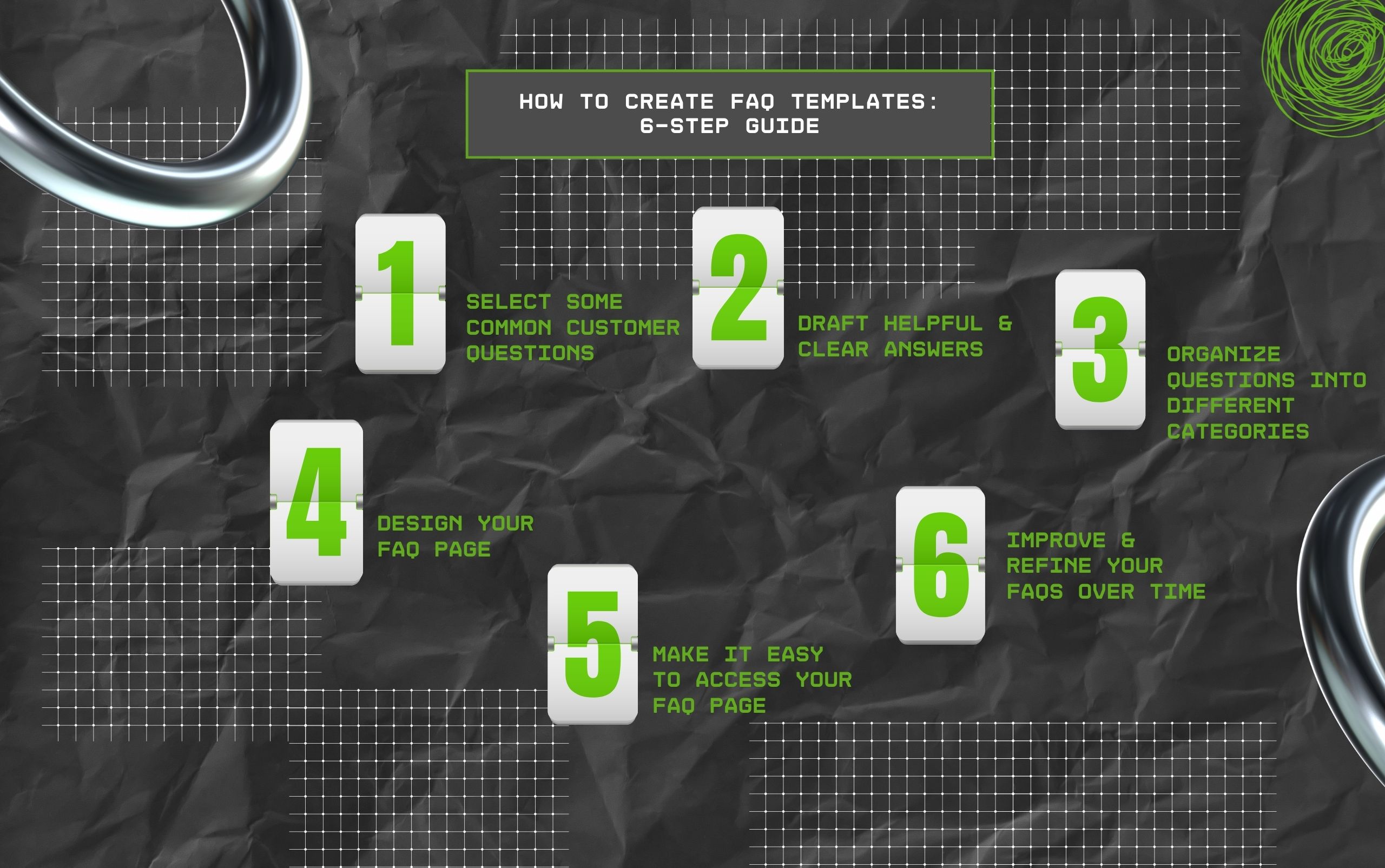
So, here I am with my 6-step guide on creating FAQ templates!
With my guide, you can create a FAQ page for your customers – the point? To make it easily accessible, improve the overall user experience, and save the time of your support team.
It is crucial to start with surveying your client interactions. Why? That way, you can look for common queries and problems.
So, just need to review the conversations customers have had with your support team and identify knowledge gaps.
Obviously, you can speed up this step with AI by letting an AI-driven tool review your data automatically.
For every query, draft a simple response in a few sentences. Moreover, ensure you are not using jargon or complex grammar.
In addition, you need to keep your SEO strategy in mind and smartly add popular keywords. That way, your FAQ page will stand a chance to show up in AI answers and search engines.
Remember that nobody wants a long list of unstructured questions and answers that are difficult to read. Instead, you can group queries into categories and add a subheading for every section.
Also, you can use a navigation menu for customers to click on the category they want and check out the common questions specifically for that topic.
The best FAQ templates are not only informative, but also look good!
So, ensure that you’re keeping the format simple and clean. Why? Because the idea is to help people find information quickly.
As a result, lists work well with the common questions categorized under subheadings and answers placed within body text.
Also, ensure the design works well on different devices – from smartphones to large-screen devices.
This is the whole point – without easy accessibility to your FAQ page, how can your customers find answers quickly?
So, it is best to link your FAQ page to your website’s footer or menu. Moreover, you can add it within your sales copy.
In addition, if your customers tend to visit your contact page or support center, you can add FAQs here as well.
Also, you can make your FAQs a part of your company’s knowledge base. That way, it will be easy for customers to access, moving from one source to another.
It is crucial to update your FAQ section often. So, once you launch any product or feature, add relevant queries and their answers, thereby updating your existing FAQ section.
Moreover, you can monitor customer messages while adding new topics that people usually ask about.
Also, you can measure how your customers are using this section – that way, you will know whether the section is actually helping or not.
Additionally, you can know what queries people are clicking on and identify knowledge gaps for making improvements.
Barsha is a seasoned digital marketing writer with a focus on SEO, content marketing, and conversion-driven copy. With 8+ years of experience in crafting high-performing content for startups, agencies, and established brands, Barsha brings strategic insight and storytelling together to drive online growth. When not writing, Barsha spends time obsessing over conspiracy theories, the latest Google algorithm changes, and content trends.
View all Posts

The Ultimate Guide To Competitor Backlink Ana...
Oct 23, 2026
How To Land High-Authority Editorial Backlink...
Oct 23, 2026
Why Your Website Traffic Dropped Suddenly And...
Oct 23, 2026
How Do The Physical Google Review Tools Redef...
Oct 23, 2026
How To Get Your Brand Cited In AI Search Resu...
Oct 22, 2026