The Keyword With 10 Searches That Sent Ahrefs Thousands Of Visitors
Sep 24, 2026

For anyone who has never come across Google Alerts, you are missing out and that too massively!
This media monitoring tool is free and naturally super popular in the digital marketing landscape. And if you are not using it in 2026, you are missing out!
And that is precisely why I am here! In my blog today, I will be discussing Google Alerts in detail.
The point? To help you set it up and, more importantly, talk about how to make the most of it.
So, whether you are new to using this tool or an expert, there is something for literally everyone.
Stay tuned!
Launched more than two decades ago in 2003, this digital marketing tool helps users monitor the internet, notifying them via email when new results matching their queries crop up in search results.
Moreover, this tool allows users to track any phrase or keyword according to their requirements.
More importantly, if the keyword or phrase appears on Google’s SERPs, then the user will get notified via email.
Also, you can consider using this tool to monitor blog posts, news sources, videos, the web, discussion forums, finance trackers, and books – and that too in all languages and regions.
Additionally, there’s more than one available option for helping users personalize results, including Advanced Operators and Search Settings.
One of the best things about depending on this tool is its sheer flexibility – anyone can use it to literally track anything on the internet.
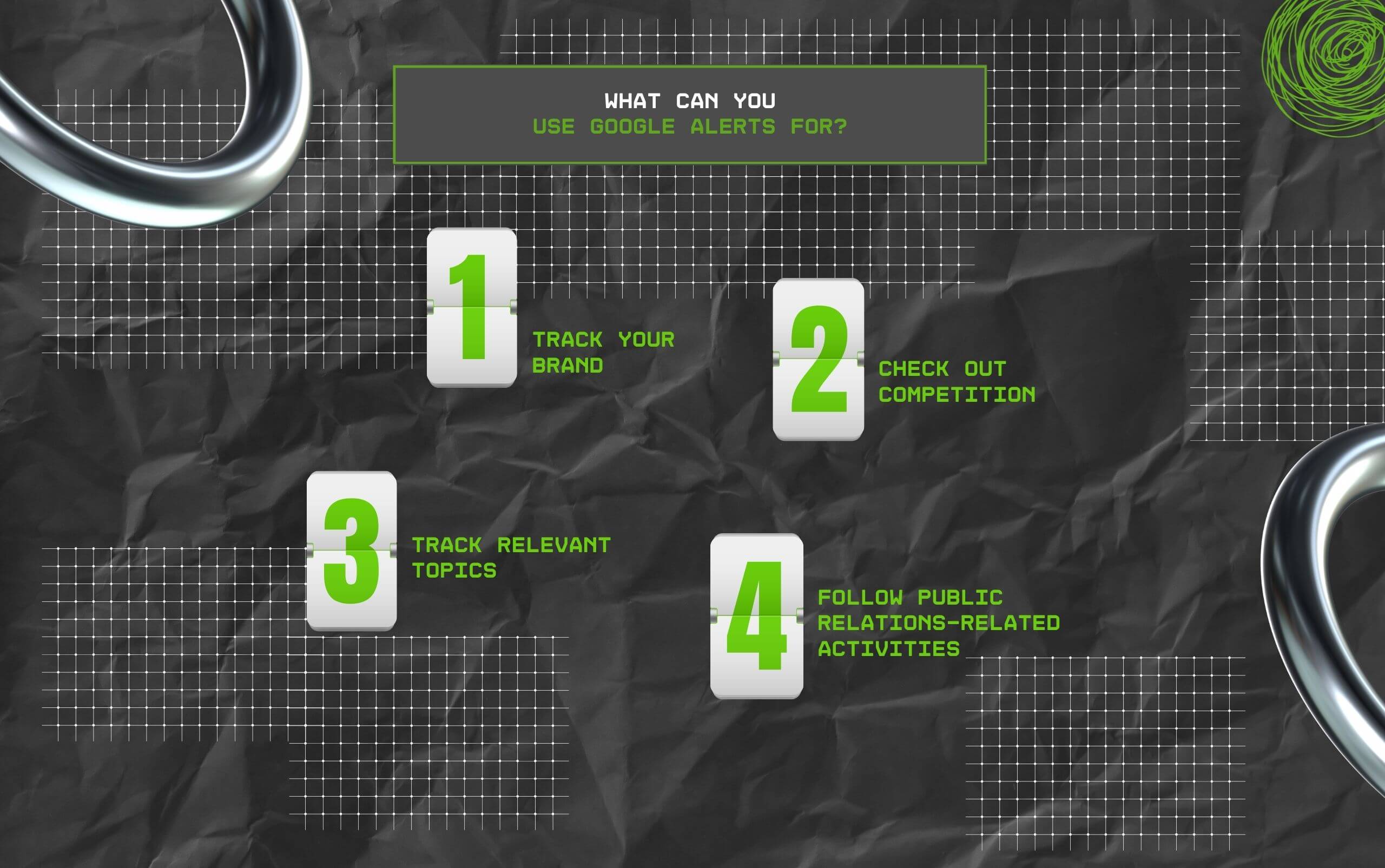
But for small business owners and marketing professionals, there are some crucial use cases when it comes to Google Alerts – and I’ve done my best to highlight them in detail below.
Staying updated with brand mentions is good for your brand’s reputation – and it is essential, even if you are a small business.
Generally, a customer won’t directly approach you to make a complaint about your product or service. But they might go online and talk at length about it.
As a result, staying aware of how people are perceiving your brand – negatively or positively – can actually help you take all the right steps for improving continuously.
In such cases, knowledge is the first thing you can do to achieve success.
Also, when you are monitoring brand mentions, ensure you are including common colloquialisms and misspellings related to your brand’s name in the query.
Competitor analysis can help you to be aware of what your competition is upto – what competing brands in your niche are doing?
And there’s so much to track when it comes to competition – from simple inspiration for your marketing campaign to understanding their products and services, you can find out anything.
Moreover, it doesn’t hurt to find out what your competition is doing correctly. Also, knowing if your competition has been mentioned in the news or caught up in a scandal can help.
Additionally, while tracking competition, don’t forget to include common misspellings in case your competition does.
Also, it is best to start with three to five core competitors who are closely aligned to your brand.
Monitoring relevant topics for your audience and brand will give you a much better understanding of what you are working with.
Rather, you will understand the space you are operating from. Moreover, you will be able to create relevant content and promotional posts for social media, catered to your target audience.
And all you need to do is set up alerts for specific keywords and phrases related to your core topics.
Also, by staying updated with key changes and new developments in your niche and industry, you can communicate and react much more quickly.
Plus, it is an excellent way to discover new content and use it as an inspiration for your content strategy.
Afterall, nobody in the digital marketing niche wants to miss out on important trends and posting late about something relevant to their niche.
In addition, remember that topic monitoring usually gets broad and vague.
So, ensure you are filtering out relevant phrases and keywords from your search queries with the help of Advanced Operators.
Anyone who works in Public Relations already knows that staying updated with the latest is not always easy – and this is increasingly becoming very real in all industries.
While journalists hardly ever notify PR professionals when the media coverage for a brand goes live, and that too based on the press release sent by the PR, it gets annoying.
And I am speaking from personal experience – I was a PR for 2 years before I decided to give content marketing a shot.
But manually checking multiple new platforms and websites throughout the day to check if the coverage is live or not? So painful, exhausting, and plain annoying.
So, by using the ‘news’ filter on Google, you can find out whether a journalist’s coverage has gone live or not – and you can follow up accordingly.

Of course, you cannot rely on Google Alerts solely, but for beginners, it is absolutely imperative to start here. And there are three solid reasons to justify what I just said.
Google Alerts is absolutely free – it’s 100% entirely free with no hidden costs or catches.
Moreover, it has been free since it was launched, and to date, Google hasn’t shown any plans to charge for this service.
This is excellent for small businesses, startups, and freelancers who are just starting their journey in media monitoring.
Also, it allows users to get an idea of how media monitoring works, especially if you want to start without making any initial investment.
Moreover, just because the tool is free, it does not mean that it is entirely inactive. In contrast, the tool works effectively since it will not cost you anything.
Having said that, there are some limitations that you can face, especially compared to monitoring services.
Another obstacle is adopting a new practice or tool as a learning curve. With the help of Google Alerts, the setup becomes very simple- so simple that you cannot make any mistakes.
Obviously, there are some techniques that you can use for knowing how to set up your Google Alerts, and that too most effectively as per your requirements.
However, you can rest easily knowing you don’t have to follow a 20-page tutorial for getting started.
You can monitor everything anyone is posting about your brand, thanks to Google Alerts.
Moreover, it is extremely flexible as a tool, considering it doesn’t have any restrictions on the different keywords and phrases that you can track.
Also, you can make the most of it with the Advanced Operators feature for refining your alerts and customising them for yourself.
Since it is so easy and simple to set up Google Alerts, it is also very normal to make mistakes. And that is why knowing how advanced techniques on Alerts work is your best shot.
On that note, let’s check out the different advanced techniques you can use on Alerts.
While it does feel like nothing is wrong with Google Alerts, it is far from being perfect.
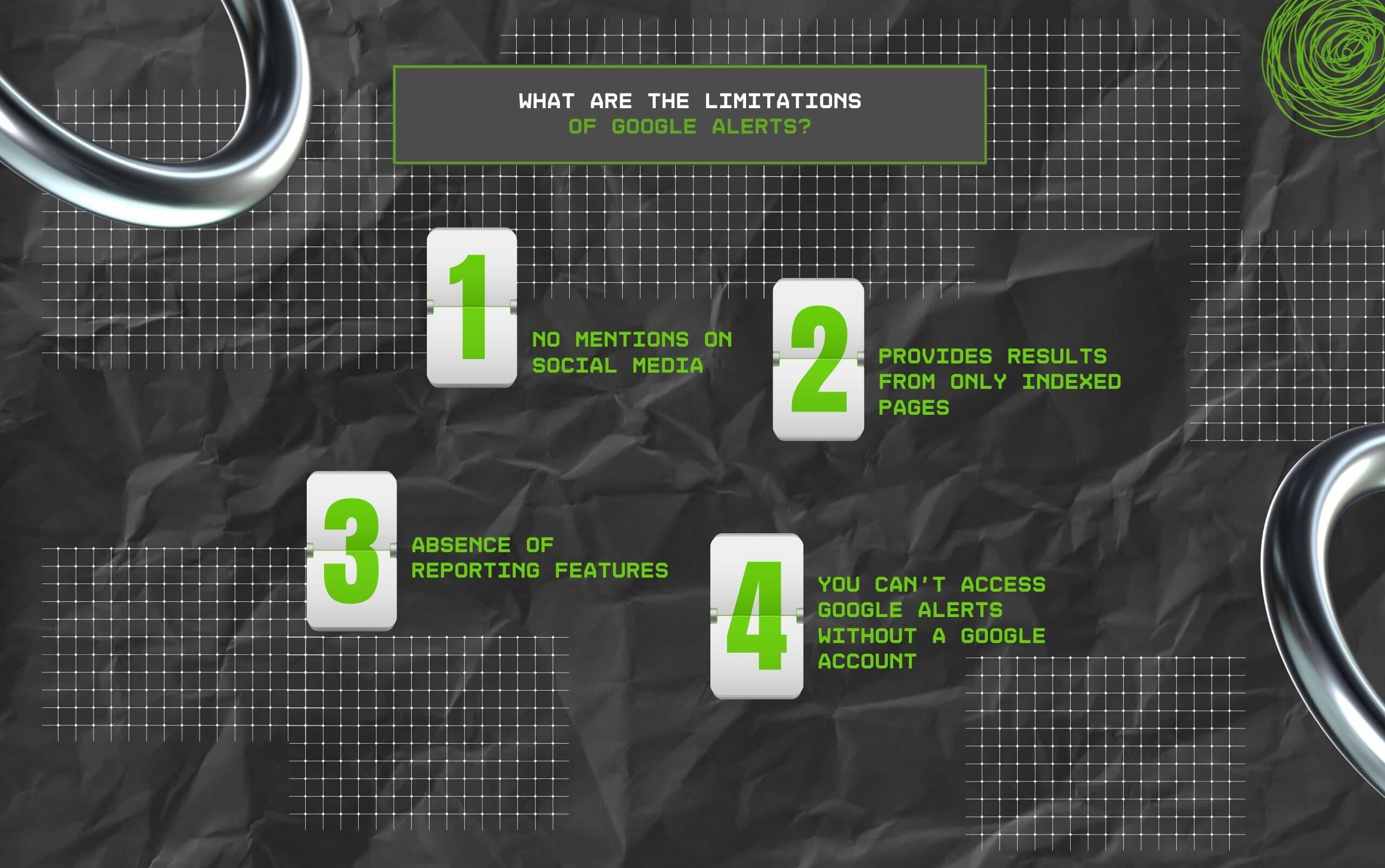
Unfortunately, this free tool does have a few limitations – and I’ve done my best to highlight them for you.
This is perhaps the most significant drawback associated with using Google Alerts.
So, while it does monitor the web well, it doesn’t allow users to track popular social media platforms like X, Instagram, TikTok, and Facebook.
Moreover, recently, more than 58% of the global population uses social media.
As a result, depending primarily on a media monitoring tool that does not cover these platforms can turn out to be a major blind spot.
Monitoring socials, A.K.A social listening, is crucial for understanding the true feelings of your customers, critics, and target audience. Also, you can better understand your competitors.
In 2026, your customers aren’t going to write a blog to complain about your poor customer service.
Instead, they are going to tweet about it – and that is why you need a media monitoring tool that bridges the gap between search and socials.
Google crawls the internet with a single purpose: to index web pages.
These web pages then appear in search results for anyone using Google for browsing. And these web pages are called Indexed Pages.
However, thousands of pages end up not getting indexed, and that too for several reasons.
They might not have a lot of traffic, or someone might have requested Google to remove them. Also, it is possible that they are displaying something offensive or inappropriate.
While these might not interest an average person who uses Google, it is a sort of limitation for anyone using Google Alerts.
Why? Because every time anyone mentions your brand on the web – indexed or not – it counts.
And if you don’t find out about it, just because Google hasn’t indexed the page, then it really acts as a significant limitation.
Getting alerts every time search results end up matching your queries sounds great! But most of us need more than just notifications.
Sadly, Google’s free media monitoring tool doesn’t have any data visualization or reporting features. This is vital for ensuring you are retaining your notoriety or brand reputation.
Moreover, it is only normal to want to measure how many people are talking about your business over a period of time, and more importantly, in which areas of the world.
And this information is not only going to help your knowledge base, but also help you create the right reports for your investors or managers.
Obviously, you can create these graphs and reports manually with any spreadsheet tool.
Also, you can combine these reports with insights from Google Search Console and Analytics. But TBH, who’s got the time to do all that?
This does sound logical and not really a proper limitation, at least for the majority of people. After all, Google is the most popular search engine and email provider in the world.
Fortunately, having a Google account is normal – and creating one? Easiest in the world!
But if you are loyal to Yahoo, Proton, or Outlook’s email addresses and do not feel like creating another account, this can turn out to be a major limitation.
Like I have been saying all along, it is super easy to set up Google Alerts. You can experiment with the help of this tool. More importantly, you can easily create as many alerts as you need.
However, they also tend to miss a significant amount of data. Even for the sources that you would think Google would be excellent at monitoring, like blogs and websites.
In addition, you really cannot afford to ignore popular social media platforms, especially if you are a small business with an online community thriving on trends.
Interestingly, 68% of Americans (as mentioned on mention.com) use Facebook.
And these are your potential customers, buyers, and prospects. So, if you do not know what they are saying about you, it is so much more difficult to ensure they are happy with your business.
That is why so many brands choose tools combining sources of Google Alerts with major social networks.
Even better, all the good ones will offer you in-depth analysis covering brand sentiment, demographics, and so much more.
Also, there are so many alternatives to Google Alerts in the market.
But since I am biased about Google’s products, I’m not going to keep discussing alternatives that might not get us any results.
On that note, let us know how this free tool works for you!
Barsha is a seasoned digital marketing writer with a focus on SEO, content marketing, and conversion-driven copy. With 8+ years of experience in crafting high-performing content for startups, agencies, and established brands, Barsha brings strategic insight and storytelling together to drive online growth. When not writing, Barsha spends time obsessing over conspiracy theories, the latest Google algorithm changes, and content trends.
View all Posts

The Keyword With 10 Searches That Sent Ahrefs...
Sep 24, 2026
Paying Freelance Writers In Ten Countries: An...
Sep 24, 2026
GroomPanel Vs Other SMM Panels: What Makes It...
Sep 24, 2026
The Traffic-to-Revenue Gap: Why More Website ...
Sep 17, 2026
The Volatility Trap: What Crypto Position Siz...
Sep 17, 2026