The Ultimate Guide To Competitor Backlink Analysis: An Actionable SEO Blueprint To Steal Your Rivals’ Traffic
Oct 23, 2026

Today’s topic: 502 Bad Gateway.
The back end of websites is a complex digital space with different errors. That is, these diverse types of error messages can leave users confused. Wondering what it actually means.
One such complex error message is the 502 Bad Gateway.
At first, most users assume it indicates a broken site. But in reality, it is a simple server connectivity error message. Moreover, without knowing the real cause, resolving these error codes can be quite difficult.
But a little knowledge about the cause and the exact troubleshooting method can resolve it in a jiffy. So, in this blog, I will delve into the diverse aspects of the 502 Bad Gateway error, focusing on:
Stay tuned!
First things first, a 502 Bad Gateway error message is an indicator of a server connectivity issue.
That is, when the device server receives an invalid response from inbound servers, there is a miscommunication. This causes connectivity issues and triggers the 502 error message.
Now, to better understand the error message, it is vital to have a clear concept of how the servers work.
For instance, when the user visits a website, the browser sends a request to the server. Then, the server processes the request and sends back the resources.
But if there is an issue in the transfer of the resources or the request, the 502 Bad Gateway error pops up. Making it difficult to visit the site without resolving the error.
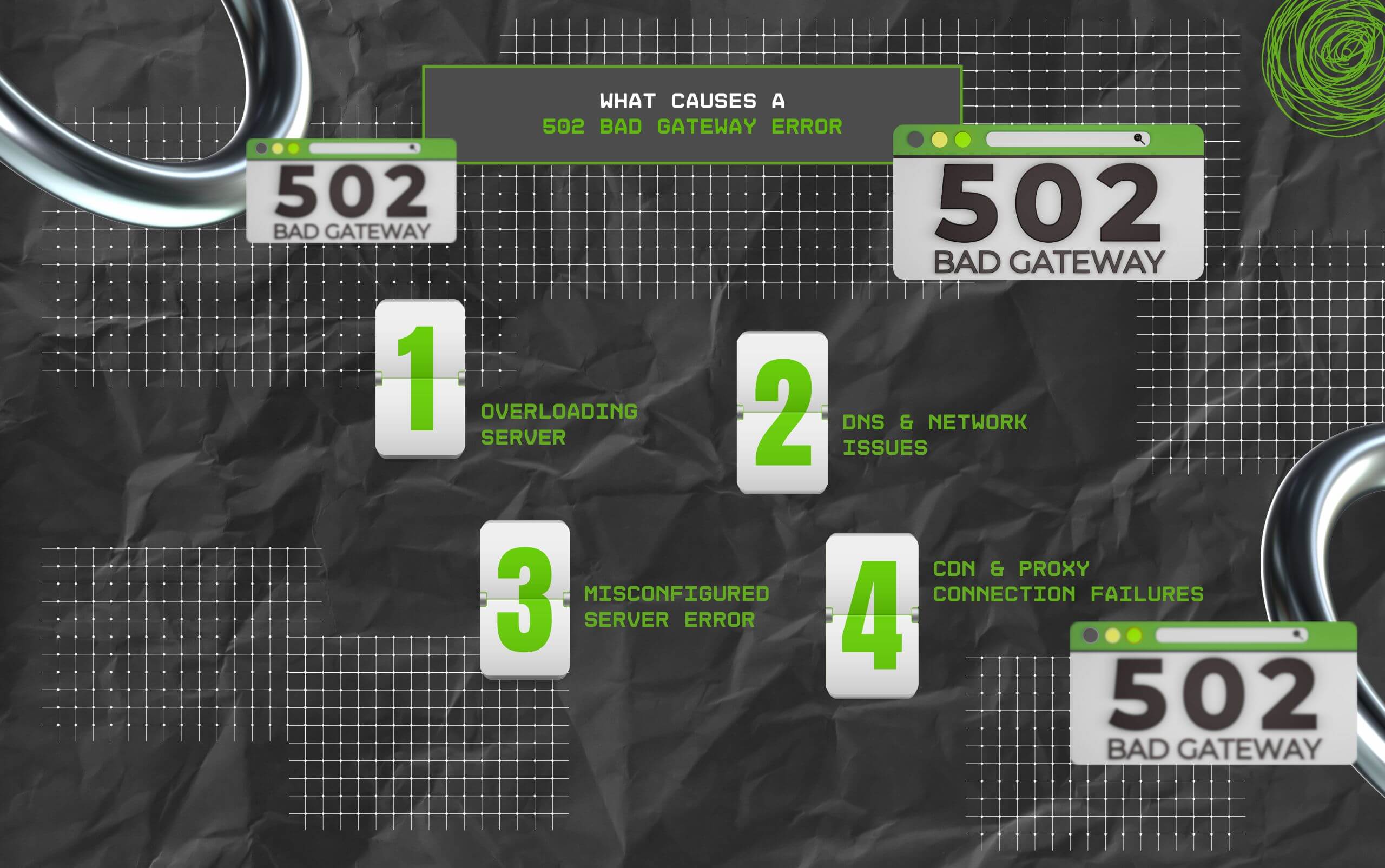
Bad server connectivity can be due to a lot of reasons. So, here are some of the common reasons that can result in a 502 Bad Gateway error:
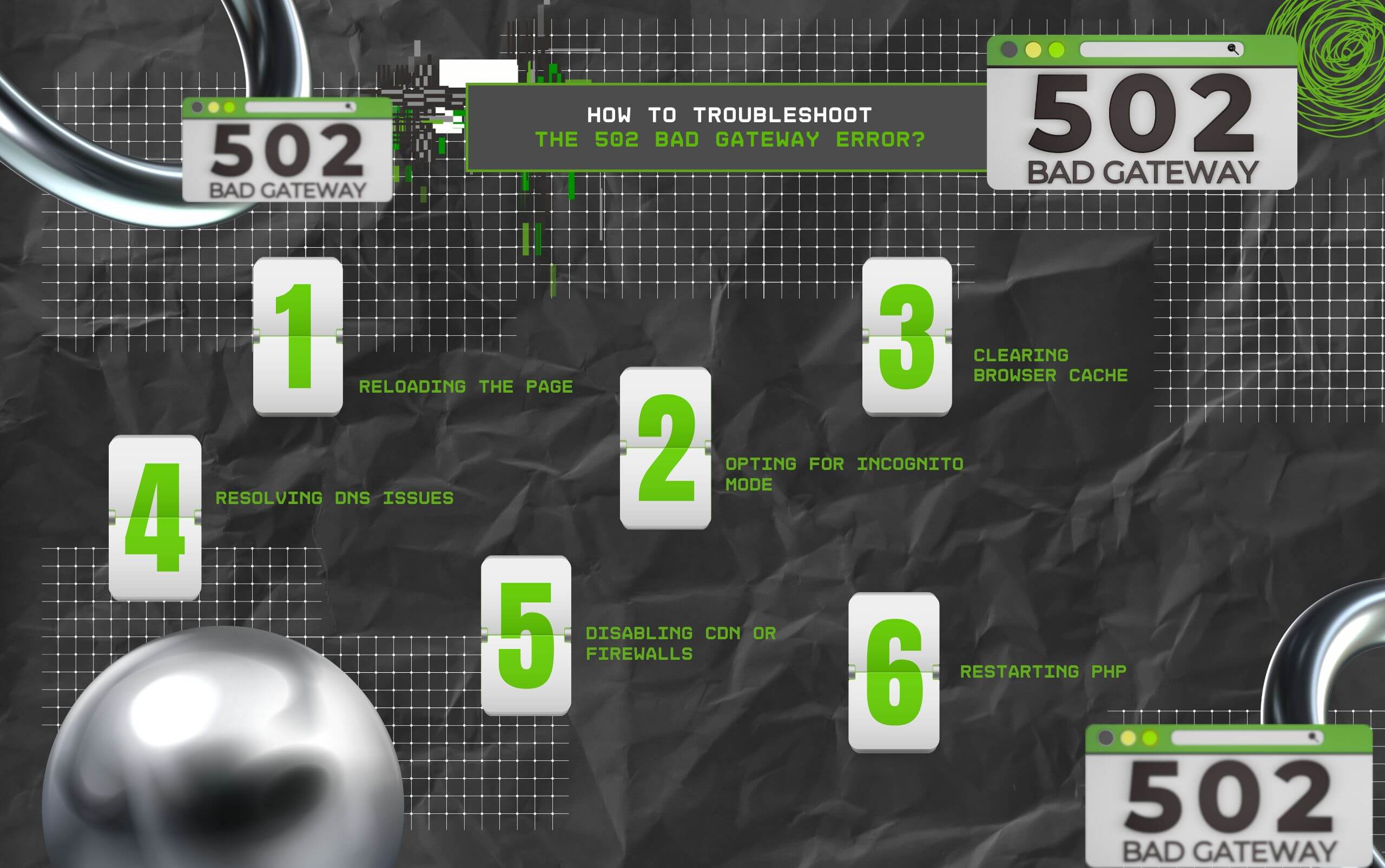
Now, once you are clear on the reason behind the 502 error, you can implement one of these troubleshooting methods to resolve the error.
So, here are some of the common troubleshooting methods:
Firstly, one of the simplest methods is to reload the page. This cancels the last request and resends the server requests, which helps the inbound servers to fetch the right resources.
But if reloading is not working, you can try using another device, another browser, or incognito mode. This way, you can bypass any browser issues and have a clear gateway.
In addition to this, clearing the browser cache can clear out the server responses. So, the browser can send and receive signals from the inbound servers promptly.
Additionally, you can clear the cache for the single site or the entire browser. Either way, the server connection can be cleared out, and the communication can be restored.
Moreover, resolving any DNS issues can also restore the server connection.
That is, if the DNS server is not responding, then you can flush the local DNS cache to restore the link between the domain and the correct IP address.
| How To Flush Your DNS Cache Via Terminal? When a website switches servers, your local computer can cache stale IP records, causing network miscommunications. According to network experts at cPanel Documentation, purging this data forces your system to fetch fresh directory information from root nameservers. Close your web browser and execute these exact commands based on your operating system: For Windows Users: Open the Command Prompt (run as Administrator), type ipconfig /flushdns, and hit Enter. For macOS Users: Open your Terminal app (found in Applications > Utilities), paste sudo killall -HUP mDNSResponder, hit Enter, and type your administrator password when prompted. Note: Linux users running systemd-resolved can clear their local host cache by executing sudo resolvectl flush-caches in their command line shell. |
Sometimes, the firewall settings or CDN (content delivery network) can create an issue in the server connection.
So, if you are facing a connection issue with the server, then temporarily disabling the Firewall settings and the CDN can restore the connection.
Finally, restarting the PHP process can resolve the timeouts of single PHP processes. That is, when a single process runs longer, it loses its configuration with the server.
So, it is better to restart the PHP process to reconfigure the connection. This way, you can restore the connection in a jiffy.
Now, facing the 502 Bad Gateway error message is common. But resolving it the right way can help in smoothing the entire experience.
So, if you are still stuck with the 502 error message staring at your face, try these methods to resolve the error in the blink of an eye!
If you host or administer the website throwing the error, client-side browser refreshes won’t fix it.
As detailed by server optimization specialists at Netdata, a 502 error on architectural setups like Nginx paired with PHP-FPM indicates the edge proxy received zero usable data from your backend application workers.
To fix the structural breakdown:
Do not guess the error. Check your server’s paper trail via /var/log/nginx/error.log or your PHP logs to isolate the exact script crashing your architecture.
A long-running backend process often breaks its connection mid-request. Open your php.ini file and increase both max_execution_time and max_input_time.
If your app sends back oversized data blocks, Nginx will drop the packet. Add these directives inside your Nginx server block to accommodate heavy headers: fastcgi_buffer_size 32k; fastcgi_buffers 8 32k;
Ensure the execution user and group settings within your PHP pool setup (www.conf) perfectly align with Nginx’s operational permissions.
While all three live in the 5xx server-side error family governed by standard IETF HTTP Specifications, they pinpoint entirely different failpoints in a website’s infrastructure:
Documentation from MDN Web Docs confirms that separating these codes allows developers to instantly know whether they need to debug local application code (500), look at edge configurations (502), or optimize slow database queries (504).
Read Also:
Barsha is a seasoned digital marketing writer with a focus on SEO, content marketing, and conversion-driven copy. With 8+ years of experience in crafting high-performing content for startups, agencies, and established brands, Barsha brings strategic insight and storytelling together to drive online growth. When not writing, Barsha spends time obsessing over conspiracy theories, the latest Google algorithm changes, and content trends.
View all Posts

The Ultimate Guide To Competitor Backlink Ana...
Oct 23, 2026
How To Land High-Authority Editorial Backlink...
Oct 23, 2026
Why Your Website Traffic Dropped Suddenly And...
Oct 23, 2026
How Do The Physical Google Review Tools Redef...
Oct 23, 2026
How To Get Your Brand Cited In AI Search Resu...
Oct 22, 2026