Structured Data SEO: How Schema Markup Helps Search Engines Understand Your Website
Sep 12, 2026

List crawling sounds technical, but the use case is simple.
So, let’s assume you want structured data from a website – not just one page, but many pages that follow a pattern.
For example:
Instead of copying everything manually, you extract it in bulk. That’s list crawling.
Most people don’t say, “I need to crawl a list.”
Instead, they say things like: “I need 500 leads from this directory,” or “I want all product names and prices from this site.” Also, they can say, “I need emails or contact info from these pages.”
So this is not just a technical task. It’s more than that and is usually tied to:
Moreover, if the end goal is unclear, the list crawling will be messy.
People think crawling means “grab everything.” That’s where things go wrong. TBH, every list page has structure – it is a sort of repeating blocks.
For example, it will appear in the order below:
Also, if you don’t identify this structure first, your data will come out broken.
So before touching any tool, do this: Open the page, scroll slowly, and look for repetition. That’s your extraction pattern.
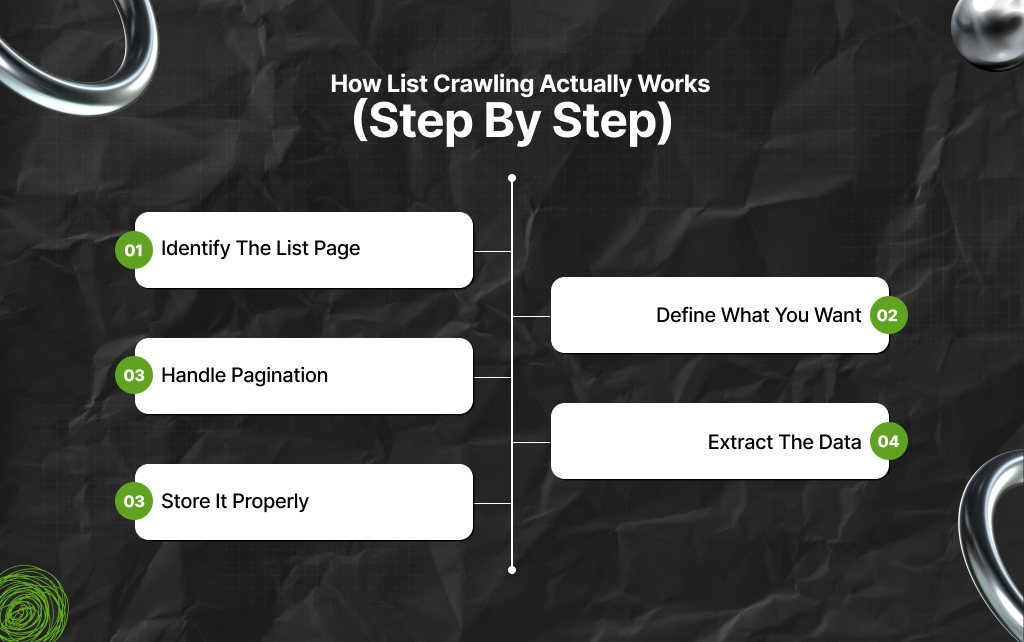
Let’s break it into a simple flow.
This is your starting point.
For example, a page showing 20 products or 50 listings. Now, you are not interested in the design. Instead, you are looking for repeating data blocks.
Be specific. Of course, there’s no point in being specific about all data points. Instead, take note of the following data points:
Additionally, remember that the clearer this is, the cleaner your output will be.
This is where most people fail.
Lists rarely exist on one page.
You’ll see:
If you don’t account for this, you only get partial data.
So you need to:
This is the difference between 20 items and 2,000 items.
Now you apply a tool or script. It reads the page and pulls the fields you selected. And all that’s great, but here’s the key: always test on one page first.
If that output is clean, then scale.
Dumping raw data into a file is not enough – you have to do more. You need structure, and it usually includes:
Make sure columns are clean and consistent.
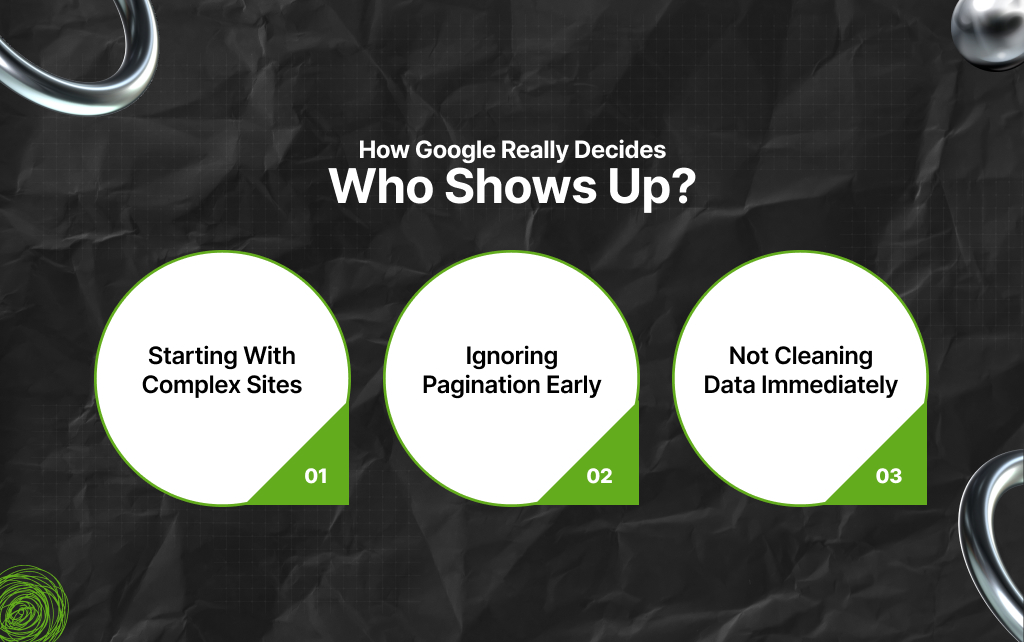
In the context of list crawling, this part matters more than tools. On that note, let’s briefly glance at all the areas where people waste the most time.
Dynamic sites with heavy scripts are harder. As a result, it is better to start with simple HTML pages.
The purpose? To build confidence first.
People scrape page one, think it works, then realize later they missed 90% of the data. And that is not a good feeling after some exhausting list crawling.
As a result, it is best to always check how deep the list goes.
If your raw data is messy, it becomes useless fast. So, you need to fix all duplicates and formatting issues as soon as possible – don’t leave it for later.
If you want something practical, follow this:
This will ensure you are not overwhelmed and exhausted – your work gets done without compromising your productivity levels.
Frankly speaking, you don’t need to overcomplicate this. It’s simple, really. So, on the basis of three parameters, here’s how you can select tools for list crawling.
Use no-code tools or browser extensions. This is because these tools let you click elements and extract lists.
Use scripts with libraries. This is because these tools will give you more control, especially for pagination and dynamic pages.
You may need tools that handle JavaScript rendering. This is where many basic tools fail, so ensure you are picky if your website is complex.
This is where you need to slow down because this section is super important!
So, you have to understand that not all data is fair to collect. As a result, while collecting data, you need to check:
If yes, you need to be careful. This is because some websites block crawlers, while others may take action if you misuse data.
So don’t treat this as a free-for-all.
List crawling is not a one-click solution. It’s a process – and operational processes always need testing, adjustments, and improvements.
Even the most experienced people:
So if it doesn’t work perfectly at first, that’s normal. Ensure you are consistent and keep at it.
So, if you are implementing the list crawling process accurately, you will notice a few signs:
If these are true, you’re on the right track.
Know What Is List Crawling!
List crawling is not about collecting more data.
Instead, it’s about collecting usable data without wasting time. So, if you focus on structure, start small, and stay clear about your goal, it becomes much easier.
And once you get it right, it can replace hours of manual work with a repeatable process.
Read Also:
Barsha is a seasoned digital marketing writer with a focus on SEO, content marketing, and conversion-driven copy. With 8+ years of experience in crafting high-performing content for startups, agencies, and established brands, Barsha brings strategic insight and storytelling together to drive online growth. When not writing, Barsha spends time obsessing over conspiracy theories, the latest Google algorithm changes, and content trends.
View all Posts

Structured Data SEO: How Schema Markup Helps ...
Sep 12, 2026
TikTok Downloader For Content Marketing Resea...
Sep 12, 2026
AI Content Optimization: How To Make Your Con...
Sep 11, 2026
AI Citations: How To Get Your Content Referen...
Sep 10, 2026
Top Enterprise AI Cloud Platforms for RAG, AI...
Sep 08, 2026