How To Audit Your Search Visibility In 2026: Google Rankings, AI Overviews, And Where Your Traffic Really Comes From
Sep 30, 2026

If you have ever opened Chrome DevTools and wondered what all those Lighthouse scores actually mean, you are not alone.
Lighthouse is often introduced as a website speed-testing tool. And that description is too narrow.
Lighthouse is an open-source, automated auditing tool for web pages. It checks areas such as performance, accessibility, SEO, and best practices, then gives you a set of audits showing where a page may have problems.
Moreover, the score at the top of the report gets most of the attention, while the audit underneath is usually more useful.
That distinction matters because a Lighthouse report is not a report card for your entire website.
Also, it is a controlled test of a particular page, under particular conditions, using a particular set of audits.
Once you understand that, Lighthouse becomes much easier to use.
On that note, today, I’ll breakdown Google Lighthouse in detail and highlight how you can use it to audit your website’s performance.
Stay tuned.
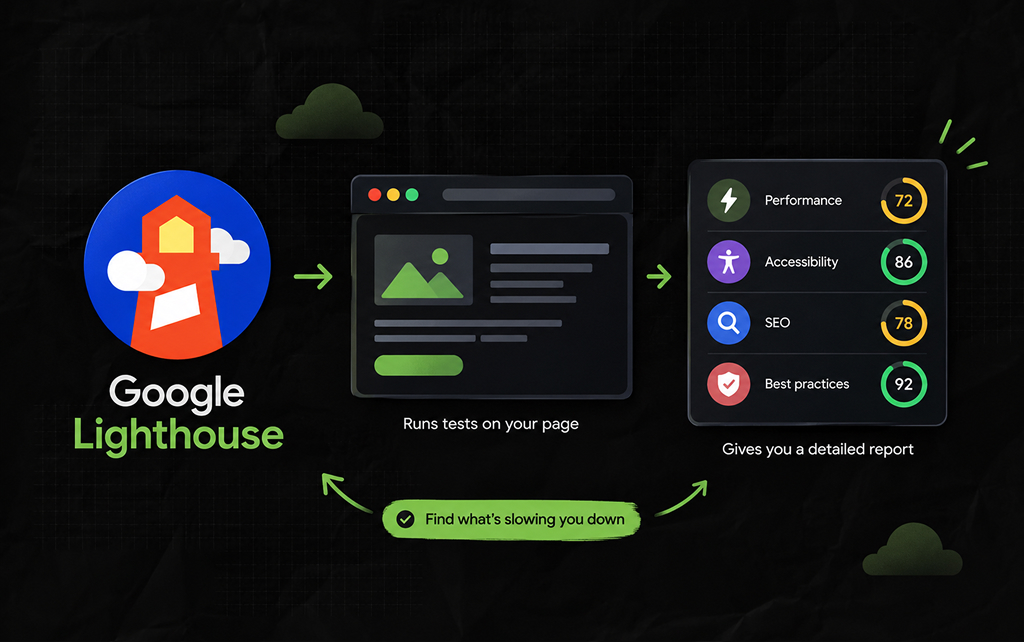
Google Lighthouse is an automated tool from the Chrome team that evaluates the quality of a web page.
You can run it from Chrome DevTools, and it is also used behind other Google tools and development workflows. Google’s documentation describes it as an open-source tool for improving the quality of web apps.
Also, a Lighthouse audit can look at several areas:
Then, it produces a report containing scores, individual audits, diagnostics, and opportunities for improvement.
TBH, the important word here is audit.
Lighthouse does not sit there watching thousands of visitors use your website. Instead, it runs tests against the page and reports what those tests find.
That makes it particularly useful when you are trying to answer a question such as: What is causing this page to perform poorly?
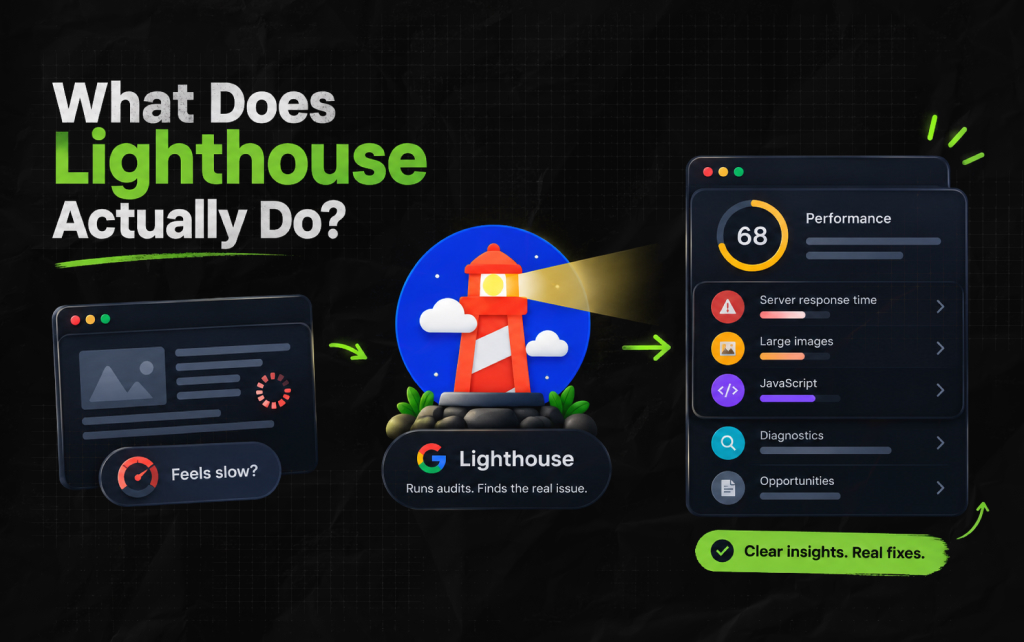
So, imagine a developer tells you that a landing page feels slow.
“Feels slow” is not very useful information. Instead, you need to know what is creating that experience.
Is the server responding slowly? Is a large image being loaded? Or is JavaScript keeping the browser busy?
Lighthouse breaks the problem into smaller pieces.
So, it runs a series of automated audits and gives you evidence that can help narrow down the problem. And that makes Lighthouse less like a stopwatch and more like a first-pass diagnostic check.
You still need other tools to investigate complicated problems. But you have somewhere sensible to start.
A Lighthouse report contains several layers of information.
The first thing you usually see is the category score. Under that, you get individual audits. Then there are diagnostics and other details that help explain what happened during the test.
And that structure is worth understanding because it changes how you should read the report.
Now, suppose the Performance score is 68. The number alone tells you very little. But the useful questions are:
The score tells you that something needs investigation. But the audits help tell you where to look.
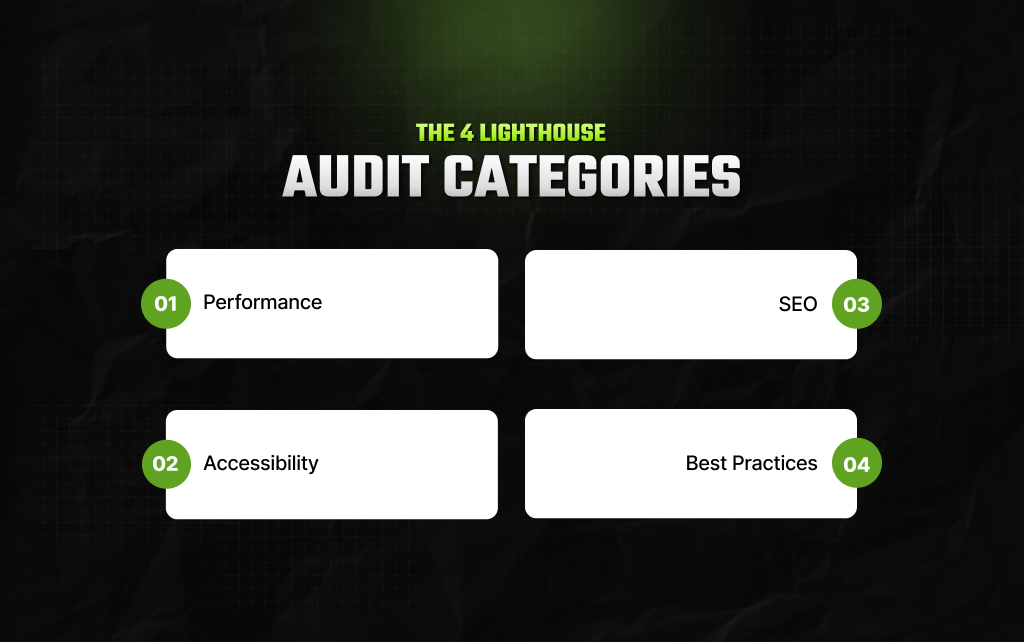
In this section, I’ve laid out the four important Lighthouse audit categories for a better understanding.
Performance is the category most people associate with Lighthouse. It looks at how efficiently a page loads and responds under the test conditions.
Depending on the page and Lighthouse version, the report can surface issues involving:
As a result, the useful part is not simply knowing that a page has a low performance score. Instead, it is understanding what is consuming time or resources.
For example, replacing a large hero image with a properly sized, compressed version may solve a real problem.
Changing a minor implementation detail just to gain a few points may not.
The accessibility category checks for common problems that can make a page harder to use.
It can identify issues such as missing form labels, insufficient contrast, or elements without appropriate accessible names.
These checks are valuable because some accessibility problems are easy to miss during ordinary visual testing.
But Lighthouse cannot tell you whether a website is completely accessible. Automated testing only catches the problems it knows how to test.
Also, a page can pass many automated checks and still create difficulties for people using assistive technology.
So Lighthouse is a useful accessibility check, not an accessibility certification.
Lighthouse also includes automated SEO audits.
These can flag certain technical and on-page conditions that may affect how search engines access or understand a page.
And that makes the SEO category useful during a technical review. But there is a major limitation: Passing Lighthouse’s SEO audits does not mean a page has good SEO.
Also, a page can pass its automated checks and still have:
Lighthouse can catch certain technical problems. It cannot judge the entire search strategy.
Best Practices covers a broader collection of technical checks.
These can relate to things such as browser behavior, security, implementation choices, and other web-development practices.
As a result, this category can be useful during development because it may surface issues that are not immediately visible when you simply look at the page.
But, like the other categories, it is not a universal quality certificate. Also, a 100 here does not mean your website follows every best practice that exists.
It means the page passed the checks Lighthouse ran.
This is where people often get distracted.
Lighthouse gives category scores on a scale of 0 to 100. So, a higher score generally means the page performed better against the audits included in that category.
But the score is a summary of the audits. It is not an independent measurement of ‘website quality.’
And that difference becomes important when you start optimizing.
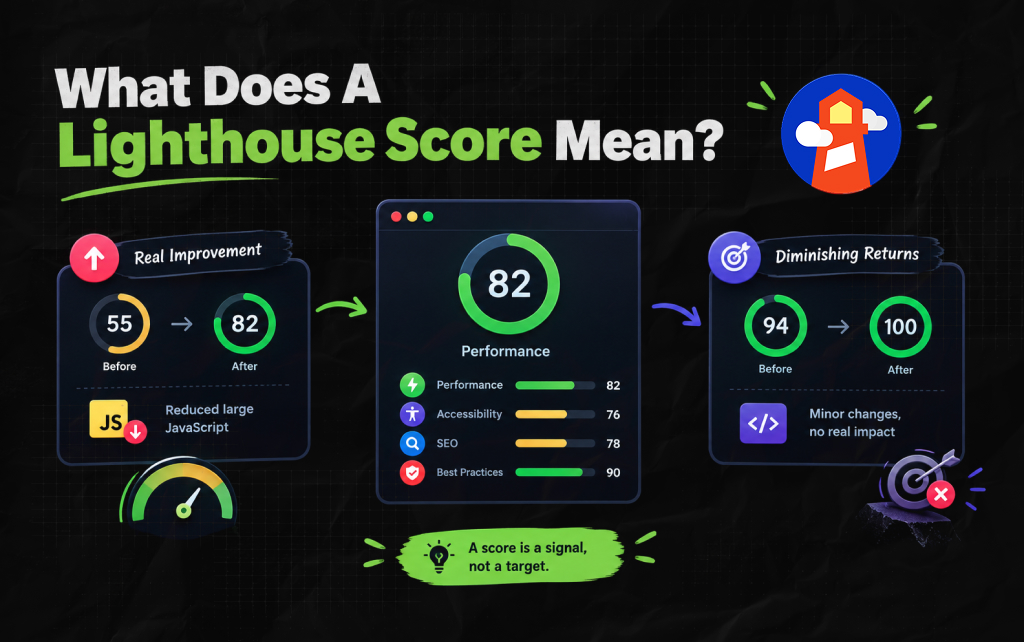
So, suppose you move a Performance score from 55 to 82 by reducing a large amount of JavaScript. That is useful.
You found a genuine performance problem and improved it.
Now suppose you are already at 94 and spend two days trying to reach 100 by making changes that have almost no noticeable effect on visitors.
The number went up. The website may not have become meaningfully better. And this is why Lighthouse works best when the score is treated as a signal, not a target.
No.
A Lighthouse score is not a Google ranking score.
Google Search does use various signals related to page experience and performance, and Core Web Vitals are part of Google’s page experience guidance.
But that does not mean Google takes a Lighthouse score of 87 and compares it with another page’s score of 94.
Moreover, a Lighthouse score is produced by the Lighthouse audit. It is not a ranking grade assigned by Google Search.
That distinction is particularly important for SEO teams.
So, if a page has a Lighthouse SEO score of 100, that does not mean it deserves to rank.
And if another page has a Performance score of 78, that does not automatically explain why it ranks below another page.
Lighthouse and Google Search answer different questions.
This is probably the most confusing part for marketers.
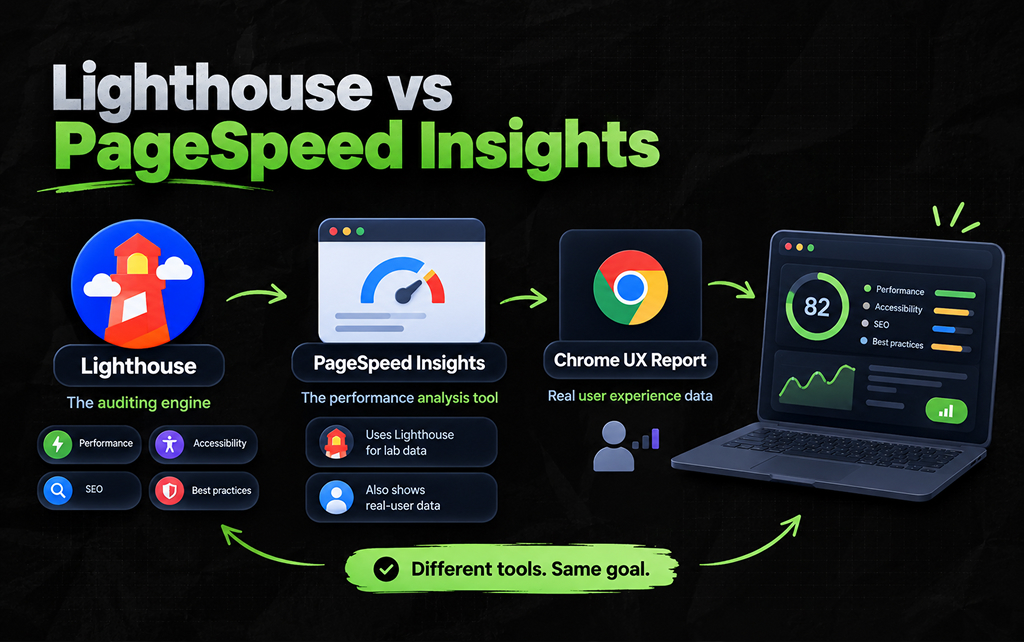
Lighthouse and PageSpeed Insights are closely related, but they are not interchangeable. So, Lighthouse is the auditing engine.
However, PageSpeed Insights is a performance analysis tool that uses Lighthouse for its lab analysis and can also provide real-user data where available.
Moreover, Google’s developer documentation lists Lighthouse, PageSpeed Insights, and the Chrome UX Report as separate but related tools within its web-quality tooling.
This gives them different jobs.
As a result, if you are sitting inside Chrome DevTools trying to understand why a page is slow, Lighthouse is useful.
But if you want a convenient report about a page’s performance, PageSpeed Insights is often the easier starting point.
And if you want to understand how real Chrome users experience a page, field data becomes important.
Also, note that you may use all three during a serious performance investigation.
One reason Lighthouse is useful for development is that it gives you a controlled environment for testing.
You can change something and run the audit. Then, you can change something else and run it again.
That makes it useful for before-and-after testing.
For example, imagine that a product page contains a large JavaScript bundle. You reduce the bundle size and run Lighthouse again.
Now, if the relevant performance metrics improve, you have evidence that the change helped under the test conditions.
That is valuable.
But it still does not tell you exactly what every real visitor experiences. Also, your users have different phones, browsers, locations, network connections, and hardware.
That is why lab data and real-user data should not be treated as the same thing.
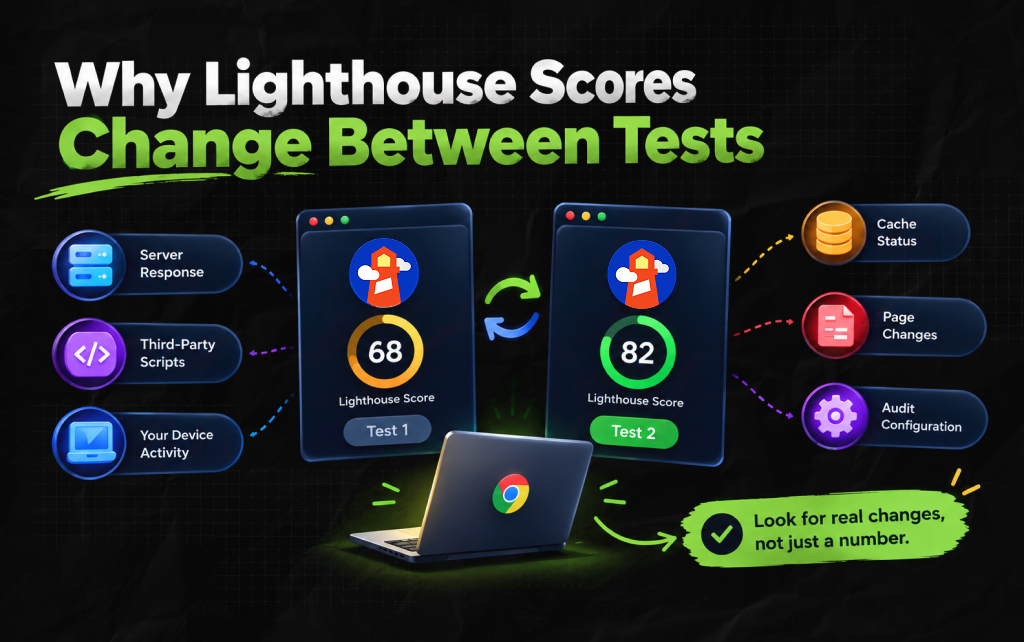
You may run Lighthouse twice and get different results. But that does not automatically mean the tool is unreliable.
Why? Because web performance is affected by many moving parts. Your server may respond slightly differently. Or a third-party script may take longer to load.
Also, your computer may be doing other work, or a resource may be cached in one test and not another.
The page itself may have changed. Also, the audit configuration can affect the result.
Moreover, Google Lighthouse reports include configuration and environment information because the conditions under which a test runs matter.
So if you are comparing performance over time, try to keep your testing conditions reasonably consistent.
More importantly, look at meaningful changes rather than treating a two-point score difference as a crisis.
Lighthouse can highlight opportunities that may improve performance. For example, you might see suggestions involving:
These are useful leads. Remember, they are not commands. And that distinction saves a lot of unnecessary work.
Suppose Lighthouse identifies a JavaScript file as an opportunity. Before removing it, someone needs to know what that script does.
It could belong to your analytics setup. It could power your checkout. And it could control an important product feature.
Also, it could be required for consent management.
The right response is not “Lighthouse said remove it, so remove it.” Instead, the right response is “Why is this resource expensive, and can we reduce that cost without breaking something important?”
That is the difference between using an audit intelligently and following a checklist.
Diagnostics give you more information about what happened during the audit. They can help expose things such as:
This is where the report becomes genuinely useful to developers.
A score tells you there is a problem. But a diagnostic can help you start investigating the problem.
For example, if the page spends a lot of time executing JavaScript, the next question is not “How do I improve my Lighthouse score?”
Instead, it is “Which scripts are responsible for that work, and why are they running when they do?”
That question can lead to a real fix.
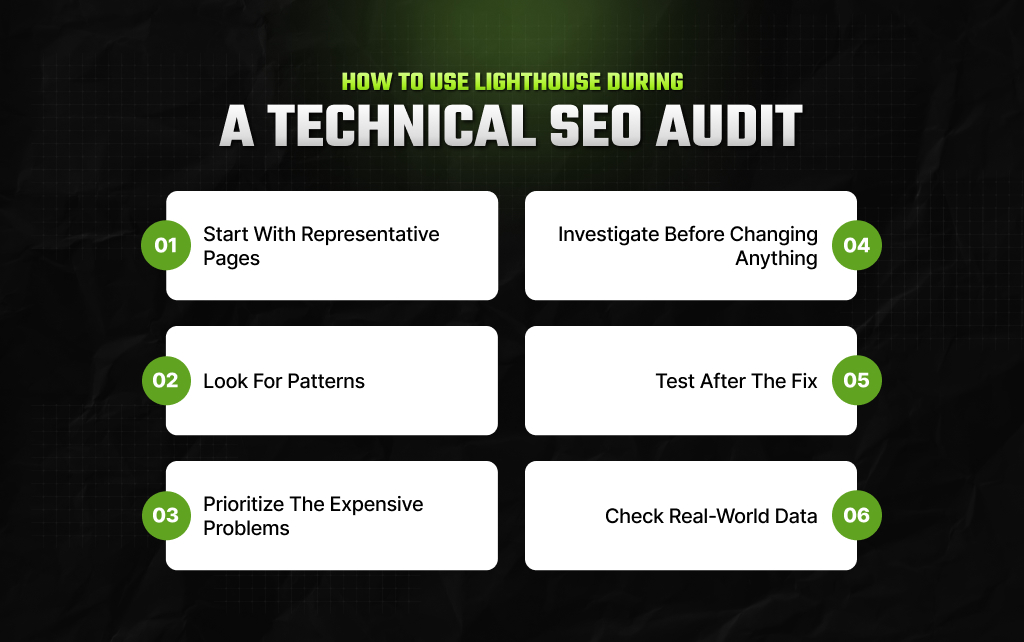
A practical workflow looks something like this.
Don’t test only the homepage. Instead, test the page types that actually matter to the business. For example, you can test different pages including:
Also, note that different templates often create very different performance problems.
If five product pages have the same issue, the problem may sit in the shared template. And that is much more valuable than fixing one URL at a time.
Don’t treat every warning equally. Instead ask:
A Lighthouse recommendation is a starting point. So, you need to find the underlying cause before making a change.
Run the audit again. Then check whether the actual metric or user experience improved.
So, if real-user data is available, compare it with your lab results. You want improvements that survive outside the test environment.
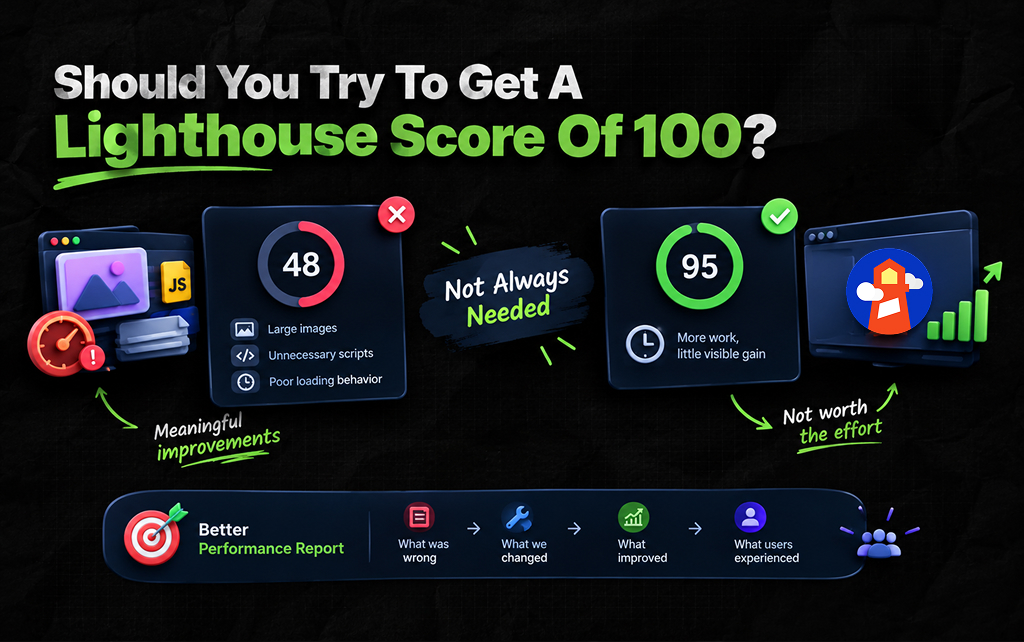
You can. But you don’t necessarily need to – there is a difference.
So, if your site scores 48 because the page is carrying enormous images, unnecessary scripts, and poor loading behavior, improving the score may correspond with meaningful improvements.
But if your site scores 95 and reaching 100 requires hours of work for an almost invisible improvement, the number may not justify the effort.
This is particularly relevant for SEO teams. A Lighthouse score is easy to put into a report. And that makes it tempting to turn it into a KPI.
But a better performance report might show: What was wrong → what we changed → what improved → what users experienced.
That tells a much more useful story than saying Performance: 94 → 97.
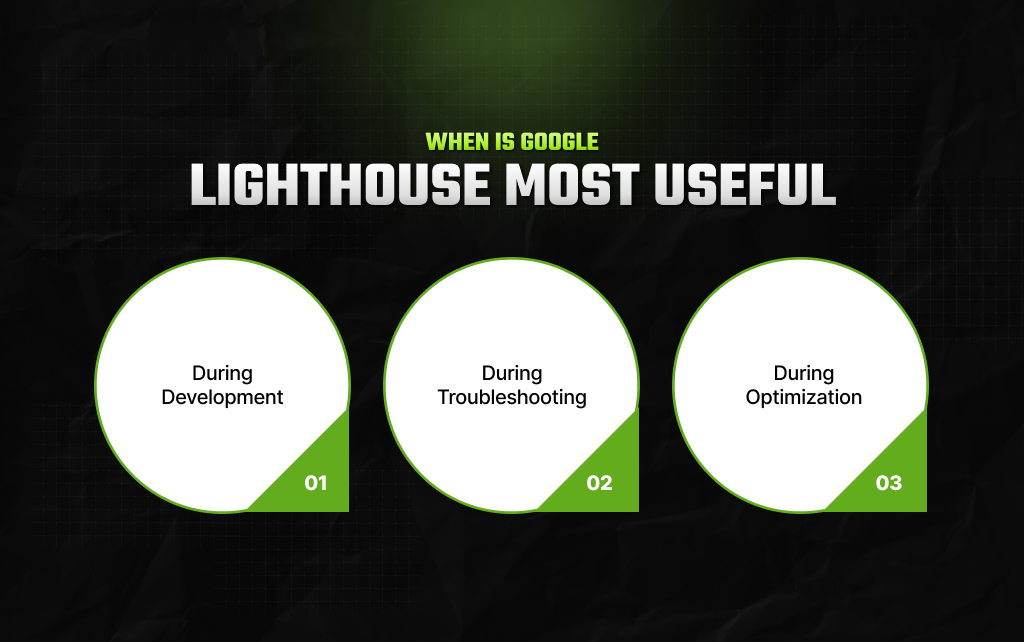
Lighthouse is particularly useful in three situations.
1. During development: when you want to catch problems before a page goes live.
2. During troubleshooting: when a page is slow or behaving poorly, and you need clues about what to investigate.
3. During optimization: when you want to compare a page before and after a technical change.
So, it is less useful when someone simply wants a number to prove that a website is ‘good.’ There is no single Lighthouse number that can answer that question.
Think of Lighthouse as the first person you bring into a technical investigation.
It looks at the page. It points out things that deserve attention. Also, it gives you measurements and evidence.
Then the developer, SEO, UX, or marketing team decides what actually matters. And that last part is important.
An audit can identify a problem. But it cannot understand your priorities for you.
A slow resource on your highest-converting landing page may deserve immediate attention. The same resource on an obscure page that gets ten visitors a month may not.
Lighthouse cannot know that business context – you have to add it.
Moreover, Google Lighthouse is not simply a website speed checker.
Instead, it is an automated auditing tool that gives developers and SEO teams a structured way to inspect performance, accessibility, SEO, and other aspects of a web page.
Its biggest value is not the number at the top. It is the trail of evidence underneath that number.
So, use Lighthouse to find problems, use DevTools to understand them, and use real-user data to see whether they matter outside the test environment.
Also, you can use business and SEO context to decide which problems are actually worth fixing. That is how Lighthouse becomes useful.
Barsha is a seasoned digital marketing writer with a focus on SEO, content marketing, and conversion-driven copy. With 8+ years of experience in crafting high-performing content for startups, agencies, and established brands, Barsha brings strategic insight and storytelling together to drive online growth. When not writing, Barsha spends time obsessing over conspiracy theories, the latest Google algorithm changes, and content trends.
View all Posts

How To Audit Your Search Visibility In 2026: ...
Sep 30, 2026
When Can You Save A Public Instagram Story?
Sep 30, 2026
Google Looker Studio: What It Is, How It Work...
Sep 30, 2026
What Is Google Tag Manager? A Practical Guide...
Sep 30, 2026
SEO KPIs: Which Metrics Actually Tell You If ...
Sep 30, 2026