Event Pages That Rank And Convert: A Practical SEO Guide For Webinars And Live Events
Oct 06, 2026


Running a business in the digital era is quite complex. That is, brands need to maintain their online presence and reputation.
So, they can attract customers with their products and services. And, Google Reviews play an integral part in maintaining this digital reputation.
They provide an authentic account of the customer’s experience with the brand. So, other customers can gauge the reliability of the brand from the reviews.
But the real question is, how to find these Google Reviews? Well, believe it or not, you can search Google Reviews by name.
That is, you can look up a keyword or someone’s name to find their Google Reviews under your Business Profile.
And, this can help you to understand how the customers are experiencing your products and services. So, here, I have brought you a complete guide on the Google Reviews search by name, focusing on—
Stay tuned!
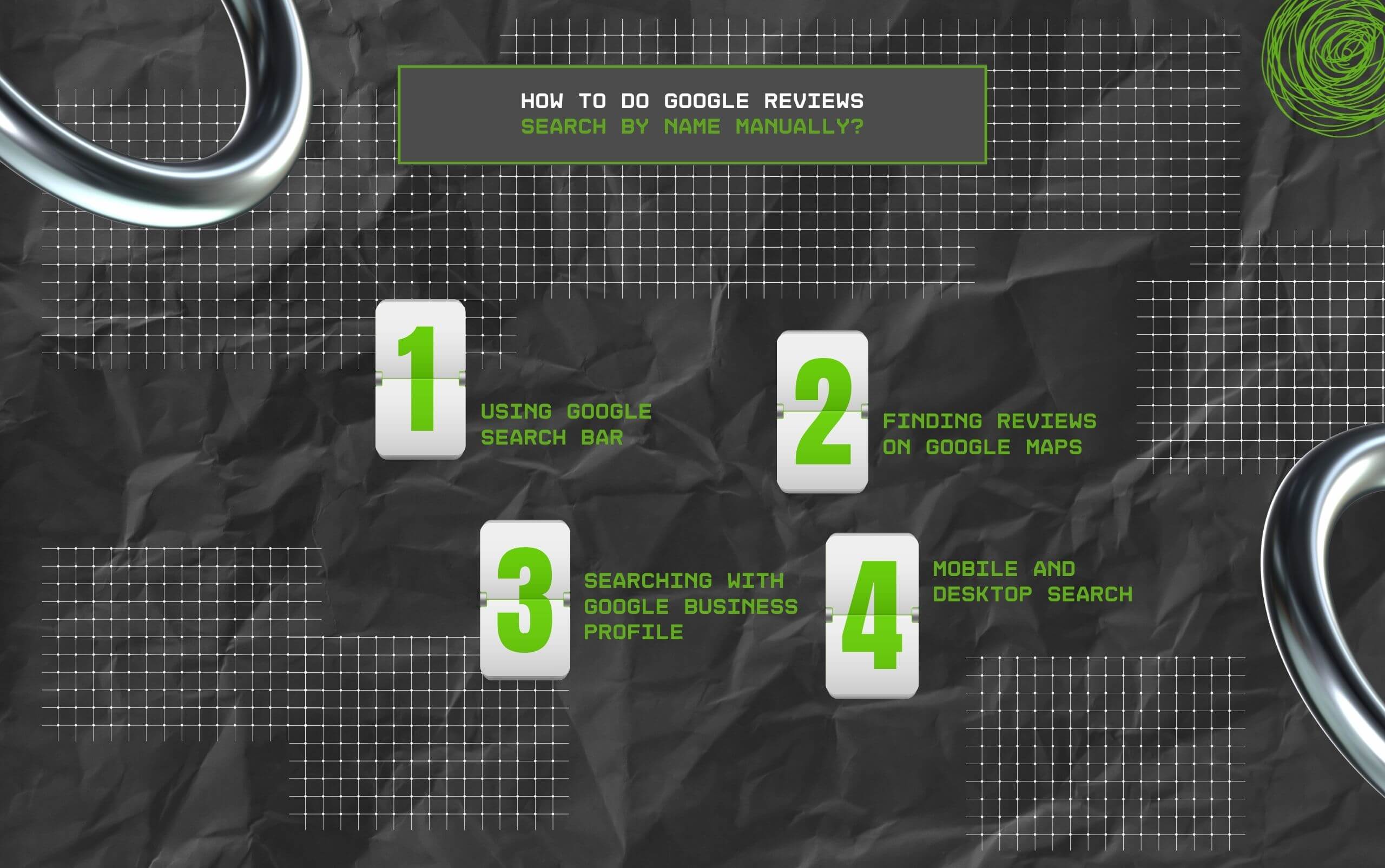
First things first, users can do the Google Reviews Search by name using both manula nad automated processes. So, here is how to search the reviews manually—
Firstly, one of the simplest methods is to directly use Google’s Search Bar to look for someone’s posted reviews. That is, with the name acting as the keyword, Google will pull out the reviews with the name.
So, users need to type the Business name in the Search Bar, followed by the name of the person. Then, from under the Business Profile, they can find the reviews.
Another method to manually look for someone’s Google Review is to check the Review Summary under their Business Profile in Google Maps.
So, users can directly go to Google Maps and search for the business. Then, from the Ratings or Reviews Summary section, they can scroll to find the review from someone.
Alternatively, users can open the Google Business Profile from the direct search. Then, from the overview section, they can scroll down to the reviews part.
After that, they can manually check the Google Reviews to find a specific review from someone. Also, they can use the search option and type the name to find the review instantly.
Finally, users can switch between the mobile and desktop when they can’t find the Google Review by searching for the name.
Since the layout is different, users can find more reviews in the desktop search. So, users can find more reviews listed in the desktop search version.
Moreover, users can choose to automate the search for Google Reviews by name.
That is, when the business has multiple locations and different profile cards for different locations, it can be difficult to find a single review manually scrolling through.
This way, they can find the review in less time compared to the manual processes.
Firstly, if your business has the technical edge, then you can use an API system like the Google Cloud console to automate the search for Google Reviews.
That is, once the API is configured with the Google Business Profile, you can pull out data about the customer reviews and feedback. So, the system can regularly automate the review viewing system.
Additionally, you can automate the Google Alerts by simply mentioning the name of your business in Google’s Search Bar. So, you can include the reviews from specific names.
Moreover, you can put in additional information for the triggered alerts. Making it easier to get the alerts for the Google Reviews posted by a specific name.
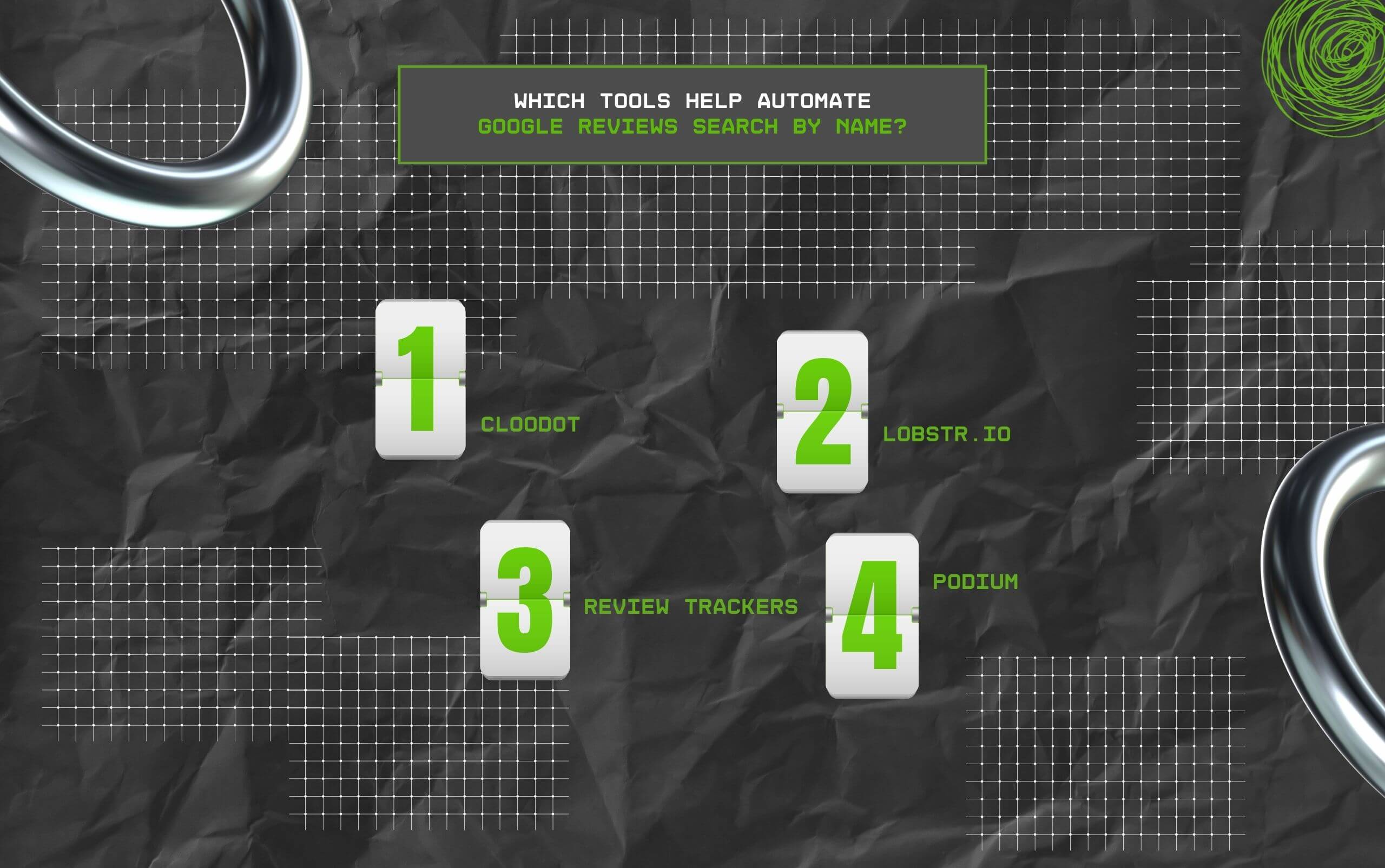
Now, countless tools in the market help businesses automate their Google Reviews Search by name.
That is, these third-party apps take in the parameters of the name, keywords, and locations. Allowing businesses to pull out the specific Google Reviews from the lot.
So, some of these tools include—
Firstly, Cloodot is a strong platform with a robust management system for customer reviews. So, businesses can look for Google Reviews using just keywords or names.
Ensuring that any mention of the specific name or keyword is automatically highlighted, and the business receives an alert for it.
Another app is Lobstr, offering its broad customer review monitoring and management system. That is, it allows users to automate keyword tracking on Google Reviews.
So, businesses and brands can flag out specific names and keywords in the reviews. Making it easier to manage the online reputation of the business.
As the name suggests, the app helps with tracking customer reviews for the brands.
That is, it allows businesses to automatically track all kinds of reviews online, including Google Reviews, using names or keywords.
Moreover, it comes with customizable alerts and advanced sentiment analysis for customer reviews. So, businesses can have a clear idea of the general sentiment of the customers.
Unlike the other tools, Podium prioritizes creating a streamlined feedback loop between the businesses and the customers.
That is, it tracks the mentioned reviews from diverse platforms and sends real-time alerts. Moreover, businesses get response tools to reply to the feedback from the customer.

It is needless to point out how Google Reviews can help brands and businesses to build credibility and authority in the niche field.
So, including them in your business websites can make the brand appear reliable, credible, and attract high customer engagement.
Now, here are some of the benefits of including the Google Reviews on brand websites—
So, with this comprehensive guide, you can search and automate customer review management in Google easily. Boosting your business’s reputation without any issues.
Here, I have brought you some of the common questions on the Google reviews search by name that most users look for.
Yes, absolutely. Using the Google Search Operators, users can look up someone’s review on Google. Also, they can visit Google Maps to find the reviews listed under the business profile.
Moreover, the Google Reviews can also appear in the SERPs for the searched keyword or specific name in Google’s search bar. So, users can promptly view the reviews.
Given that finding the Google reviews of a business is way easier through their business profile, it is best to search for the name of the business in Google’s search bar.
Then, from the SERP, the users can find the business profile and click on the Review Summary of Ratings to get the Google Reviews, curated in one place.
Generally, users can check their posted Google Reviews in the Reviews Summary section under the Google Business Profile of the business.
Also, they can open Google Maps and click on the hamburger menu to find the “Your Contributions” section. Then, go to the Reviews option. There, they can find their recently posted review.
Chandrima is a seasoned digital marketing professional who works with multiple brands and agencies to create compelling web content for boosting digital presence. With 3 years of experience in SEO, content marketing, and ROI-driven content, she brings effective strategies to life. Outside blogging, you can find her scrolling Instagram, obsessing over Google's algorithm changes, and keeping up with current content trends.
View all Posts

Event Pages That Rank And Convert: A Practica...
Oct 06, 2026
KeywordStat Review: Keyword Research, Cluster...
Oct 03, 2026
How Corda Turns Authority Data Into Campaigns
Oct 01, 2026
How To Audit Your Search Visibility In 2026: ...
Sep 30, 2026
What Is Google Lighthouse? A Practical Guide ...
Sep 30, 2026