Is Serpstat Worth It? A Deep Dive Into Pricing, Data Accuracy, And Features
Oct 09, 2026


Of course, opening your shop at another location is good for your business, in terms of growth and sustainability.
And in most cases, it works out fine. But at the same time, it can create some SEO-related issues that most businesses don’t see approaching.
Instead of growing your visibility, the two locations might start competing against one another, leading to situations like:
It is literally frustrating because you have invested money and time to expand your business – You expect every location to attract customers. Instead, your own website begins working against itself.
This is where multilocation SEO becomes different from traditional local SEO.
Optimizing one location is relatively straightforward. But managing five, ten, or fifty locations requires a completely different strategy.
Every page needs to help Google answer three important questions:
Now, if your site can answer these questions with clarity, then each of your locations will be in a better position to build its own visibility, especially in a local context.
And if it fails to do so, then Google might not understand which page should rank.
Today, I’ll break down how multilocation SEO works, while highlighting how to ensure all your location ranks without confusing search engines or creating duplicating content.
Stay tuned.
If you’re looking for the quick version, here it is.
Multilocation SEO is the process of optimizing each business location so it can rank for local searches without competing with your other locations. That means every location needs more than a unique address. It needs its own identity online.
Each office should have:
At the same time, all of those locations should remain connected under one consistent brand – And that’s the balance successful multilocation SEO creates.
Multilocation SEO helps businesses improve their visibility in search results for every physical location they operate.
In contrast to conventional local SEO, the intention in this case is not just to rank one location.
Instead, the goal is to ensure every location is visible to anyone seeking the product or service nearby. In this case, Google will do its best to match searchers with the most relevant local result.
And your site should make that decision as easy as possible.
Many businesses assume expanding is simple. They create another location page, replace the city name, and expect the rankings to follow. That’s where problems begin.
So, imagine these two pages:
Only one word changed – Everything else stayed the same. To a customer, those pages may seem acceptable. But to Google, they provide very little new information.
Now imagine repeating that process across twenty cities. Instead of building twenty useful resources, you’ve created twenty versions of the same page.
That makes it harder for search engines to understand which page deserves visibility.
Google doesn’t automatically know that every office serves a different audience.
It has to figure that out.
When it crawls your website, it’s looking for signals that explain the relationship between your locations.
Questions it tries to answer include:
The clearer your website answers those questions, the easier it becomes for Google to display the right location to the right customer.
Confusing websites often create confusing search results.
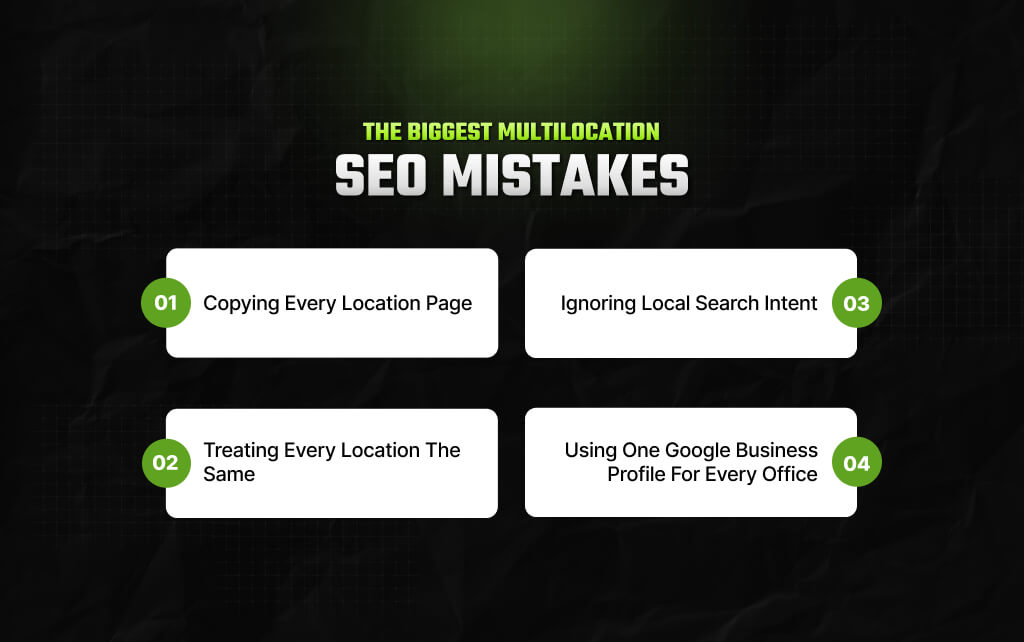
I’ve seen so many businesses struggle with multilocation SEO – not because they don’t have a grasp on advanced techniques. But because they make basic errors – and these errors are easily avoidable.
Let’s look at the biggest ones.
This is by far the most common problem.
A business creates one location page. Then it copies the page ten more times. So, the only changes are:
Everything else stays identical.
This approach saves time. But it rarely produces strong local rankings. Because every location serves different customers.
Each office has different surroundings, staff members, nearby landmarks, customer reviews, and community connections.
Your location pages should reflect those differences. And if they don’t, Google has little reason to treat them as unique.
This one’s so common most of the time we don’t even notice it!
One office may provide weekend appointments. Another may specialize in pediatric care. A third may have bilingual staff.
Those differences matter.
They help customers choose the right location. Also, they offer some context to Google and other search engines about each page.
Remember, you have to be specific with your content – if it’s not specific, it will fail to be useful in the eyes of Google.
Nobody actually looks up a place with a city name only. Instead, people search using landmarks, neighborhoods, or even nearby areas.
For instance, you might look up ‘Car repair near Union Station,’ or ‘hair salon near Calcutta University.’
So ideally, the location pages of a business should organically reference the communities that they are meant to serve.
That doesn’t mean stuffing neighborhood names into every paragraph. It means writing for real people who live and search in those areas.
Those details make your content more useful and help reinforce local relevance.
I’ve seen that many businesses use a single listing to manage every location. That creates unnecessary confusion.
To be honest, it is best to have a Google Business Profile for each of your locations if each of those locations meets the eligibility requirements of the search engine giant.
So, with separate profiles for each of your locations, your customers can easily find the right information about:
Also, it helps Google connect each office with its own local searches.
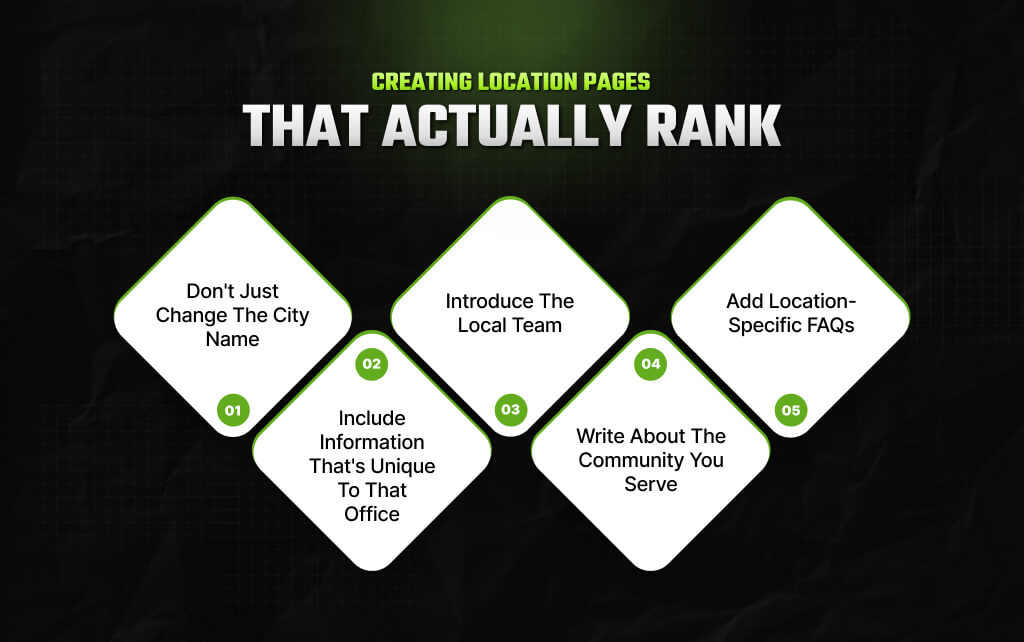
A location page shouldn’t exist simply because your business has an office there. It should exist because it helps people in that area.
So, think about someone searching for your service in a specific city – they are not just looking for your address. Instead, they want to find out which location is more convenient for them.
A strong location page answers those questions before they need to ask them.
This is the quickest way to create weak location pages. So, imagine a business with offices in Miami, Orlando, and Tampa.
Each page says: We provide professional HVAC services in [City].
Then the city name changes. But everything else, including all other details, stays the same. Frankly, Google has already seen hundreds of such pages. They add very little value.
Instead, every location page should tell its own story.
To understand how this works, you need to ask yourself something like, “what would anyone planning to visit a specific business location would want to know?”
The answers usually include details like:
These aren’t just helpful for visitors. Also, they also make every page naturally different.
People trust people. So, if your locations have different managers, dentists, attorneys, or consultants, introduce them.
A short biography adds personality while giving visitors useful information.
For example:
These details are impossible to duplicate across every office, which makes each page stronger.
One of the easiest ways to make a page feel local is to talk about the area itself. That doesn’t mean forcing neighborhood names into every paragraph.
Instead, write naturally and mention:
If customers regularly travel from nearby suburbs, mention those areas too. This provides useful context while reinforcing local relevance.
Many businesses publish one generic FAQ for every office. A better approach is creating questions based on the location itself.
For example:
Those questions help customers while making every page unique.

Reviews influence trust long before someone becomes a customer. But they work best when they’re connected to the office the visitor is considering.
So, imagine someone looking for a lawyer in Denver. They’ll probably find reviews from the Denver office more helpful than reviews from Phoenix.
Whenever possible, showcase testimonials from the specific location.
This creates a better experience because visitors see feedback that’s directly relevant to the office they’ll visit.
Google Business Profile remains one of the strongest local SEO signals.
For businesses with multiple physical locations, each eligible office should generally have its own profile.
That profile should accurately reflect the location.
Also, keep information consistent, including:
Even small inconsistencies can create confusion for both customers and search engines.
Creating a profile isn’t enough. Moreover, customers expect current information. So, regularly update:
An active profile sends stronger trust signals than one that’s been ignored for years.
Many businesses reply to every review with the same template. And trust me, customers notice. Instead, write responses that acknowledge the person’s experience.
Thank them for visiting.
Reference the service they received where appropriate. Moreover, you should respond professionally to negative feedback without becoming defensive.
Also, personal responses build trust with future customers, not just the reviewer.
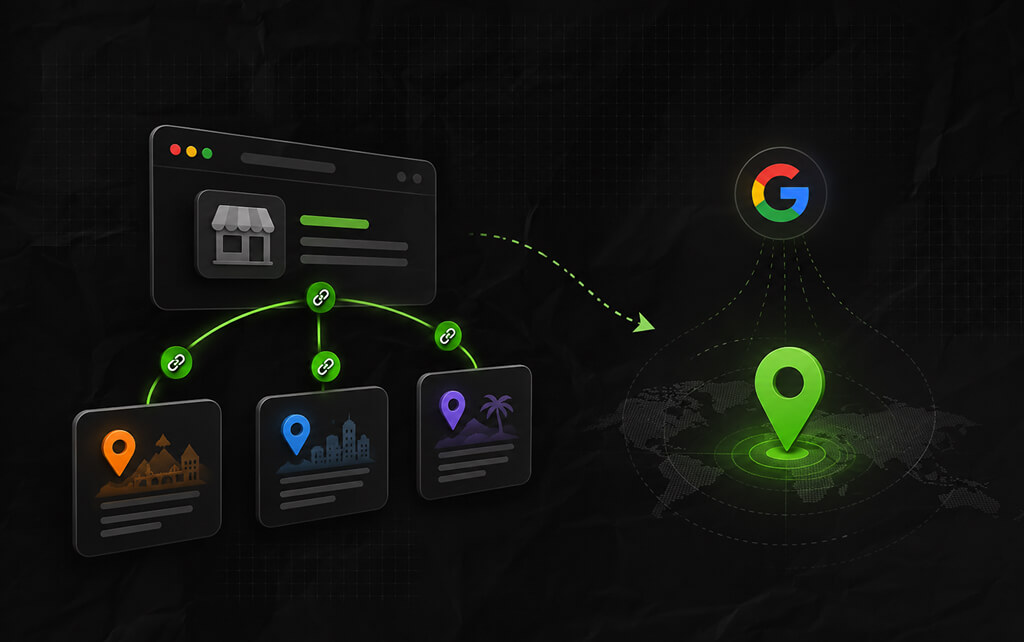
Internal links do much more than help visitors navigate.
They also help search engines understand how your pages relate to one another.
Imagine someone lands on your Denver office page.
They may also benefit from links to:
These connections create a stronger website structure.
They also encourage visitors to continue exploring instead of leaving after one page.
If someone can’t find an appointment at one office, another nearby location may help. Instead of forcing them back to Google, guide them yourself.
For example: Looking for an appointment sooner? Our Boulder office is only 30 minutes away.
Small touches like this improve usability while strengthening internal links.
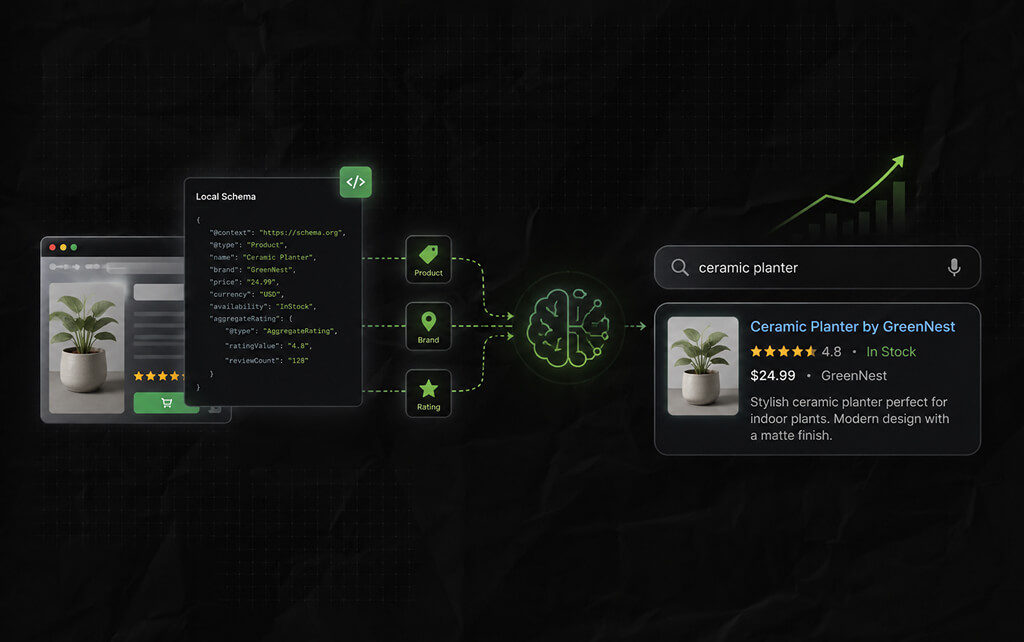
Search engines don’t simply read your pages. Also, they rely on structured data to better understand your business.
Local schema helps provide that context. Depending on your business, structured data can identify information such as:
Think of schema as an extra layer of clarity – Visitors may never see it, but search engines do.
Opening a new office involves much more than updating your website. Every new location creates another opportunity to appear in local search results. Also, it creates another chance to confuse Google if important details are missing.
So, before announcing a new location, work through this checklist:
New location opens
│
▼
Create a dedicated location page
│
▼
Set up or claim the Google Business Profile
│
▼
Add LocalBusiness schema
│
▼
Update your Locations page and internal links
│
▼
Check your business name, address, and phone number everywhere
│
▼
Upload original photos
│
▼
Collect reviews for that specific location
│
▼
Track all rankings, calls, and client inquiries
Of course, once you go through the checklist, you might think you need to complete everything at one go. But that’s not how things work.
You should just work towards making each of your business locations a credible resource – it’s more than just another address on your business portfolio.
Barsha is a seasoned digital marketing writer with a focus on SEO, content marketing, and conversion-driven copy. With 8+ years of experience in crafting high-performing content for startups, agencies, and established brands, Barsha brings strategic insight and storytelling together to drive online growth. When not writing, Barsha spends time obsessing over conspiracy theories, the latest Google algorithm changes, and content trends.
View all Posts

Is Serpstat Worth It? A Deep Dive Into Pricin...
Oct 09, 2026
How To Use Screaming Frog: The Definitive Tec...
Oct 09, 2026
Master The Rich Result Test: Fix Your Broken ...
Oct 08, 2026
Does vnROM Bypass Still Work? A Realistic 202...
Oct 08, 2026
Event Pages That Rank And Convert: A Practica...
Oct 06, 2026