
Master The Rich Result Test: Fix Your Broken Schema Markup
Oct 08, 2026
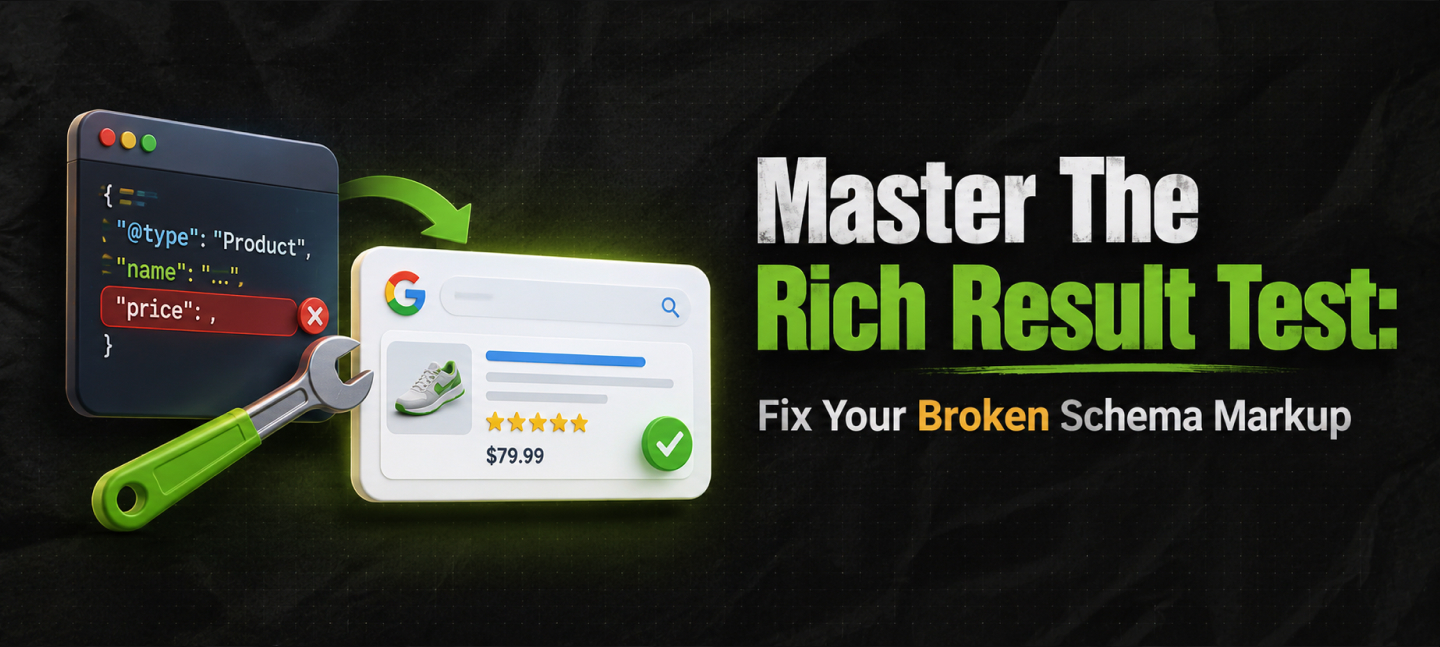

You spend hours building custom product schema, you stuff the code on your site, and Google still shows nothing. What gives?
The search results are still a plain white string of text. Where did you go wrong?
The Google rich result test is the tool used to audit structured data code and check if a page is approved to show up as a rich snippet on Google.
In this article, you’ll learn exactly how to run a rich result test and avoid implementation roadblocks.
This workflow will help you turn blank data into click-worthy Google snippets.
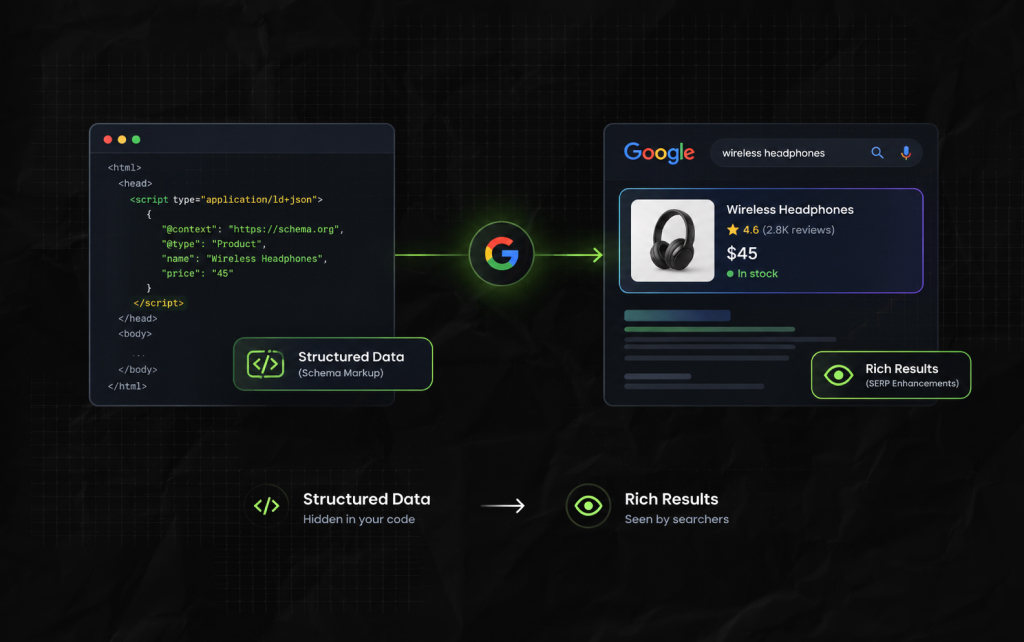
I see too many digital marketers getting confused about these two terms.
They are completely different things, and any misunderstanding leads to trouble when you need to debug a broken search appearance
Think of structured data as a hidden layer of standardized, machine-readable markup (typically in the form of JSON-LD code) that tells search crawlers what to do with your content.
For instance, by implementing specific schema.org codes, you tell Google that “$45” is not a price, a coordinate or an elevation, but a price
A rich result, on the other hand, is what users see on their screens. It is the output of the calculation that happens between your structured data and the search query.
The best examples include review cards, product listings with stock levels, recipe cards with preparation time, collapsible accordions, and many others.
All these rich elements make search results more informative and engaging.
| Operational Attribute | Structured Data (Schema Markup) | Rich Results (SERP Enhancements) |
| System Placement | Embedded directly within page HTML | Displayed live on frontend Google SERPs |
| User Visibility | Invisible to regular site visitors | Fully visible to public searchers |
| Webmaster Control | 100% managed by your code configuration | Controlled completely by search delivery algorithms |
Understanding this baseline layout changes how you troubleshoot technical drops.
When an enhancement drops off a search engine page, the error rarely sits within the frontend display rendering engine itself.
Instead, the failure trace almost always points back to an unvalidated backend code configuration or an extraction breakdown inside the crawling pipeline.
A few years ago, technical teams relied on a single unified Structured Data Testing Tool.
Disentangling that system created confusion. Let’s highlight the right places to drop your code.
This is the natural successor to the previous testing platform. It validates the broad syntax of your Schema.org vocabulary.
It checks whether your brackets match, your properties exist, and your code is formed correctly.
You don’t even have to check whether Google supports those elements.
This tool focuses solely on feature eligibility for Google search layouts. It’ll tell you if your code is clean.
However, more importantly, it’ll tell you whether your markup makes you eligible for visual highlights such as Merchant Listings, Video snippets, or FAQ blocks.
When building non-Google entities such as specialized data properties for alternative search environments, always use the Schema Markup Validator.
That said, if you want your code to secure visual space on Google, the Rich Results Test is your primary framework.
Dropping code into the wrong validation interface wastes time.
The Schema Markup Validator will happily give a green light to creative, custom properties that don’t exist within the ecosystem of supported rich display options.
You may walk away thinking your site is set up for rich feature delivery.
However, you might discover weeks later that the search engine ignores those custom tags because they don’t match the engine’s active layout parameters.
Also Check: FAQ Schema: When It Still Makes Sense And When It Doesn’t.

Ensuring your structured data is flawless is crucial for winning eye-catching rich snippets in search results.
Google’s Rich Result Test is the definitive sandbox for validating your schema markup before or after it goes live.
Follow this step-by-step breakdown to efficiently audit your code, interpret error reports, and safeguard your search engine visibility.
Open the official Google testing suite or your IA audit console. On the dashboard, there are two input fields for pasting the query:
Fetch URL – enter the canonical URL of the published page; or
Paste Code – insert the raw snippet of JSON-LD code before implementing it in the CMS.
Next, click Validate to let the tool scan the source code and open a sandbox environment.
It simulates the behavior of crawlers Google uses when it indexes your web page.
In under 30 seconds, the tool will display one of the three possible statuses:
This means the syntax is correct, and all required properties are included in the snippet. The item will appear in the SERPs as intended.
This status means that the crawler found all required properties but failed to detect a few optional tags.
For example, if the product has a price but no return policy, it will be indexed with fewer details. The enhancements will not apply because the data is insufficient.
The tool detected one or more errors in the code, and the snippet fails the validation test.
The crawler will skip the indexing of the product schema completely.
Navigating the status reports is only part of the task. Next, determine which properties are required and which are optional.
Depending on the enhancement type, the tool will display a list of required and optional properties.
If you initiate a product search and receive an error message indicating that the necessary property hasn’t been recognized, the extraction process will fail.
For example, if the name and review root properties have not been included, the crawler will fail to extract this item.
For warning statuses, the result depends on the missing property.
If the crawler does not detect the SKU or MPN property, it cannot relate the item to other products in different retailers’ inventories.
However, a warning status will not prevent the snippet from being extracted.

Navigating the complexities of structured data implementation requires looking past standard validation tools.
A common mistake made during a Q4 e-commerce migration highlights the danger of relying solely on validation tools.
A team staged their templates through the rich result test, achieved a perfect green checklist across 5,000 product variants, and deployed the code live.
Yet, two weeks later, their star ratings completely vanished from the live search results page.
Testing tools operate strictly as real-time sandbox parsers. They indicate what is technically possible with the provided code.
However, they do not push it to the live index. To turn a green test into live visibility, webmasters must manually request a crawl:
Open Google Search Console.
Paste the live URL into the top bar.
Click ‘Request Indexing.’
This lag interval creates a critical point of confusion for engineering and marketing teams.
When engineering updates a site’s templates, they naturally reference the live online testing tool to verify success. Once it looks good, they close the ticket.
However, the live search index keeps reading the old, broken cached versions of the page until the next crawl cycle.
Developers working with heavy JS frameworks like React, Angular, or Next.js frequently run into the hydration trap.
Testing a page using the raw code snippet option passes perfectly, but testing the live URL fails catastrophically.
This occurs when a site architecture uses client-side rendering to inject structured data blocks.
If scripts take too long to load, Google’s initial HTML crawler will grab the page and exit before the JavaScript can generate the JSON-LD payload.
To properly diagnose and resolve this trap, development teams should follow these core steps:
Always check the rendered HTML output tab within the testing panel.
Verify whether the schema blocks appear in this snapshot; if they are missing, the server must deliver that data before sending it to the browser.
Fixing this issue requires flipping the data delivery approach.
Strict client-side execution leaves structured data vulnerable to slow script execution, network latency, and slow mobile devices.
Migrating schema delivery to server-side rendering (SSR) ensures the raw HTML payload arriving at the crawler’s endpoint already includes the full, well-formed JSON-LD block.
Google explicitly states that technical compliance does not guarantee a rich result layout.
The search delivery system uses external trust filters before modifying its frontend layouts.
When structured data fails to appear despite being technically flawless, it usually triggers one of these core quality issues:
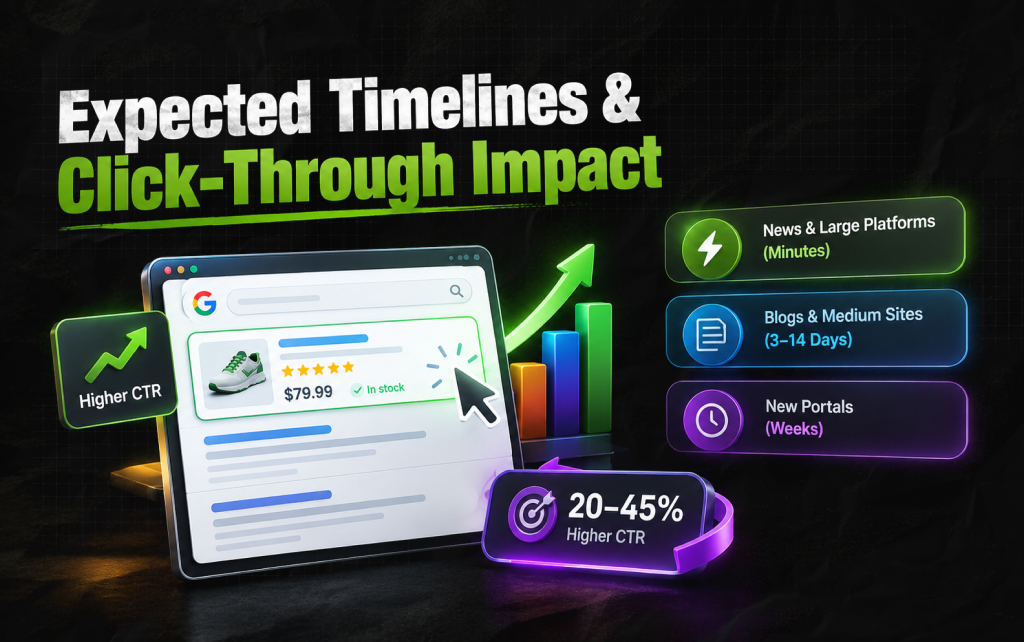
Based on information collected and analyzed from different search engine monitoring services, interactive snippets can increase audience impact across all verticals.
Review snippets with review scores have been shown to increase click-through rate by 20% on average, including 35% in best-practice cases.
Integrating pricing and inventory data into commercial snippets increased conversion rates by 15-25%.
Improving visual appearance significantly impacts the CTR of search listings, increasing it by 30-45%.
The rate at which changes appear in search results depends solely on the frequency of crawler visits to your website:
News media and large trading platforms possess highly customizable enterprise solutions
This allows visual enhancements to appear in search results within some minutes after technical implementation.
Blogs and medium-vertical websites have a less frequent indexation schedule.
As a result, visual appearance updates are reflected in search results within 3-14 days.
Discovery systems may crawl new portals with less than one year of history less often.
As a result, dynamic indexing changes may take several weeks to appear.
Changes observed in snippets directly translate into changes in visitor behavior.
A 30% increase in click-through rate lets us estimate the traffic-growth impact of enhanced snippets.
Higher trust and engagement significantly improve a page’s ability to rank higher in organic search results.
In highly competitive niches such as online retail trading or lead generation markets, improving CTR translates directly into greater visibility on the first page of search results, increasing visitors by tens of percent.
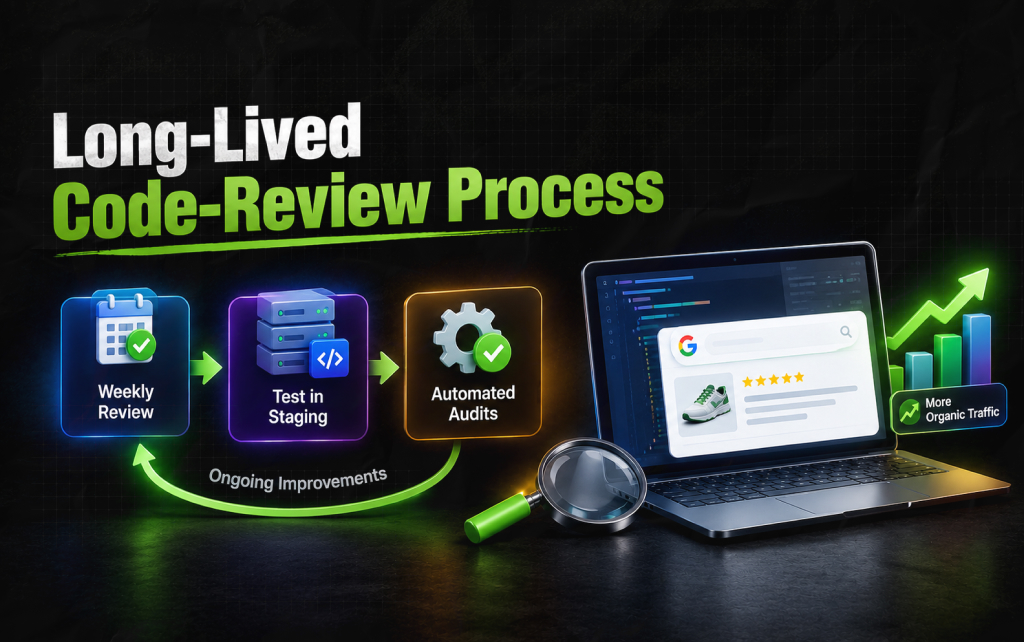
Code validation at launch only ensures initial visibility.
The process of continuous code improvements should be implemented on an ongoing basis, using the following mechanics:
Enhancement reports in Google Search Console suggest monitoring changes to structured data snippets weekly.
Before deploying significant code-level improvements such as theme or CMS upgrades, validate code changes in a staging environment using the snippet validation tool.
As applications grow more complex, automate reviews of snippet code for missing essential declarations in production.
Periodically crawl a comprehensive list of URLs to ensure JSON-LD markup works correctly.
Regularly implementing these steps helps keep enhanced snippets present on the website.
Combining enhanced appearance with stronger content integrity lets you directly influence search visibility.
A competent approach to code optimization techniques allows you to increase the number of visitors to the website organically by tens of percent.
Ankita Tripathy loves to write about food and the Hallyu Wave in particular. During her free time, she enjoys looking at the sky or reading books while sipping a cup of hot coffee. Her favourite niches are food, music, lifestyle, travel, and Korean Pop music and drama.
View all Posts

Does vnROM Bypass Still Work? A Realistic 202...
Oct 08, 2026
Event Pages That Rank And Convert: A Practica...
Oct 06, 2026
KeywordStat Review: Keyword Research, Cluster...
Oct 03, 2026
How Corda Turns Authority Data Into Campaigns
Oct 01, 2026
How To Audit Your Search Visibility In 2026: ...
Sep 30, 2026