The Keyword With 10 Searches That Sent Ahrefs Thousands Of Visitors
Sep 24, 2026

Social media can be a fun place to share and connect. But sometimes, it can feel intrusive, sharing too much about one’s life.
So, users can choose to limit the information they share on social media platforms.
Whether it is about their personal life or about who they choose to follow on Instagram, users can keep this information from the public.
Especially with the followers list, users might want to keep that private. For this, they need to follow the proper steps to hide it.
So, if you are also wondering how to hide your following list on Instagram, I have got the perfect guide.
Here, in this blog, I will delve into the diverse methods by focusing on—
Stay tuned!
Honestly, there is no straight-cut method to hide the followers list on Instagram. That is, the app does not provide a direct feature that turns off its visibility.
So, users need to focus on other methods and roundabout ways to hide the followers list. But still, it doesn’t allow users to completely hide the list from everyone.
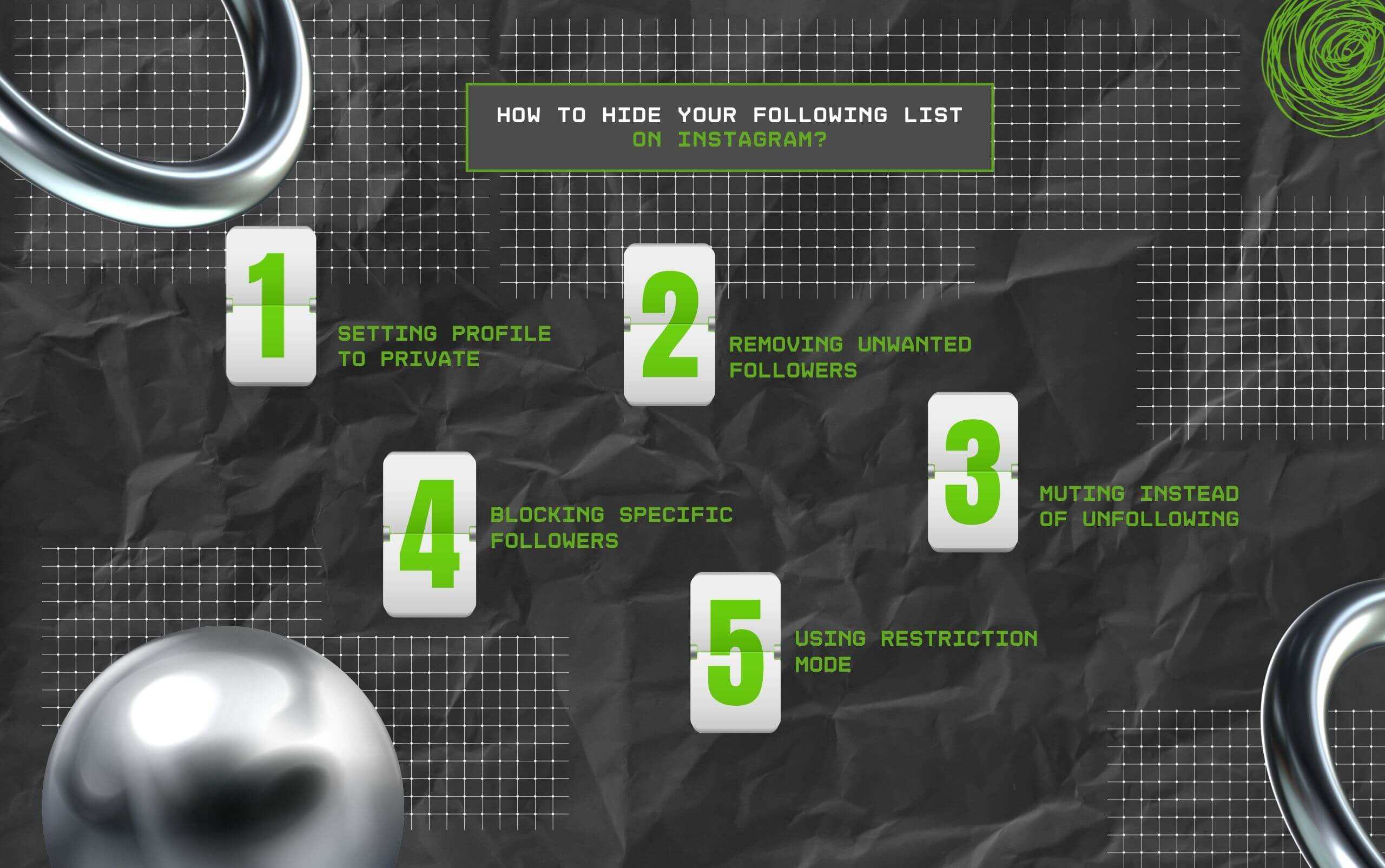
Now, given that there is no straightforward method to hide the followers list from everyone on Instagram, here are some ways to get it done—
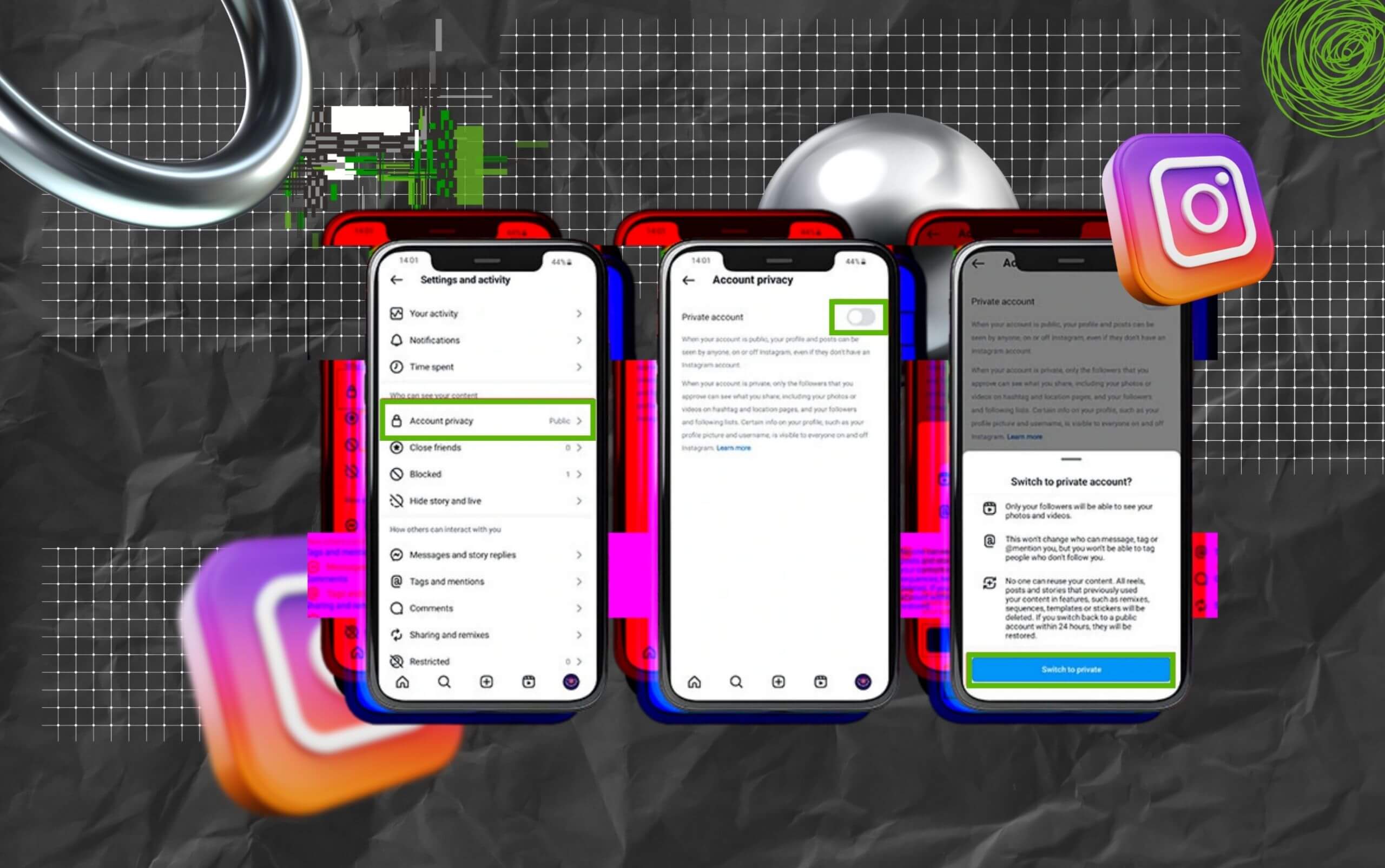
Firstly, users can turn their profiles private to prevent non-followers from accessing their followers list. But the followers’ list will remain visible to their followers. So, users cannot completely hide the list.
Moreover, users can easily remove unwanted followers from their list. This will help users to prevent unwanted followers from viewing their followers’ list.
Now, removing someone from the followers’ list can help private accounts to keep their followers list hidden without blocking the person on Instagram.
Another option for hiding the followers list is by muting the unwanted profiles. That is, users can mute certain profiles to avoid interacting with their content on Instagram.
So, they can also avoid viewing and getting notified about the users’ posts. Making it easier to hide the followers list from them.
Now, there can be times when a particular user is behaving in a way that the user does not appreciate. So, in that case, they can block the profile to cut off the connection.
That is, when the user blocks the profile, they are no longer able to view the followers list, daily content, and shared posts. Also, they cannot look for the profile from the search option.
Finally, there is a Restrict feature in Instagram that allows users to create a middle ground between blocking someone and allowing them full access to their profiles.
That is, the Restrict mode prevents the specific profile from directly interacting with the user. So, when the user approves of their comments, DMs, and other requests, their interaction becomes visible.
Moreover, they are not allowed to view the followers list without the approval of the user. Making it slightly difficult for them to access the details.
But at the same time, they can continue being a follower.
Since Instagram is a social media platform, privacy matters more than anything.
That is, the privacy features help users to protect their personal data, avoid identity theft, and secure physical safety by controlling the access of others to their information.
In addition to this, the privacy features and policies on Instagram help users to manage their reputation.
So, they can prevent random stalkers and hackers from impacting their reputations.
Moreover, activating the privacy features on the profile can help users to avoid cyberbullying.
That is, once the users have restricted random profiles from accessing images and personal information, they can browse the social media platform safely.
So, compromising on privacy on Instagram is not a smart move. Rather, using the right measures to protect the profile’s viewing access can help avoid major issues.
So, take this chance to control your privacy on Instagram with the right methods and measures.
Here, I have curated some of the common questions that most Instagram users look for to hide their following lists from others.
Generally, users opt for a private Instagram account to enhance security, privacy, and user control on the platform.
So, they can use social media without sharing private details. That is, using a private Instagram account reduces the risk of impersonation and data theft.
Moreover, it prevents bots and spam accounts from accessing the private accounts, protecting the users from content theft and personal data breaches.
Unfortunately, no. Instagram offers no such direct feature that allows users to hide their entire followers from everyone on the platform.
But it provides the feature to limit who can see the followers. So, users can make their accounts private to prevent non-followers from accessing their followers list.
Moreover, users can block and remove certain followers to prevent them from accessing their followers’ list. Allowing them to browse the social platform with privacy.
Yes, absolutely. Since Instagram allows users to connect with the public, it provides the feature to make the followers list visible at any time.
That is, users can make the followers list visible by simply reversing the privacy settings on the app.
So, they can change the toggle and make their account public and unblock users to make their followers list visible to them again.
It can be due to various privacy settings on Instagram. For instance, if the person has blocked your account on their profile, you might not be able to access their followers list.
Moreover, if they have a private account and you are not following them, then their followers list won’t be visible to you. So, you need to check if they have blocked or have a private account.
Read Also:
Chandrima is a seasoned digital marketing professional who works with multiple brands and agencies to create compelling web content for boosting digital presence. With 3 years of experience in SEO, content marketing, and ROI-driven content, she brings effective strategies to life. Outside blogging, you can find her scrolling Instagram, obsessing over Google's algorithm changes, and keeping up with current content trends.
View all Posts

The Keyword With 10 Searches That Sent Ahrefs...
Sep 24, 2026
Paying Freelance Writers In Ten Countries: An...
Sep 24, 2026
GroomPanel Vs Other SMM Panels: What Makes It...
Sep 24, 2026
The Traffic-to-Revenue Gap: Why More Website ...
Sep 17, 2026
The Volatility Trap: What Crypto Position Siz...
Sep 17, 2026